
10 B2B SaaS Email Campaigns Examples That Drive Revenue in 2026
In B2B SaaS, email is a direct line to revenue. It's not just for newsletters or product updates; it's a powerful engine for converting trial users, winning back churned accounts, and driving expansion revenue. When executed correctly, automated email campaigns can add a significant percentage to your annual recurring revenue. The challenge isn't knowing that email works, but knowing which specific campaigns actually move the needle and how to build them effectively. Generic advice falls short, which is why a deep dive into proven email campaigns examples is essential for any growth-focused team.
This article moves beyond theory to provide a tactical playbook. We are breaking down 10 essential automated email campaigns that every B2B SaaS company should implement. You won't find surface-level descriptions here. Instead, you'll get a comprehensive analysis of each campaign, including:
Strategic Purpose: The specific business goal each campaign achieves.
Triggers & Timing: What user action (or inaction) should kick off the sequence.
Copy & CTA Examples: Subject lines and body copy that get results.
Segmentation & Personalization: How to target the right user with the right message.
Implementation Tips: Actionable steps for building these flows using features like conditional logic and API triggers.
We'll examine everything from free trial conversion sequences and feature adoption emails to sophisticated win-back campaigns and account-based marketing plays. Get ready to see exactly how to transform these concepts into automated, revenue-generating assets that work for you 24/7.
1. Product Launch Email Sequences
Product launch email sequences are a multi-stage campaign designed to build anticipation, educate users, and drive adoption for new features or products. Unlike a single announcement, a sequence guides recipients through a narrative, transforming a simple update into a must-have solution. For B2B SaaS, this is a critical tool for demonstrating continuous value and encouraging deeper product engagement.
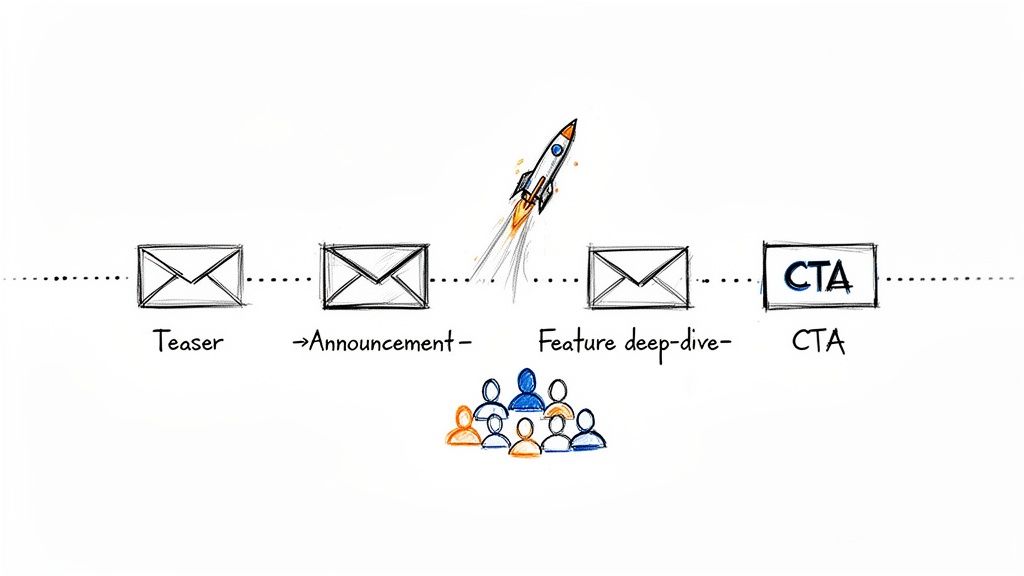
This method shines by segmenting audiences to deliver hyper-relevant messaging. A power user might receive a technical deep-dive on a new API, while a new customer gets a high-level overview focused on core benefits. Companies like Slack and Notion master this by creating phased rollouts, often starting with teasers to beta users before a wider public announcement, making it one of the most effective email campaigns examples for driving immediate feature adoption.
Strategic Breakdown
Triggers and Timing: The sequence typically starts 1-2 weeks pre-launch. Key triggers include
new_feature_beta_access = truefor an early access segment orlast_login > 30_daysfor a re-engagement-focused launch message. Post-launch emails can be triggered by a user's initial interaction with the new feature.Segmentation and Personalization: Use user data to create targeted segments. For example, target users on a specific plan (
user_plan = 'Pro') or those who have used a related feature (used_feature_X = true). Personalize copy with user names and company names.
Actionable Implementation Tips
Use Conditional Blocks: In a platform like SMASHSEND, use conditional blocks to show different content based on user segments within a single email template. For instance, display a technical breakdown for developers and a business use case for managers.
Show, Don't Just Tell: Embed GIFs or short video tutorials directly in the email to visually demonstrate the new feature's value. This drastically increases comprehension and excitement.
Create a Feedback Loop: End your launch sequence with a call-to-action asking for feedback or inviting users to a live Q&A session. This not only improves the product but also strengthens customer relationships.
2. Abandoned Workflow Emails
Abandoned workflow emails are automated campaigns triggered when a user starts but fails to complete a key action within your SaaS platform. More nuanced than a typical cart abandonment email, this strategy targets friction points in critical user journeys like incomplete signups, unfinished onboarding tasks, or dropped feature trials. The goal is to intelligently re-engage users at the exact moment of drop-off, guiding them back to completion with contextual help.
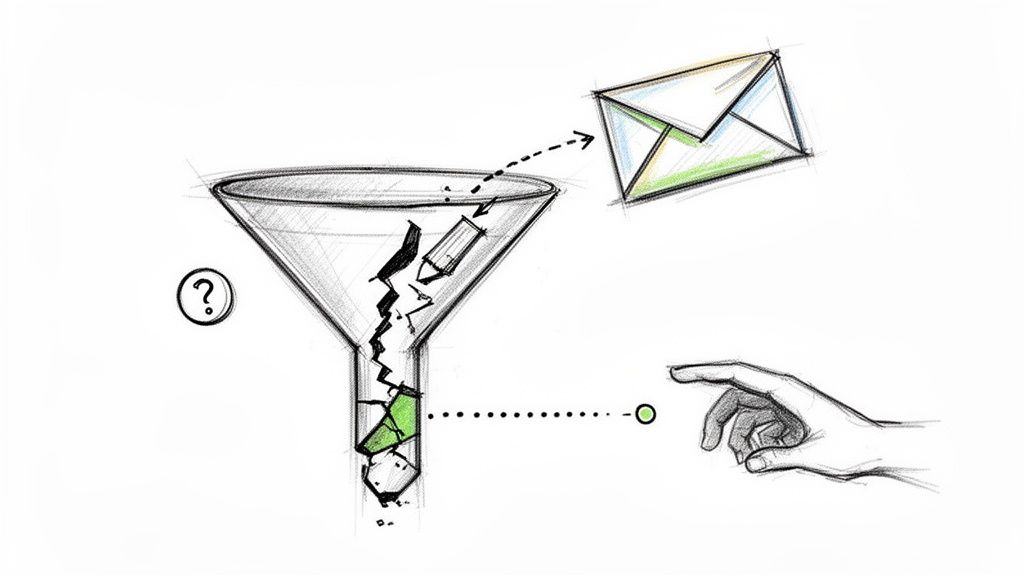
This approach is highly effective because it addresses user intent directly, offering help rather than just a generic reminder. Companies like Asana excel at this by sending reminders for unfinished project setups, while Calendly prompts users to complete their scheduling link creation. These targeted interventions prevent user churn before it starts and are a prime example of how proactive email campaigns examples can significantly boost activation and retention rates.
Strategic Breakdown
Triggers and Timing: These campaigns are triggered by inaction after a specific event. For instance, trigger an email if
onboarding_step_2_complete = false2 hours afteronboarding_step_1_complete = true. A follow-up can be scheduled for 24 hours later if the user still hasn't returned.Segmentation and Personalization: Segment users based on the specific workflow they abandoned (e.g.,
abandoned_workflow = 'team_invite'). Personalize the email by referencing the exact step they left off, using dynamic content to provide context.
Actionable Implementation Tips
Reference the Point of Friction: Your email copy should be hyper-specific. Instead of "Finish setting up your account," use "Just one more step to invite your team!" This immediately reminds the user of their original goal.
Offer Contextual Help: Don't just nudge, assist. Embed a link to a specific help doc, a short video tutorial on the feature, or a call-to-action to chat with support. This removes the barrier that may have caused them to drop off.
Test Help vs. Incentives: For some workflows, offering direct support (e.g., "Book a 15-min call with our specialist") can be more effective than offering a discount or trial extension. A/B test which approach works best for different drop-off points in your funnel.
3. Win-Back / Churn Recovery Campaigns
Win-back and churn recovery campaigns are strategic sequences designed to re-engage inactive or recently churned customers. Rather than letting valuable accounts slip away, these emails aim to remind them of your product's value, address potential reasons for leaving, and incentivize their return. For B2B SaaS, where acquiring a new customer is significantly more expensive than retaining an existing one, this is a mission-critical revenue recovery tool.
This method is powerful because it addresses the "why" behind churn. A great campaign doesn't just offer a discount; it leads with a value reminder, highlights new features they might have missed, or asks for feedback directly. Companies like Adobe and HubSpot excel at this, using multi-step sequences that escalate from gentle nudges to special offers, making them some of the most profitable email campaigns examples a business can run. Successful execution can significantly impact Net Revenue Retention (NRR).
Strategic Breakdown
Triggers and Timing: The sequence should begin as soon as a churn signal is detected. Key triggers include
subscription_status = 'cancelled',last_login_date > 45_days, orpayment_failedafter several dunning attempts. The first email should go out within 24-48 hours of the trigger event.Segmentation and Personalization: Segment users based on their reason for churn (if known), their previous plan (
user_plan = 'Enterprise'), or their product usage level (feature_adoption_score < 20%). Personalize with user names and reference a specific feature they used.
Actionable Implementation Tips
Lead with Value, Not a Discount: Your first email should remind them of the value they received or highlight a new, relevant feature. A subject line like "A new feature for your team" is often more effective than "Come back with 20% off."
Create a Progressive Offer Ladder: Structure your sequence with escalating incentives. Email 1: Value reminder. Email 2: Case study of a similar company. Email 3: A special offer or extended trial. Email 4: A final request for feedback via a short survey.
Automate Feedback Collection: Use the final email to link to an exit survey. This not only gives you one last chance to recover the customer but also provides invaluable data to improve your customer retention strategies and prevent future churn.
4. Account-Based Marketing (ABM) Email Campaigns
Account-Based Marketing (ABM) email campaigns shift the focus from a wide net of individual leads to highly targeted, coordinated outreach aimed at specific high-value accounts. Instead of one-to-many messaging, ABM treats each account as a market of one, delivering bespoke email sequences that resonate with the unique challenges and goals of that entire organization. This strategic approach is indispensable for B2B SaaS companies pursuing large enterprise deals with complex buying committees and long sales cycles.
This methodology excels by aligning marketing and sales efforts to engage multiple stakeholders within a target company simultaneously. Companies like 6sense and Terminus are pioneers in this space, using rich account-level data to trigger personalized outreach. For instance, an email to a CTO might highlight API integrations, while a parallel email to a CFO focuses on ROI and cost savings, making ABM one of the most powerful email campaigns examples for closing major B2B contracts.
Strategic Breakdown
Triggers and Timing: Campaigns are triggered by account-level intent signals, such as a target company visiting your pricing page or a key contact engaging with an ad. Outreach is coordinated and staggered over a 4-6 week period, often initiated after a sales development representative (SDR) confirms initial interest. Key triggers include
account_intent_score > 75orkey_stakeholder_viewed_demo = true.Segmentation and Personalization: The core of ABM is hyper-segmentation. First, identify target accounts based on an Ideal Customer Profile (ICP). Then, segment contacts within those accounts by persona (
contact_role = 'VP of Engineering'). Personalization goes beyond names to include company names and references to specific company initiatives or competitors.
Actionable Implementation Tips
Track Account-Level Engagement: Instead of individual opens and clicks, measure success by overall account engagement. Track how many contacts from a target company are opening, clicking, and replying. This provides a clearer picture of an account's true interest level.
Use Dynamic Content for Scale: In a tool like SMASHSEND, leverage dynamic content blocks to insert industry-specific case studies, persona-specific value propositions, or competitor comparisons. This allows you to scale personalization without creating hundreds of unique emails.
Align with Sales Outreach: Integrate your email sequence with the sales team's cadence. Use your email automation platform to create a task for an SDR in your CRM when a contact shows high engagement (e.g., clicks a link to a case study). This ensures a timely and relevant follow-up call or LinkedIn message.
5. Free Trial to Paid Conversion Sequences
Free trial to paid conversion sequences are multi-stage email campaigns designed to guide trial users toward a paid subscription. This critical campaign bridges the gap between initial interest and long-term commitment by showcasing value, building habits, and creating timely urgency. For B2B SaaS, this is the primary engine for converting product-qualified leads into paying customers, directly impacting revenue and growth.
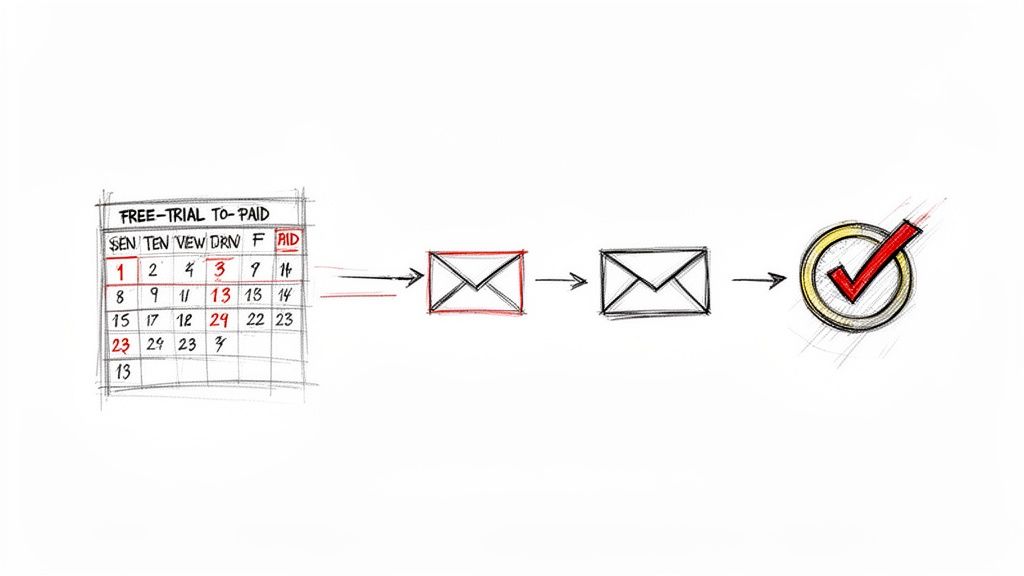
This method succeeds by personalizing the trial experience based on user behavior. It's not a one-size-fits-all drip campaign; it's a dynamic conversation that adapts to how a user engages with the product. Companies like Canva and Intercom excel at this by sending tips and feature highlights relevant to the user's specific actions, making these some of the most powerful email campaigns examples for maximizing trial conversion rates.
Strategic Breakdown
Triggers and Timing: The sequence starts immediately upon trial signup (
event = 'trial_started'). Key triggers throughout the trial include user actions likeproject_created,team_member_invited, orintegration_enabled. Trial expiration warnings are time-based, sent 3 days and 24 hours before the trial ends.Segmentation and Personalization: The most crucial segmentation is based on activation level. Create segments like
activated_users(completed key setup steps) andinactive_userswithin the first 48 hours. Personalize content with user names and highlight features they've used with dynamic content blocks.
Actionable Implementation Tips
Highlight Usage "Wins": Use transactional API hooks in a tool like SMASHSEND to send an automated email celebrating a user's first major action, like creating their first project. The subject line could be: "Congrats! You're on your way with your first project."
Balance Value and Urgency: Focus the first half of the trial on education and value (case studies, feature tutorials). Introduce urgency in the final days with countdowns and a clear, compelling offer to upgrade, showcasing the features they'll lose.
Segment by Inactivity: For users who sign up but don't engage, trigger a separate re-engagement track after 72 hours. This sequence should focus on overcoming common hurdles, offering help, and presenting simple, high-impact "first steps" to get them started.
6. Feature Adoption and Education Emails
Feature adoption and education emails are targeted campaigns designed to guide existing customers toward using new or underutilized product features. Instead of just announcing a feature, these campaigns focus on progressive education, using tutorials and contextual use cases to drive deeper product engagement. For B2B SaaS, this is a cornerstone of product-led growth, turning passive users into power users and boosting long-term retention.
This strategy excels by connecting feature functionality directly to user outcomes. A campaign might show an administrator how a new reporting tool saves an hour per week on analysis, or a designer how a new prototyping feature streamlines collaboration. Companies like Figma and HubSpot master this by sending educational content triggered by user behavior, making these some of the most relevant email campaigns examples for increasing customer lifetime value.
Strategic Breakdown
Triggers and Timing: These campaigns are highly behavioral. Trigger an email when a user navigates to a related feature section but doesn't engage (
visited_reporting_page = trueANDcreated_report = false). Timing is critical; send the educational tip within 24-48 hours of the user's interaction to capitalize on their intent.Segmentation and Personalization: Segment users based on their role (
user_role = 'admin') and current feature usage (used_feature_X = true). Personalize the message by referencing their past activity or company goals.
Actionable Implementation Tips
Lead with Clear Value: Start your subject line and email body with the business outcome, not the feature name. For example, "Save 30 Minutes on Weekly Reporting" is more compelling than "Introducing Our New Report Builder."
Use Short Visuals: Embed a 2-minute video or an animated GIF that demonstrates the feature in action. This visual proof makes the value proposition tangible and easy to understand, reducing friction to adoption.
Create Role-Based Sequences: In SMASHSEND, set up separate automated sequences for different user roles. An admin might receive content about security and permissions, while a daily user gets tips on workflow efficiency, ensuring the education is highly relevant to their specific needs.
7. Renewal and Upsell Email Campaigns
Renewal and upsell email campaigns are strategic sequences designed to maximize customer lifetime value and secure recurring revenue. Sent in the 60-90 day window before a subscription expires, these emails aim to remind, persuade, and make it seamless for customers to renew, upgrade to a higher-tier plan (upsell), or purchase complementary products (cross-sell). For B2B SaaS, this is a direct lever for increasing Annual Recurring Revenue (ARR) from the existing customer base.
This approach works by proactively demonstrating the value the customer has received over their subscription term. Instead of a simple payment reminder, it builds a compelling case for continuation and expansion. Companies like Salesforce and Atlassian excel here by sending personalized renewal notices that include usage dashboards, ROI summaries, and recommendations for license expansion based on team growth, making this one of the most profitable email campaigns examples for mature SaaS businesses.
Strategic Breakdown
Triggers and Timing: The sequence should begin 90 days pre-renewal with a gentle "heads up" email. Subsequent emails trigger at 60, 30, 14, and 7 days out, escalating in urgency. Triggers can be based on
subscription_end_datecombined with usage data likeNPS_score < 6to identify at-risk accounts for a different, more hands-on sequence.Segmentation and Personalization: Segment users by health score (
account_health = 'healthy'vs.'at_risk') and usage patterns (seat_utilization > 90%). Personalize with dynamic data points to reinforce the product's indispensable role in their workflow.
Actionable Implementation Tips
Quantify Value with Usage Metrics: Use dynamic tags to pull in specific usage data. An email stating, "Your team resolved 1,500 support tickets with us this year," is far more powerful than a generic renewal reminder. It makes the ROI tangible.
Personalize Upgrade Recommendations: In SMASHSEND, use conditional logic based on usage data. If a user on the 'Pro' plan consistently hits their API call limit (
api_calls_monthly > 100000), display a targeted block recommending the 'Enterprise' plan and outlining the specific benefits they would gain.Simplify the Renewal/Upgrade Path: Make the call-to-action frictionless. Use a clear button like "Renew in One Click" or "Upgrade to Team Plan" that links directly to a pre-populated checkout or billing page. The easier it is to act, the higher your conversion rate will be.
8. Educational Content Series / Thought Leadership Emails
Educational content series are value-driven nurture campaigns designed to build trust and establish authority by providing industry insights and best practices. Unlike promotional emails, these sequences focus on educating prospects and customers, keeping your brand top-of-mind during long B2B sales cycles without aggressive selling. This strategy positions your company as a go-to resource, not just a vendor.
This approach is powerful because it nurtures leads by consistently delivering value, which is crucial for high-consideration purchases in SaaS. It helps build a loyal audience that views your brand as an indispensable source of knowledge. Companies like HubSpot and Drift excel at this, using their email series to distribute original research, actionable playbooks, and expert interviews, making it one of the best email campaigns examples for long-term brand building.
Strategic Breakdown
Triggers and Timing: These campaigns are not typically event-triggered but follow a consistent cadence, like weekly or bi-weekly. A good trigger to start a new subscriber on a series is
form_submission = 'ebook_download'oruser_segment = 'new_prospect'. The cadence should be predictable to build reader habits.Segmentation and Personalization: Segment audiences based on their declared interests or behavior. For example, let users choose topics (
user_interest = 'project_management') upon signup or segment them based on content they've engaged with. Use personalization tokens to tailor the context.
Actionable Implementation Tips
Establish Content Pillars: Define 3-5 core topics your audience cares deeply about (e.g., industry trends, remote work productivity). This focus ensures your content remains relevant and authoritative.
Prioritize Value Over Sales: Follow the 90/10 rule: 90% of your email should be pure educational value, with only a subtle, 10% promotional call-to-action. This builds trust and prevents subscriber fatigue.
Incorporate Original Data: Use SMASHSEND to survey your audience or analyze internal usage data, then share the unique insights in your emails. First-party research performs significantly better than curated content and solidifies your thought leadership position.
9. Re-Engagement and Segmentation-Based Drip Campaigns
Re-engagement campaigns are automated email sequences designed to reactivate inactive users by reminding them of your product's value. Instead of a generic blast, these campaigns leverage behavioral data to segment users based on their disengagement level, ensuring the message is timely and relevant. For B2B SaaS, this is a crucial strategy to combat churn and recapture lost revenue.
This approach is powerful because it addresses the specific reasons a user might have lapsed. A user who hasn't logged in for 30 days receives a different message than one who hasn't used a key feature in 90 days. Companies like Dropbox excel at this, sending gentle reminders about storage limits or new collaboration features to pull users back. Similarly, LinkedIn uses personalized activity summaries, making these some of the best email campaigns examples for preventing long-term dormancy.
Strategic Breakdown
Triggers and Timing: The sequence is typically triggered by inactivity flags like
last_login_date > 30_daysorfeature_X_usage_count = 0in the last 60 days. The first email should go out around the 30-day mark, with 1-2 follow-ups spaced 7-10 days apart.Segmentation and Personalization: Create segments based on inactivity duration (e.g., 'At-Risk', 'Churned', 'Abandoned'). Further segment by user value; a high-value account (
user_plan = 'Enterprise') might trigger a manual outreach task, while others receive the automated drip. Personalize with user names and mention specific features they previously used.
Actionable Implementation Tips
Lead with Value, Not Guilt: Frame your message around what they're missing. Instead of "We miss you," try "Here's what's new in your account" or "See how teams like yours are using our new reporting feature."
Incorporate a Feedback Request: Add a simple question like, "What would make our product more valuable to you?" or a one-click survey. This uncovers actionable insights and shows you value their opinion, even if they don't immediately re-engage.
Define a Clear Exit Point: If a user doesn't respond after 2-3 emails, gracefully sunset them from the campaign. This respects their inbox, improves your deliverability metrics, and keeps your active user list clean.
10. Transactional & Billing Recovery Emails (Event-Based + Payment Recovery)
Transactional and billing recovery emails are automated, event-based messages that are mission-critical for SaaS revenue continuity and user trust. This category includes everything from password resets and invoice receipts to automated dunning sequences that recover failed payments. While their primary function is utility, they offer a high-engagement channel for strategic, subtle upselling and reinforcing brand value.
These emails are essential for smooth operations and preventing involuntary churn, which can account for 20-40% of overall SaaS churn. Companies like Stripe and Shopify have perfected this, transforming purely functional messages into seamless user experiences. Stripe's payment failure emails, for example, are a masterclass in clear, empathetic communication that makes updating a payment method frictionless, making this one of the most vital email campaigns examples for any subscription business.
Strategic Breakdown
Triggers and Timing: These emails are triggered by specific user actions or system events. A
payment.failedevent should trigger the first recovery email within 1-2 hours. Auser.password_reset_requestshould trigger an email instantly (<1 minute).Segmentation and Personalization: Segment dunning campaigns by customer value. A high-value account (
account_value > $1000/mo) might trigger a personal outreach task alongside the email automation. Personalize with user names, company names, and subscription details.
Actionable Implementation Tips
Prioritize Clarity and Action: Keep the primary transactional information (order number, amount, card details) front and center. The call-to-action, like "Update Your Card," should be the most prominent element.
Make Recovery Frictionless: Link directly to a pre-authenticated billing page. Requiring a user to log in just to update their card adds a major friction point that will kill your recovery rate.
Use Empathetic, Not Threatening, Copy: Frame the issue as a simple problem to solve together. Use phrases like, "We had trouble processing your payment" instead of "Your payment was declined." A supportive tone prevents alienation and encourages action.
Implement a Smart Retry Schedule: Don't just send one email. A typical dunning sequence involves 3-5 emails over 7-14 days before an account is suspended. This gives customers ample opportunity to resolve the issue.
10 Email Campaign Types Comparison
| Campaign | Implementation Complexity | Resource Requirements | Expected Outcomes | Ideal Use Cases | Key Advantages |
|---|---|---|---|---|---|
| Product Launch Email Sequences | Medium–High — cross-team coordination, conditional logic | Medium — content, product input, analytics | High — awareness, rapid adoption, measurable launch impact | New product/feature launches to customers, prospects, partners | Drives momentum and adoption with targeted onboarding |
| Abandoned Workflow Emails | Medium — real-time event tracking and triggers | Low–Medium — engineering for events, short contextual content | High — recovers high-intent users; improves activation rates | Incomplete signups, checkout abandonment, unfinished onboarding | High ROI by re-engaging users at drop-off moments |
| Win‑Back / Churn Recovery Campaigns | Medium — segmentation, incentives, feedback flows | Medium — CX/CS input, incentives, analytics | Medium — recoverable revenue; churn insight (LTV uplift) | Churned or long‑inactive customers | Low CAC revenue recovery and actionable churn feedback |
| Account‑Based Marketing (ABM) Email Campaigns | High — account enrichment, multi‑stakeholder personalization | High — research, CRM integration, bespoke content | High — larger deals and higher conversion at account level | Enterprise or high‑value target accounts with long sales cycles | Drives higher ACV and tight sales-marketing alignment |
| Free Trial → Paid Conversion Sequences | Medium — time/behavior triggers and segmentation | Medium — product data, content, ROI proof assets | High — increased trial→paid conversion and activation | Free trials where activation events predict conversion | Maximizes conversion with timely education and urgency |
| Feature Adoption & Education Emails | Low–Medium — feature‑usage segmentation and tutorials | Medium — video/GIF production, in‑app coordination | Moderate–High — increased feature usage and retention | Underutilized features, account expansion efforts | Boosts stickiness, upsell potential, reduces support load |
| Renewal & Upsell Email Campaigns | Medium — billing data integration and timing precision | Medium — billing integrations, CS and pricing input | High — improved renewal rates, ACV growth, forecastability | Upcoming renewals (60–90 days), at‑risk accounts | Protects revenue and surfaces upsell opportunities early |
| Educational / Thought Leadership Series | Low–Medium — consistent cadence and segmentation | High — content creation, research, editorial resources | Moderate (long term) — brand authority and inbound leads | Long B2B sales cycles; top‑of‑funnel nurture | Builds trust and sustained engagement; low unsubscribe rates |
| Re‑Engagement & Segmentation Drip Campaigns | Medium — detailed engagement tiers and conditional logic | Medium — segmentation, targeted content, feedback collection | Medium — recovers engagement, cleans list, improves deliverability | Inactive users, list hygiene, at‑risk segments | Re‑activates valuable users and improves email deliverability |
| Transactional & Billing Recovery Emails | High — real‑time APIs, payment integration, compliance | High — engineering, payment processors, SLA monitoring | Very High — revenue recovery, critical account touchpoints | Payment failures, invoices, transactional confirmations | Protects revenue, high deliverability and trust with customers |
From Examples to Execution: Building Your Revenue Engine
We've explored a comprehensive blueprint of 10 distinct B2B SaaS email campaigns examples, each designed to address a critical moment in the customer lifecycle. From igniting initial interest with a product launch sequence to recovering at-risk accounts with strategic win-back campaigns, the power of targeted, timely email is undeniable. These aren't just isolated templates; they are components of a cohesive, revenue-generating system.
The common thread woven through every successful example is the intelligent use of data. It's about moving beyond generic broadcasts and embracing a personalized, trigger-based communication strategy. Whether it's tracking an abandoned workflow, monitoring feature adoption signals, or identifying an upsell opportunity, the most effective campaigns are conversations initiated by customer actions, not just marketing calendars.
Key Strategic Takeaways
As you move from inspiration to implementation, remember these core principles that separate high-performing email programs from the noise:
Lifecycle Awareness is Paramount: Every email should have a clear purpose tied to where the user is in their journey. A new trial user needs guidance and value-prop reinforcement, while a long-time power user is ready for an upsell or a feature deep-dive. Don't send a one-size-fits-all message.
Hyper-Personalization Wins: The examples consistently show that leveraging specific data points, from company name and user role to in-app behavior (
last_login_date,feature_used_X), dramatically increases relevance and engagement. This is where tools like conditional blocks in SMASHSEND become indispensable, allowing you to tailor content within a single campaign.Automation is Your Scalability Engine: Manually tracking every user action is impossible. The real power comes from setting up automated triggers and sequences that run 24/7. Your abandoned workflow, re-engagement, and trial conversion campaigns should be automated systems that nurture and convert users while you focus on strategy.
Your Actionable Next Steps
Reviewing these email campaigns examples is the first step. The next is to translate them into action. Here's a simple framework to get started:
- Identify Your Biggest Leak: Where are you losing the most revenue or engagement right now? Is it trial-to-paid conversion? Mid-lifecycle churn? Start by implementing the campaign example that addresses your most significant pain point first for the quickest impact.
- Map Your Data Hooks: What specific user actions and data points can you use as triggers? Work with your development team to ensure you're capturing events that can power your welcome, adoption, and billing recovery emails through an API.
- Build One Campaign at a Time: Don't try to launch all ten campaigns at once. Pick one, build it out, test it, and measure its performance. A single, well-executed feature adoption sequence is far more valuable than five poorly planned ones.
Ultimately, the goal of these email campaigns is to build a robust revenue engine. By mastering the art of sending the right message to the right person at exactly the right time, you transform your email platform from a simple messaging tool into a core driver of activation, retention, and expansion.
Ready to turn these examples into your reality? SMASHSEND provides the unified platform to execute every campaign strategy discussed here, from powerful lifecycle automation and transactional APIs to an AI-powered editor that accelerates content creation. Stop juggling disconnected tools and start building your revenue engine today with SMASHSEND.
Frequently Asked Questions
Have a question not in here? Contact us
- What makes B2B email campaigns more effective than generic marketing emails?
B2B email campaigns are highly targeted, behavior-triggered, and personalized based on specific user actions. Unlike generic campaigns, they address specific pain points in the customer lifecycle and deliver contextually relevant messages at precisely the right moment.
- How do I know which email campaign to implement first?
Start by identifying your biggest revenue leak. Is it trial-to-paid conversion? Mid-lifecycle churn? Implement the campaign that addresses your most significant pain point first for the quickest impact on your bottom line.
- Can small SaaS companies benefit from complex email automation?
Absolutely. Modern platforms make it easy to start with simple triggers like 'user signed up' and grow more sophisticated over time. Even basic automation like welcome sequences and billing recovery can significantly impact revenue.
- How do I measure the success of my email campaigns?
Focus on business outcomes rather than vanity metrics. Track activation rates for onboarding campaigns, upgrade conversion rates for expansion campaigns, and churn rate reduction for billing recovery sequences. Always tie metrics to revenue impact.