
Email Marketing for SaaS: A Guide to Driving Sustainable Growth
Forget thinking of email as just another marketing channel. For a SaaS business, it's the central nervous system that powers sustainable growth, turning one-time users into lifelong advocates. The real power of email marketing for SaaS isn't about blasting newsletters; it's about building an automated engine that drives activation, retention, and expansion on autopilot.
Why Email Is Your SaaS Growth Engine
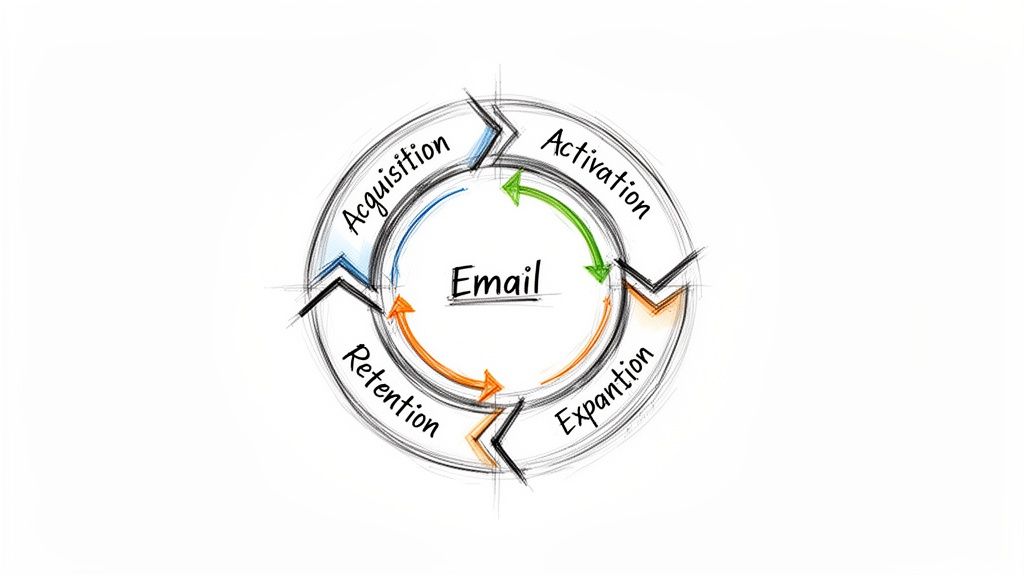
Sure, channels like paid ads are great for getting initial eyeballs, but they're mostly transactional. You pay for a click, and that's often where the relationship ends. Email is different. It's relational. It's the only channel you truly own, giving you a direct line to your users long after that first sign-up.
This direct access is precisely what makes email so powerful for SaaS. Your product's success hinges on its ability to create and demonstrate value over and over again. Email is the perfect tool for that ongoing conversation, guiding users from "What does this button do?" to "I can't live without this feature."
The SaaS Flywheel Analogy
Let's ditch the old funnel model for a second and think about growth as a flywheel. A funnel loses energy every time a customer drops out. A flywheel, on the other hand, stores and builds momentum with every single push. In this model, email marketing is the consistent force that keeps that wheel spinning faster and faster.
Activation: A welcome email doesn't just say hello. It kickstarts the journey to that "Aha!" moment, dramatically boosting the odds a user will stick around.
Retention: Think feature announcements, case studies, and helpful tips. These aren't just emails; they're constant proof of your product's value, chipping away at churn.
Expansion: By watching how people use your product, you can send perfectly timed, targeted emails that upsell or cross-sell a feature right when they need it most.
This cycle of engagement has a direct line to the SaaS metrics that actually matter. Open and click rates are fine for diagnostics, but the real prize is improving Customer Lifetime Value (LTV) and Net Revenue Retention (NRR).
A well-oiled email strategy is the most efficient way to scale Annual Recurring Revenue (ARR). It focuses on making your existing customers more successful, which is far more cost-effective than constantly acquiring new ones.
The Unbeatable Economics of Email
The financial argument for going all-in on email is a slam dunk. It consistently delivers an incredible return, with businesses earning an average of $36 for every $1 spent—a mind-boggling 3,600% ROI. For SMASHSEND users, we see this play out with welcome sequences that activate over 60% of new sign-ups within 14 days and churn recovery campaigns that claw back 10-30% in ARR.
Ultimately, email marketing for SaaS isn't just about sending messages. It's about building an automated, scalable system that nurtures customers at every stage of their journey, transforming your user base into your most powerful growth asset.
Building Your SaaS Email Foundation for Success
Before you even think about fancy automated funnels and expansion revenue, you have to get the foundation right. Skipping these core steps is like building a skyscraper on sand—it's just a matter of time before everything comes crashing down.
Getting this stuff right from the start is what separates the emails that land in the inbox from the ones that get tossed into the spam folder. Think of it as your email reputation. If you show up looking shady, inbox providers like Gmail and Outlook will show you the door, fast. The goal here is to establish trust from day one.
Demystifying Technical Deliverability
Technical email authentication sounds way more intimidating than it is. Just imagine you're crossing an international border. You need a passport to prove who you are. SPF, DKIM, and DMARC are simply the three essential stamps in your email's digital passport.
SPF (Sender Policy Framework): This is like your passport's country of origin. It's a list of the approved servers (like your email platform) that have permission to send emails from your domain.
DKIM (DomainKeys Identified Mail): Think of this as a tamper-proof seal on your email. It's a digital signature that proves the message hasn't been messed with in transit.
DMARC (Domain-based Message Authentication, Reporting & Conformance): This is the customs agent. It tells receiving servers what to do if an email fails the SPF or DKIM check—either quarantine it, reject it, or let it through.
Setting these up is completely non-negotiable. Any decent email service provider will have clear, step-by-step guides to help you add these records to your domain's settings. It's a one-time setup that pays off for the entire life of your email program.
Choosing the Right Email Platform
Not all email tools are created equal, especially for a SaaS business. A generic newsletter tool is a hammer—useful for one simple job. What you really need is a full-fledged workshop, a true lifecycle automation platform built for every stage of your customer's journey.
Your platform choice directly impacts your ability to run a sophisticated email marketing for saas strategy. You need a platform built around user behavior, not just static lists of contacts.
Key Takeaway: The single most important factor is a unified source of customer data. When your platform can see who your users are, what plan they're on, and what actions they take inside your app, you can build truly powerful, personalized automations.
Your email platform should be the central hub for all customer communication, tying in seamlessly with your product and other tools. To learn more about what makes a platform truly powerful, check out our complete guide on email marketing.
Laying the Groundwork for Segmentation
The real secret to personalization that actually works is segmentation, and the best time to start is right now. You don't need a complex data science team to get going. Start with simple but powerful properties that let you send more relevant messages from the very first email.
From day one, you should be able to group users based on a few key attributes.
Simple Starting Segments:
Plan Type: Are they on a Trial, Free, Pro, or Enterprise plan? Each group has different needs and should get completely different messages.
Sign-up Date: Grouping users by when they joined lets you track cohort performance and send timely check-ins or onboarding tips.
Key Action Taken: Did they invite a teammate? Create their first project? Integrate another app? These are powerful behavioral triggers you can use for automated campaigns.
User Role: Is the user an Admin or a basic user? Their goals and what they care about inside your product are likely very different.
By putting these foundational pieces in place—solid technical deliverability, the right platform, and a basic segmentation strategy—you're building a resilient system that ensures your messages are seen, trusted, and ready to drive real growth for your business.
Your SaaS Customer Lifecycle Email Playbook
Now that your foundations are solid, it's time to build the engine. Great email marketing for SaaS isn't about blasting out random campaigns; it's about architecting a series of automated conversations that guide users through their entire journey with your product. This is your lifecycle playbook.
Think of the customer journey as different acts in a play. Each act has a specific goal, and your emails are the script that moves the story forward. A user who just signed up needs a completely different conversation than a power user who has been with you for two years.
Below is a quick overview of the key email campaigns you'll want to build for each stage of the lifecycle.
SaaS Customer Lifecycle Email Campaigns
| Lifecycle Stage | Campaign Example | Primary Goal | Key Metric |
|---|---|---|---|
| Onboarding & Activation | Welcome Series | Guide user to their "Aha!" moment | Activation Rate |
| Engagement & Retention | Monthly Newsletter | Demonstrate ongoing value, build habits | Product Adoption |
| Expansion & Upsell | Usage-Limit Nudge | Drive revenue from happy customers | Expansion MRR |
| Churn Recovery | Dunning Sequence | Recover failed payments, win back users | Revenue Churn |
Each of these campaigns plays a critical role in transforming a new signup into a long-term, high-value customer. Let's dig into how to build them.
User Onboarding and Activation
This is it. The make-or-break stage. The first few days after someone signs up will determine whether they become an active, engaged customer or a forgotten entry in your database. Your one and only mission here is to get them to their "Aha!" moment—that instant they truly get the value your product delivers.
An effective onboarding sequence is less of a product tour and more of a guided success plan. It hones in on the one or two key actions that directly correlate with long-term retention.
Key Insight: Don't drown new users with every single feature you have. Instead, create a laser-focused welcome series that drives them toward a single, high-value action. Activation isn't about using the product; it's about getting a result with the product.
A killer activation playbook might look something like this:
Email 1 (Sent Immediately): A warm welcome that confirms their sign-up and gives them one, crystal-clear call-to-action to complete the first critical setup step.
Email 2 (Day 2): Introduce a core concept or feature with a short GIF or video. Don't just show it; frame it as the solution to a common pain point.
Email 3 (Day 4): Time for some social proof. Share a mini case study or a powerful quote from a customer who found success with the exact feature you just introduced.
Email 4 (Day 7): Check in on their progress. Use your behavioral data to see if they've completed that key action. If not, offer a helping hand or a link to a useful guide.
Email 5 (Day 10): A final nudge that highlights a more advanced benefit or integration, planting a seed for future engagement.
Ongoing Engagement and Retention
Okay, they're activated. Now what? The goal shifts from initial education to demonstrating ongoing value. These emails are all about keeping your product top-of-mind, encouraging deeper feature adoption, and building a loyal user base that can't imagine their workflow without you.
This is where you build habits and reinforce the value your product provides daily. You want to be their helpful guide, not just another software vendor. Your engagement emails are proof that you're constantly investing in the product and in their success.
Campaign Ideas for Engagement:
Feature Announcements: Don't just list what's new. Explain the benefit of the update and link them directly to where they can try it out.
Monthly Newsletters: Curate your best content, share pro tips, and shine a spotlight on customer success stories. Make it something they actually look forward to reading.
Usage-Based Tips: Trigger an email when a user tries a feature for the first time. Offer them an advanced tip or a "did you know?" style suggestion to help them master it.
Inactive User Nudges: If a user hasn't logged in for 30 days, send a gentle re-engagement email. Highlight a killer new feature or a popular use case they might have missed.
Account Expansion and Upsell
Expansion emails are where your email marketing directly pads the bottom line. The goal is to pinpoint users who are getting tons of value from their current plan and are primed for more. The trick is to make the upsell feel like a natural, helpful next step—not a pushy sales pitch.
The absolute best expansion campaigns are triggered by user behavior. When a user's actions show they're bumping up against the limits of their current plan, that's the perfect moment to present the solution.
For instance, if a user on your "Basic" plan is about to use up their project limit, you can automatically trigger a perfectly timed email.
Example Upsell Trigger:
Subject: Looks Like Your Team is Growing Fast!
Body: "Hi [First Name], we noticed you've almost reached the 10-project limit on your Basic plan. To keep your workflow running smoothly, you can upgrade to the Pro plan for unlimited projects and advanced collaboration tools. Upgrade in 30 seconds."
The diagram below shows the technical foundation—SPF, DKIM, and DMARC—that ensures these crucial emails actually land in the inbox.
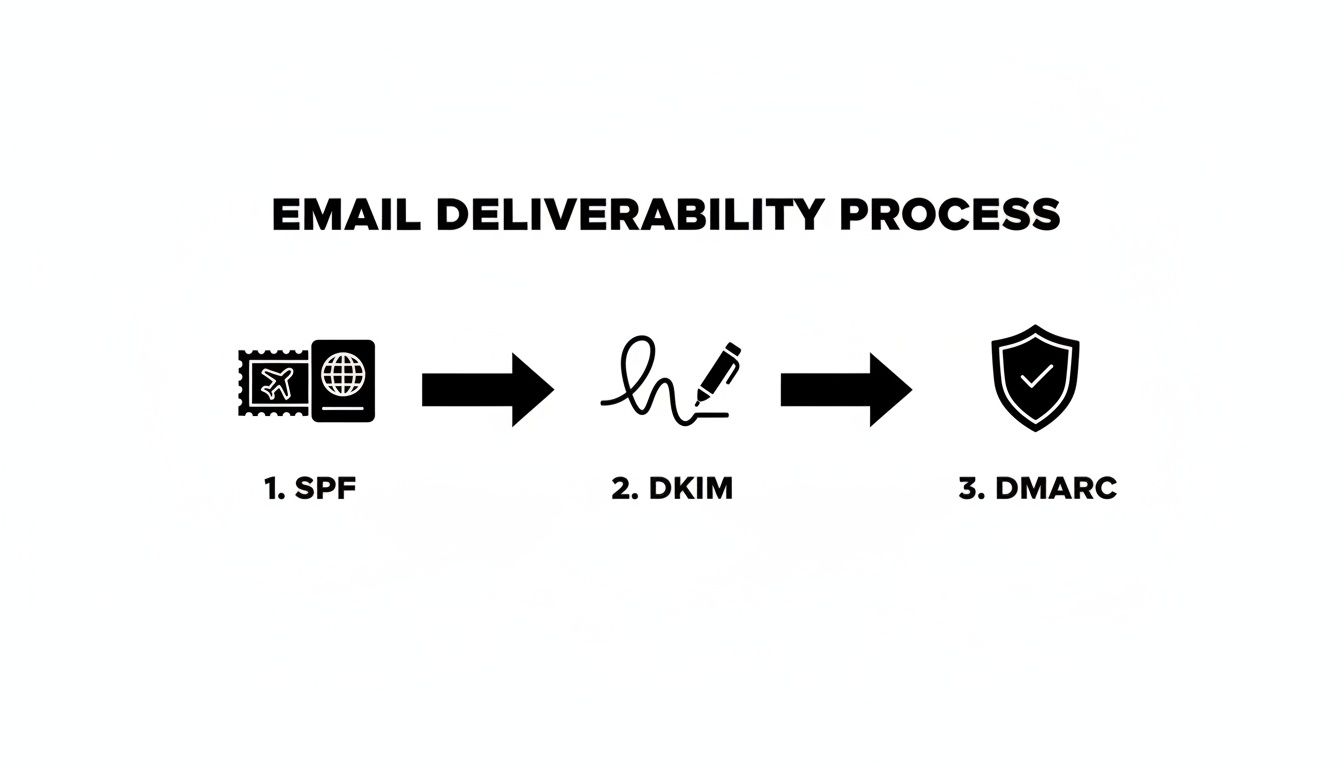
Think of these three authentication pillars as a digital passport for your messages. Getting them configured correctly is non-negotiable for deliverability, making sure your carefully crafted upsell and retention emails are actually seen by your customers.
Churn Recovery and Win-Back
Look, no matter how amazing your product is, some churn is inevitable. This playbook is about minimizing the damage by automating the recovery process for both voluntary (cancellations) and involuntary (payment failures) churn.
Involuntary churn, which is usually just an expired credit card, is the lowest-hanging fruit you'll ever find. A simple dunning email sequence can automatically recover a huge percentage of this revenue.
Dunning Email Sequence:
Pre-Dunning Email: Send a friendly reminder 7 days before a card is set to expire.
Payment Failed 1: The instant a payment fails, notify the user and give them a direct link to update their billing info.
Payment Failed 2 (3 days later): A second reminder that gently highlights the key features they're about to lose access to.
Final Notice (7 days later): A final, clear warning before the account is suspended or downgraded.
For voluntary churn, an automated exit survey can capture priceless feedback on why they left. Then, a few weeks later, you can trigger a win-back campaign, maybe highlighting major product updates they've missed. You can learn more about setting up these kinds of workflows with powerful email automations. Building out these lifecycle playbooks transforms your email from a simple communication channel into a fully automated growth machine.
Driving Revenue with Advanced Personalization
Ready to move beyond the basics? Standard segmentation, like lumping all your trial users into one bucket, is a decent starting point. But in today's SaaS world, that's just table stakes. Real growth happens when you graduate to sophisticated personalization—the kind that makes each user feel like you built the product just for them.
Think of it like this: basic email marketing is the town crier shouting the same news to everyone in the square. Advanced personalization is a personal concierge who anticipates what a user needs and delivers exactly the right information at the perfect moment.
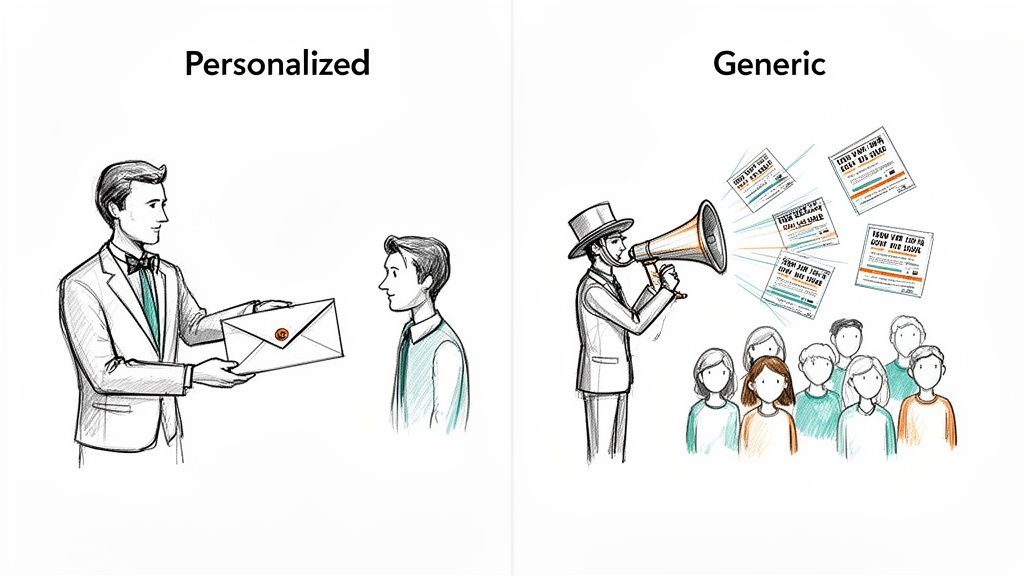
This concierge approach is where your email marketing for saas strategy stops being just a communication tool and becomes a powerful revenue engine. It's all about connecting a deep understanding of your users directly to higher conversions, more expansion revenue, and fierce customer loyalty.
Moving Beyond Simple Segments
The first step is to get more creative with your segmentation. While grouping by plan type is useful, the top-performing SaaS companies dig much, much deeper. They pull in behavioral and firmographic data to create hyper-relevant experiences.
This really just means segmenting users based on what they do and who they are.
Feature Adoption Levels: You should know which users have adopted your core features versus those just scratching the surface. The first group can get emails about advanced tips and power-user tricks, while the second gets educational content to help them see more value.
Company Size or Industry: A startup in the e-commerce space has completely different problems than an enterprise manufacturing firm. Tailor your case studies, use cases, and even your language to reflect their specific world.
Specific Integrations Used: If a user connects your tool with Salesforce, send them tips on how to get the most out of that specific workflow. It's a simple move that shows you're paying attention to their unique tech stack and goals.
By layering these data points, you can build incredibly nuanced segments that make one-size-fits-all campaigns a thing of the past.
Using Data for Hyper-Relevant Messages
Modern email platforms are built for this exact kind of detail. They use data enrichment and conditional content to deliver different experiences to different users, all within the same email campaign. This isn't about sending ten different emails; it's about sending one smart email that adapts to whoever is reading it.
A powerful way to do this is with custom fields. These fields store unique information about each user—like their job title, company size, or last login date—which you can then use to dynamically change the content of an email. To get a better handle on this, check out our guide on how to implement custom fields to personalize your messaging.
Example in Action: Imagine sending a single feature announcement email. Using conditional blocks, you can show an "Upgrade Now" call-to-action to users on a free plan, while showing a "Learn More" link to enterprise users who already have access. It's the same email, but with a perfectly tailored message for each segment.
This approach is absolutely critical for driving expansion revenue. In the SaaS world, the best companies now pull in over 50% of their new ARR from existing customers. For B2B SaaS companies in the $1M-$30M ARR range, this means email automation is the primary engine for hitting 120%+ Net Revenue Retention (NRR). Platforms like SMASHSEND are built for this, targeting 40-60% of new ARR from expansions in mature markets.
Ultimately, advanced personalization isn't just a "nice-to-have." It's a fundamental strategy for any SaaS company that's serious about sustainable growth. When you understand and act on user data, you can build a communication strategy that doesn't just keep customers around—it actively turns them into your primary source of new revenue.
Measuring Email Metrics That Actually Matter
In email marketing, it's dangerously easy to get lost in a sea of data. You might get a rush from seeing a high open rate, but what does that number actually tell you about the health of your SaaS business?
Honestly, not much.
To really get a handle on the impact you're making, you have to learn the difference between diagnostic metrics and true business metrics.
Think of it like this: metrics such as Open Rate and Click-Through Rate (CTR) are like your car's check engine light. They're great for telling you if something is wrong—a weak subject line, a broken link, a boring CTA—but they don't tell you if you're actually getting any closer to your destination.
True business metrics, on the other hand, are your GPS. They tell you if your email marketing for saas strategy is driving real, bottom-line results that contribute to revenue and growth.
Shifting Focus From Diagnostics to Business Impact
If you want to prove the ROI of your email program, your reports need to speak the language of the C-suite. That means tying every single campaign back to a core business objective. Instead of just showing off how many people clicked, you need to measure what those clicks actually did for the business.
Here are the metrics that truly move the needle:
User Activation Rate: What percentage of trial users who got your onboarding emails actually completed key setup steps and hit their "Aha!" moment? This directly shows how good your emails are at turning signups into active, engaged users.
Feature Adoption Rate: When you email users about a new feature, how many of them actually go on to use it? This proves your emails are driving deeper product engagement, not just clicks.
Expansion MRR from Email: How much new monthly recurring revenue can you trace back to your upsell or cross-sell campaigns? This is the clearest possible line you can draw between an email and direct revenue.
Churn Reduction: What's the churn rate for users who received a re-engagement campaign versus a similar group who didn't? This quantifies exactly how many customers your emails are saving.
How to Connect Campaigns to Revenue
Let's get practical. Imagine you just launched a 5-part onboarding sequence for new trial users.
Reporting that the sequence had a 45% open rate is interesting trivia. But reporting its business impact? That's powerful.
To measure true ROI, track the cohort of users who received that specific onboarding sequence. Compare their conversion-to-paid rate against a control group that didn't receive it. If the email cohort converts at 15% while the control group only converts at 8%, you have concrete proof of the revenue your email program is generating.
This is the kind of data that gets you budget and earns you respect.
While many SaaS companies are hitting a wall with other channels—with 63% struggling with outbound and 49% dealing with longer sales cycles—email is as resilient as ever. With global email users rocketing towards 4.73 billion by 2026, it's the perfect engine for the 24/7 automation you need to activate users and expand accounts.
When you focus on these core business metrics, you change the conversation from "people are opening our emails" to "our emails are adding thousands to our ARR." That shift is what separates a good email marketer from a truly indispensable one.
Common Questions About SaaS Email Marketing
Even the most buttoned-up email strategy runs into real-world questions. The SaaS email world is full of nuance, and it's easy to get stuck on the "what-ifs." This section tackles the most common questions we hear from founders and marketers, head-on.
My goal is to give you clear, no-fluff answers so you can move forward and get your campaigns out the door with confidence.
How Often Should I Email My Users?
Ah, the classic question. Finding the right email frequency is a balancing act. You need to stay on their radar without becoming inbox noise. There's no magic number, but the best starting point is to sync your cadence with where the user is in their journey.
Onboarding (First 1-2 Weeks): This is when you should be most present. Sending emails every 1-2 days is not only acceptable but often essential. You're trying to build momentum and guide new users to that critical "Aha!" moment before they lose interest.
Ongoing Engagement (Established Users): Once someone is settled in, you can pull back. A weekly or even bi-weekly email is a great rhythm for active customers. This could be your newsletter, a roundup of product updates, or a quick tip to help them get more value.
Expansion & Re-engagement: Don't put these on a fixed schedule. These emails should be triggered by user behavior. An upsell email should fire the second a user hits a plan limit. A re-engagement nudge should go out after a specific period of inactivity, like 30 days.
The real secret is to always provide value. If every email helps the user solve a problem or do their job better with your product, they'll tolerate—and even welcome—a higher frequency. Keep an eye on your unsubscribe rates. If they jump after you launch a new sequence, that's your signal to dial it back.
Should I Use HTML or Plain Text Emails?
The old HTML vs. plain text debate. The truth? It's not an "either/or" choice. Both are critical tools in a modern email marketing for saas strategy, and the real skill is knowing when to use each one.
Think of it like this: an HTML email is a polished company announcement, while a plain text email is a personal note from a colleague.
When to Use HTML Emails:
Newsletters & Product Updates: When you need to show off your brand, use visuals, and make information easy to scan, HTML is the clear winner.
Promotional Campaigns: Announcing a big new feature or a limited-time offer just hits harder with strong branding and a big, clickable call-to-action button.
Reports & Dashboards: Sending a user their weekly activity summary looks far more professional and is easier to read in a well-designed HTML layout.
When to Use Plain Text Emails:
Personal Outreach: Any email that needs to feel like it came directly from a founder, a salesperson, or a customer success manager should be plain text. It's authentic and cuts through the marketing clutter.
High-Stakes Sequences: Critical lifecycle emails—that last onboarding nudge, a personal check-in during a high-value trial—often perform better as plain text because they feel more personal and urgent.
Deliverability Concerns: While modern HTML is extremely reliable, a simple plain text email is as close to a sure thing as you can get. It's lightweight and bypasses virtually every spam filter.
The best strategy is a hybrid one. Use polished HTML for your one-to-many broadcasts and save the power of plain text for your most important, one-to-one style automations.
Ready to turn your email strategy into a revenue-generating machine? SMASHSEND is the all-in-one email and automation platform built specifically for B2B SaaS. Activate users, expand accounts, and recover churn with powerful workflows and a deliverability-first approach. Learn more and get started at https://smashsend.com.