
How to download CSV from Airtable
Tutorial on how to download a CSV from Google Sheets so you can import it in SmashSend or other tools.
Last updated September 3, 2023
In this tutorial, we're going to download your subscribers from Airtable. It's easy and quick to make it happen.
Follow these steps and reach out if you can questions: support@smashsend.com
Download subscribers from Airtable
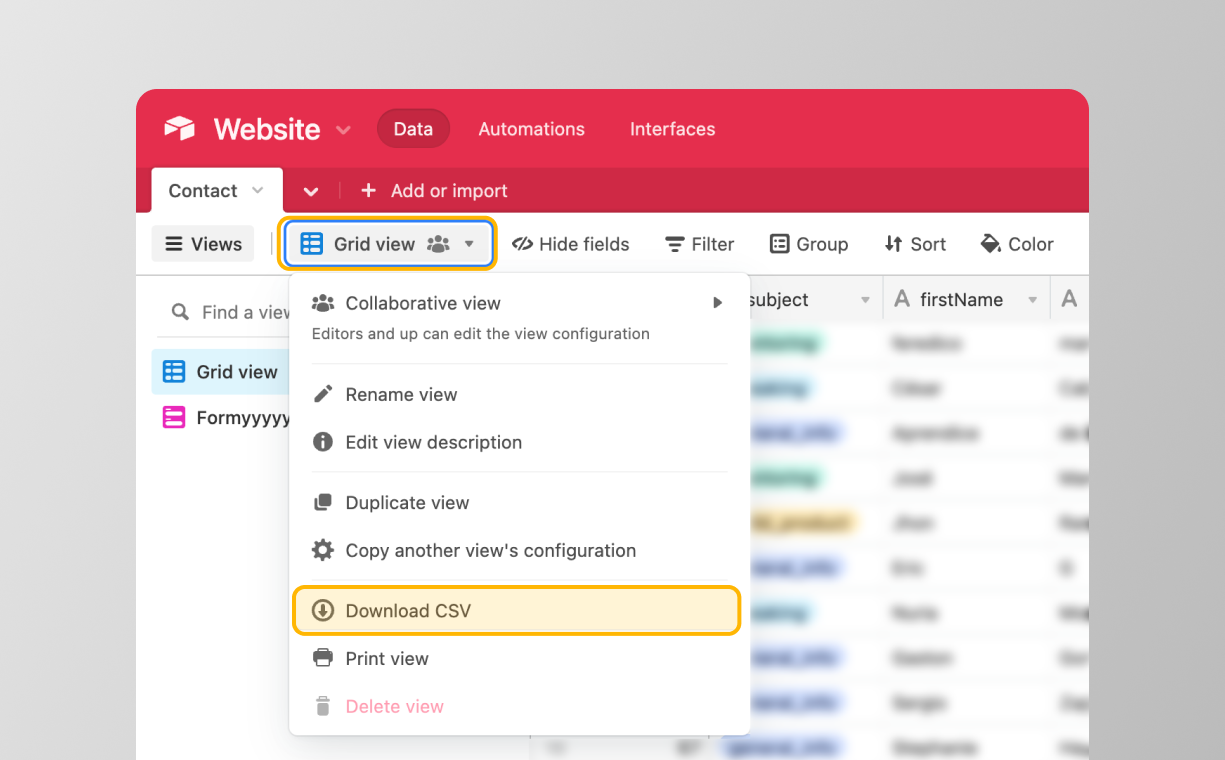
- Go to your table, and then export your CSV (Grid View → Download CSV).
- Airtable will automatically download your CSV if you have few records, or they will prepare your file in the background if it's too big.
Next steps
You now use your subscribers to do many things: create a referral program using SmashSend, a waitlist, or a gamified competition.
Here is a guide on how to import your .csv file into SmashSend to email your users in less than 1 minute. Read this guide:
Have doubts or questions? Send us an email to support@smashsend.com or directly reach out on Twitter @ZooTooolsHQ