
Marketing Automation Software for Small Business: Boost Leads and Revenue
Marketing automation software for small businesses is like hiring a digital assistant who works around the clock. It's the secret to sending the right message to the right person at exactly the right time, all without you having to lift a finger. This isn't just about scheduling emails; it's an autopilot system for the crucial, yet often repetitive, conversations that actually grow your business. It takes you far beyond simple email blasts to intelligently manage the entire customer journey.
What Is Marketing Automation and Why It Matters
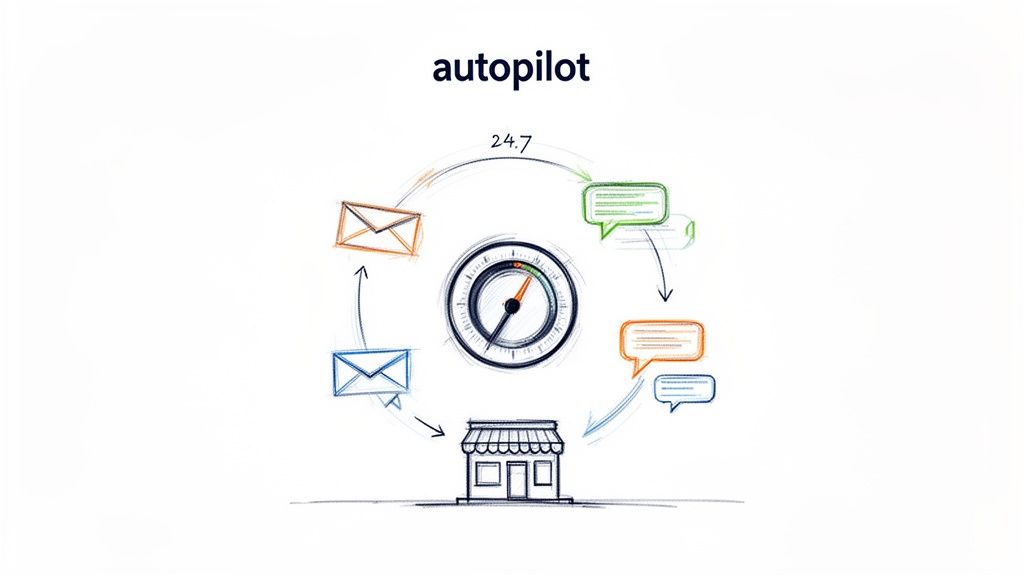
Most small businesses get their start with a basic email newsletter tool. That's a great first step, but it's like trying to cross an ocean in a rowboat. As your business grows, you need a bigger engine to handle all the different customer interactions happening at once. That's where marketing automation comes in—it's your speedboat, built to navigate the entire customer lifecycle with precision and speed.
Instead of just sending one-off campaigns, an automation platform helps you build smart, connected sequences of communication. These sequences, often called workflows, are designed to run on their own based on what a customer does or when something is scheduled to happen.
The Core Components of Automation
At its heart, marketing automation works on a simple "if this happens, then do that" principle. If you can get your head around three core ideas, you'll unlock its full potential:
Triggers: These are the events that kick off a workflow. A trigger could be anything from someone signing up for your newsletter, a user's free trial ending in three days, or a customer making their first purchase.
Actions: Once a workflow is triggered, the software gets to work. It performs a series of actions you've already defined, like sending a welcome email, adding a "VIP" tag to a contact's profile, or pinging your sales team about a hot new lead.
Segmentation: This is all about grouping your audience into smaller, more specific lists based on who they are or what they've done. You could create segments for users on a specific subscription plan, people in a certain city, or customers who haven't logged in for a while.
This powerful trio of triggers, actions, and segmentation lets you deliver incredibly personal experiences to a huge audience. A brand-new trial user gets a helpful onboarding series, while a loyal, long-time customer receives an exclusive offer—all running seamlessly in the background.
The real magic of automation is turning raw customer data into timely, relevant conversations. It ensures you never miss an opportunity, whether that's welcoming a new lead or saving a valued customer who might be about to leave.
By putting these crucial touchpoints on autopilot, you free up an enormous amount of your team's time. Instead of spending hours sending follow-up emails or manually updating spreadsheets, your people can focus on the big picture: strategy, creative thinking, and building real relationships with customers. Digging into the specific benefits of marketing automation really drives home how much it can boost your efficiency and growth.
This systematic approach can be used for more than just marketing, too. For instance, understanding how customer feedback automation works can show you how to gather valuable insights and build loyalty across the entire customer experience.
What Your Automation Platform Absolutely Must Have
When you're shopping for marketing automation software, the feature lists can look a mile long. Every vendor throws the kitchen sink at you, promising to solve every problem you've ever had. But for a small team, it's not about having the most features; it's about having the right ones.
Think of it like packing for a hike. You don't need a grand piano, just a reliable compass, a good map, and a sturdy pair of boots. For a B2B SaaS company, this means focusing on the tools that manage the entire customer journey, from the moment they sign up to the day they become a raving fan. Let's break down the non-negotiables.
A Visual Workflow Builder
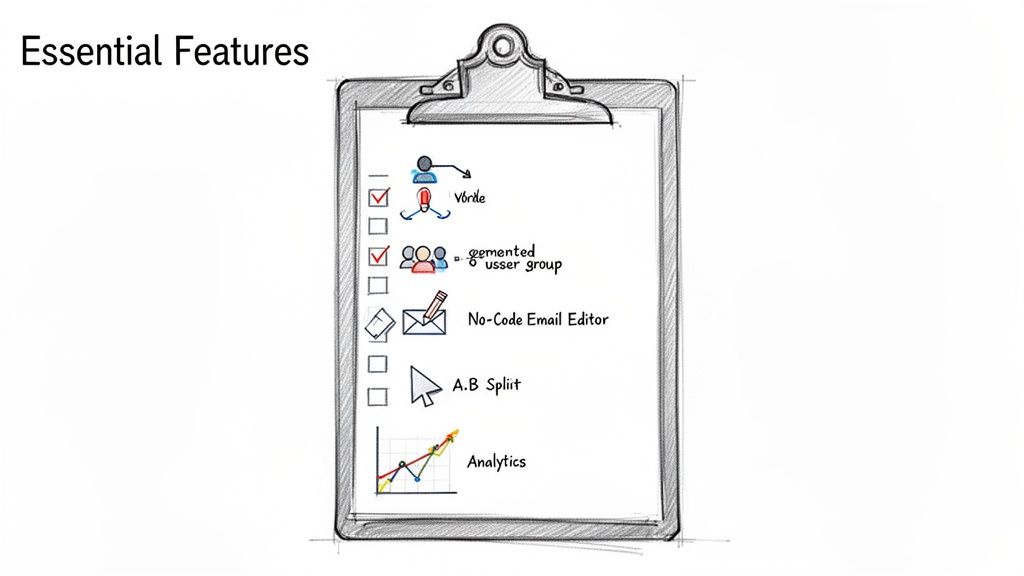
The engine of any good automation platform is its workflow builder. This is where you actually map out your customer journeys, setting up the triggers and actions that bring your strategy to life. A visual, drag-and-drop builder is absolutely critical here. It turns abstract logic into a simple flowchart that anyone can understand.
Without it, you're fumbling in the dark. A visual editor means your whole team—not just the developers—can jump in to build, tweak, and launch powerful sequences like:
User Onboarding: A 14-day email flow that guides trial users to that "aha!" moment with your product.
Billing Recovery: An automated message that pings customers when a payment fails, helping you stamp out involuntary churn before it happens.
Feature Announcements: A targeted blast that only notifies users on a specific plan about a new feature they'll love.
This kind of clarity is what separates a tool that gathers dust from one that becomes the command center for your entire customer communication strategy.
Powerful Segmentation Capabilities
Blasting the same generic message to your entire list is the fastest way to get ignored. That's why behavioral segmentation isn't just a nice-to-have; it's the foundation of modern marketing. You need the power to group contacts on the fly based on what they do (or don't do) in your app.
Your platform should make it dead simple to create dynamic segments, such as:
Users whose free trial is about to end in the next three days.
Paying customers who haven't touched a key feature you know drives retention.
Contacts who clicked a link in your last three newsletters but never signed up for a trial.
A great platform doesn't just hold contacts; it understands them. Segmentation is the engine of personalization, turning your marketing from a megaphone into a one-on-one conversation.
Unified Marketing and Transactional Email
So many businesses make the mistake of duct-taping two different tools together: one for marketing newsletters and another for transactional emails like password resets or receipts. This approach is a mess. It creates a jarring customer experience and makes getting a clear picture of your data nearly impossible.
Having one unified platform that handles both is a game-changer. It keeps your branding and deliverability consistent across every single email. More importantly, it gives you a single view of every message a customer gets, so you can coordinate your efforts without blowing up their inbox.
Intuitive No-Code Email Editor
Your team moves fast. You can't afford to get stuck in a queue waiting for a developer to code a simple email announcement. A clean, intuitive, no-code email editor gives your marketing and product folks the power to build beautiful, effective campaigns all on their own.
Look for a "doc-style" editor—something that feels as easy as typing in a Google Doc but has the muscle to add personalization tags, conditional content, and professional layouts. This freedom is what enables the rapid-fire testing and learning that helps you find what truly connects with your audience.
Built-In Optimization and Analytics
You can't fix what you can't see. Any platform worth its salt has to come with the tools you need to measure and improve. A/B split testing is table stakes; you need to be able to test different subject lines, CTAs, or email copy to find out what actually works.
But don't stop there. You need real-time analytics that go deeper than just opens and clicks. Look for dashboards that show you conversion rates, revenue attribution, and how your workflows are performing. This is the hard data that proves the ROI of your marketing and helps you make smarter bets.
Globally, 63% of marketers rely on automation for email because it's so good at handling these measurable, repeatable tasks. For smaller B2B outfits, the right affordable tools can provide the sophisticated segmentation and integration needed to punch above their weight—just like how a platform like SMASHSEND connects with the tools you already use. You can dig into more of these marketing automation statistics and see the impact for yourself.
To help you cut through the noise, we've put together a quick-reference table. It separates the absolute must-haves from the features that are nice to have but won't make or break your success as a small B2B SaaS.
Must-Have vs. Nice-to-Have Features for Small Business Automation
| Feature Category | Must-Have for B2B SaaS | Why It's Critical | Nice-to-Have Feature |
|---|---|---|---|
| Automation | Visual Workflow Builder | Lets non-technical users build and manage customer journeys easily. | AI-Powered Workflow Suggestions |
| Unified Marketing & Transactional | Creates a seamless customer experience and centralizes data. | AI-Generated Subject Lines | |
| Segmentation | Behavioral & Event-Based | Enables hyper-relevant messaging based on user actions. | Predictive Segmentation |
| Editing | No-Code Email Editor | Empowers the entire team to create content quickly without developers. | Advanced HTML Editor Access |
| Analytics | A/B Testing & Conversion Tracking | Provides clear data on what's working so you can prove and improve ROI. | Revenue Attribution Modeling |
| Integration | Native CRM & API Access | Ensures data flows seamlessly between your core business systems. | Built-in Social Media Posting |
Focus on nailing the "Must-Have" column first. These are the foundational capabilities that will drive 80% of your results. Once you've mastered those, you can start exploring the "Nice-to-Have" features to add that extra layer of sophistication.
How to Choose the Right Automation Software
Picking the right marketing automation software for your small business is a big deal. It's less like buying a new gadget and more like hiring a key employee who's going to work 24/7. A long list of features tells you what the tool can do, but it doesn't tell you how it will actually feel to use it every day. To make a smart choice, you need to look past the sales pitch and focus on what really matters.
The process should start with how this new tool will plug into everything you already use. Think of your current tech stack—your CRM, your billing software, your analytics tools—as a set of gears. The right automation platform will mesh with them perfectly, letting data flow between systems without any grinding or friction.
Evaluate Core Integration Capabilities
Your automation tool can't be a lone wolf. If it doesn't talk to your CRM, you're going to be stuck exporting and importing CSV files all day. That's slow, full of potential for errors, and completely defeats the purpose of "automation." Before you even look at a demo, check that the platform can connect to your most critical systems.
Here's what to look for:
Native Integrations: These are the gold standard. They're pre-built connections to popular tools like Salesforce or Stripe that you can set up with just a few clicks. No code, no fuss.
Zapier or iPaaS Support: For everything else, a solid connection to a service like Zapier is a must. It lets you link up thousands of other apps without needing a developer on speed dial.
Developer-Friendly API: A well-documented API is your escape hatch. It gives your tech team the power to build any custom connection you might need, ensuring the platform can grow with your unique business.
The whole point is to get a single, clear picture of your customer. When all your data is in sync, you can run some seriously powerful plays, like automatically sending a follow-up email the second a lead gets marked "qualified" in your CRM.
Prioritize Scalability and Growth Potential
The software that's perfect for you today might feel cramped in two years. Small businesses change fast, and your tools need to keep up. Picking something based only on what you need right now is just setting yourself up for a painful and expensive migration later on.
Think of your automation software as a foundation for your future growth. You need to ensure it's strong enough to support not just your business today, but the business you're building for tomorrow.
Ask these questions about scalability:
Contact and Send Volume: What happens to the price when your list grows from 1,000 to 100,000 contacts? Do they penalize you for sending more emails?
Feature Tiers: Are must-have features like A/B testing or advanced segmentation hidden away in the super-expensive enterprise plans? Make sure the tools you'll need next are within reach.
Performance: Can the platform handle a big surge in traffic—like during a product launch—without crashing or slowing to a crawl?
A truly scalable tool grows with you, not against you.
Understand the True Cost of Ownership
That monthly subscription fee is just the beginning. The real number to watch is the total cost of ownership (TCO), which includes all the hidden costs that can ambush a small business budget. A platform that looks cheap on the surface can get very expensive if it requires constant babysitting.
Don't forget to factor in these costs:
Onboarding and Training: Does the vendor provide a hands-on onboarding process, or are you basically handed the keys and left to read support docs?
Customer Support: Is fast, expert support included in your plan, or is it a pricey add-on? For a small team without a dedicated IT department, good support is a lifeline.
Implementation Time: How many hours will your team lose to setup, data migration, and rebuilding your old campaigns? Time is money.
Vet Security and Compliance Standards
For B2B companies, trust is your most valuable asset. You're responsible for your customers' data, and your automation partner has to take that as seriously as you do. This is especially critical if you have customers in places with strict data privacy laws.
Make sure any vendor you're considering meets key compliance standards like GDPR for handling European data and has passed security audits like SOC 2. This isn't just about checking a box; it's a fundamental step in protecting your customers and your reputation. By digging into these deeper criteria, you can confidently choose from the best SaaS marketing automation tools and find a true partner for your growth.
Proven Automation Playbooks That Drive Revenue
Theory is great, but revenue pays the bills. This is where we get down to brass tacks, turning abstract ideas into concrete, money-making actions. Forget generic tips; these are battle-tested, B2B SaaS-focused playbooks you can set up right away to see a real impact on your bottom line.
Think of each playbook as a self-contained workflow, a little marketing engine that runs 24/7 in the background. They make sure you never, ever miss a chance to engage a customer at just the right moment.
The User Onboarding and Activation Playbook
A new signup is a moment of peak excitement. Your job is to channel that initial interest into genuine product adoption, and fast. An automated onboarding sequence is easily the most effective way to guide new users to that critical "aha!" moment where they truly get your product's value.
Trigger: A user signs up for a free trial or a new account.
Goal: Boost the product activation rate and convert those trial users into paying customers.
Here's what that sequence might look like:
Immediately: Send a warm welcome email, maybe from the founder. It's a small detail that adds a human touch and sets a positive tone right from the start.
Day 2: Share a quick-start guide or a link to a "First Steps" video. Keep it laser-focused on the single most important action they need to take to see value.
Day 5: Now, introduce a more advanced feature that solves a common pain point. Don't just tell them about it—show them with a short case study or testimonial.
Day 10: Send a simple check-in email. "How's it going? Any questions?" It can be fully automated but still feels personal and proactive.
Day 12 (2 days before trial ends): The gentle nudge. Remind them the trial is ending and clearly lay out the value they'll get by upgrading to a paid plan.
This hands-off approach ensures every single user gets a consistent, helpful introduction to your product, dramatically increasing the odds they'll become a long-term fan.
The Billing Recovery Playbook for Churn Reduction
Involuntary churn—when a customer leaves because of a failed payment—is a silent killer for SaaS businesses. A simple expired credit card can quietly drain thousands from your recurring revenue. An automated dunning or billing recovery flow is your first and best line of defense.
Trigger: A subscription payment fails.
Goal: Automatically recover the failed payment and slash your involuntary churn rate.
A simple but incredibly powerful workflow:
Instantly: The moment a payment fails, send an email letting the user know. Crucially, include a direct, one-click link to update their billing info. Make it frictionless.
3 Days Later: If their info still isn't updated, send a friendly reminder. Frame it as a helpful heads-up: "We don't want you to lose access to your account."
7 Days Later: This is the final warning that their account will be suspended soon. It creates a bit of urgency without being aggressive.
This simple three-step sequence can recover a huge percentage of failed payments, directly protecting your monthly recurring revenue. It's an absolute must-have.
The Strategic Account Expansion Playbook
Your happiest existing customers are your absolute best source of new revenue. An account expansion playbook automatically identifies and nudges users who are ready for an upgrade, turning your own product into a sales engine.
Trigger: A user on a basic plan hits a usage limit or frequently uses a feature that's more powerful on a higher-tier plan.
Goal: Drive upgrades and increase your average revenue per account (ARPA).
Here's how it works:
The Moment it Happens: Trigger an in-app message or an email that says something like, "Looks like you're getting a lot of value from [Feature]! Did you know our Pro plan lets you do even more with it?"
Follow-Up: A few days later, send a short case study about a company just like theirs that upgraded and saw incredible results.
This playbook is so effective because it uses the customer's own behavior as the ultimate buying signal. The upsell feels helpful and timely, not pushy.
Here's a look at the core principles to keep in mind when choosing the software to power these playbooks.
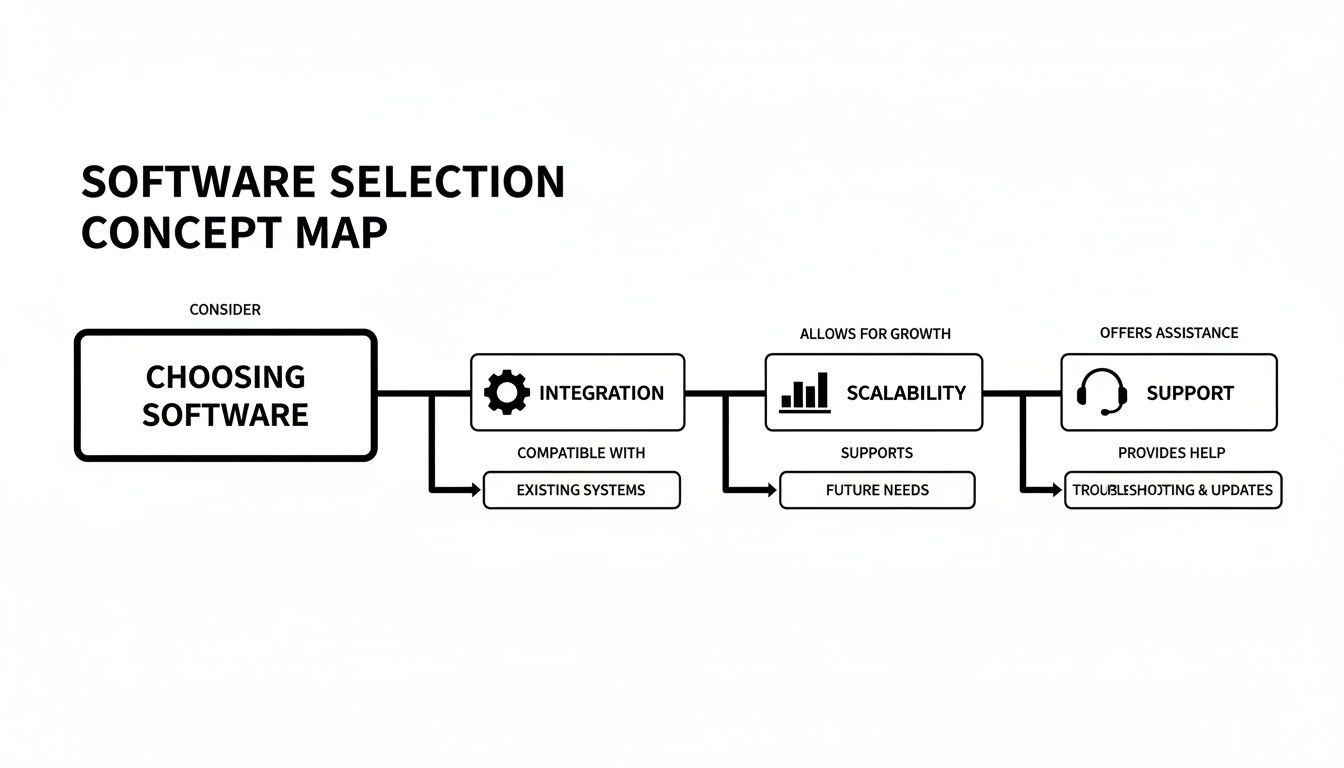
As the image shows, you really need to nail three things: seamless integrations, the ability to scale as you grow, and support you can actually count on.
The Win-Back Playbook to Re-Engage Lapsed Users
Just because a customer cancels doesn't mean they're gone forever. A smart, strategic win-back campaign can reactivate a surprising number of churned users, especially if they left for reasons that had nothing to do with your product.
Trigger: A user cancels their paid subscription.
Goal: Figure out why they left and entice them back with an offer that makes sense.
A well-timed win-back email is one of the highest-ROI campaigns you can possibly run. It costs far, far less to reactivate an old customer than to acquire a brand new one.
Here's a potential sequence:
30 Days Post-Cancellation: Send a simple, one-question survey: "What was the main reason you decided to cancel?" The feedback you get here is pure gold.
60 Days Post-Cancellation: Announce a major new feature update, especially if it's something customers had been asking for. Frame it as, "You asked, we listened."
90 Days Post-Cancellation: Make them an offer they can't refuse. A special, time-sensitive discount to come back is your final, best shot to reignite their interest.
These playbooks are proof that the right marketing automation software for small business can create real, tangible financial results. The gap between an average workflow and a truly optimized one is massive. For instance, the top 10% of email workflows generate an incredible $16.96 in revenue per recipient, while average ones only manage $1.94. For a B2B SaaS company, putting flows like these in place can add 10-30% more ARR by automating those critical touchpoints. To see how this translates into practice, you can check out some very effective marketing automation workflow examples.
Ready to dive deeper into building these powerful sequences? Check out our complete guide to workflow marketing automation.
Planning Your Migration and Implementation
Choosing the right marketing automation software is a huge step, but the real work starts the moment you decide to make the switch. Moving your entire marketing operation can feel like changing the engine on a plane mid-flight. But it doesn't have to be a crisis. With a clear roadmap, it's a smooth and manageable upgrade.
A successful launch is what actually unlocks the value of your new platform. This isn't just about shuffling contacts around; it's about building a more reliable foundation for all your customer communications for years to come. A methodical approach takes the anxiety out of the process and sets you up for success right from the start.
Auditing and Cleaning Your Contact List
Before you move a single contact, it's time for a spring cleaning. A migration is the perfect opportunity to finally tackle your data hygiene, which has a massive impact on your sending reputation and campaign results. Whatever you do, don't just dump your old list into the new system—you'll only be bringing the old problems along for the ride.
Start by exporting your full contact list from your old provider. From there, your mission is to scrub it clean. That means removing:
Hard bounces and unsubscribes: These contacts should never, ever be imported into a new system.
Inactive or dormant subscribers: If someone hasn't opened an email in over six months, you might try one last re-engagement campaign. If that doesn't work, it's time to let them go.
Generic or role-based email addresses: Addresses like
info@orsupport@often have terrible engagement and can be spam-filter magnets.
Starting with a clean list means you're only talking to your most engaged audience, which helps build a strong sender reputation from day one.
Securing Your Sending Domain
Deliverability is everything. Your most brilliant campaigns are completely worthless if they land in the spam folder. Properly setting up your sending domain is a non-negotiable step that proves to inbox providers like Gmail and Outlook that you're a legitimate, trustworthy sender.
Think of domain authentication like getting an official ID for your emails. It proves you are who you say you are, which is the first thing inbox providers check before deciding where to place your messages.
You'll need to set up a few technical records in your domain's DNS settings. It sounds complicated, but most platforms give you simple, step-by-step guides. The two most critical records are:
SPF (Sender Policy Framework): This record is basically a public list of the servers you've authorized to send email on behalf of your domain.
DKIM (DomainKeys Identified Mail): This adds a digital signature to your emails, which verifies that the message wasn't faked or tampered with in transit.
Getting this right is absolutely crucial for protecting your deliverability for the long haul.
Phasing Your Campaign Rollout
Don't try to boil the ocean by rebuilding everything at once. A phased approach is so much smarter—it minimizes risk and lets your team learn the new platform without getting completely overwhelmed. Start with your most critical communications and build out from there.
A smart rollout plan usually looks something like this:
Phase 1 - Transactional Emails: Start by rebuilding your essential system emails. Think password resets, welcome messages, and purchase receipts. These are high-priority and have to work flawlessly.
Phase 2 - Core Nurture Sequences: Next, move over your key automation workflows. This would be your user onboarding series, trial-to-paid conversion funnels, and other core sequences.
Phase 3 - Marketing Broadcasts: Once your core automation is humming along, you can start sending your regular newsletters and one-off promotional campaigns.
This gradual process not only ensures a smooth transition, but it also helps "warm up" your new sending infrastructure, building trust with inbox providers over time instead of blasting them all at once.
Measuring Your Automation ROI
Buying marketing automation software is a big step. But how do you know if it's actually working? To prove its worth—and show your boss that marketing is a revenue-driver, not a cost center—you have to look past flimsy "vanity metrics" like open rates and social media likes.
The real story is in the numbers that tie your automation directly to business growth. It's about shifting the conversation from "how many emails did we send?" to "how much money did those emails make?" A modern automation platform is built to connect every workflow to a tangible, dollars-and-cents outcome.
Key Metrics That Actually Matter
If you want to build a rock-solid case for your automation efforts, your reports need to focus on a few powerful metrics. These are the numbers that get leadership to sit up and pay attention.
Conversion Rate by Campaign: This is your bread and butter. Track how many people take a specific action—like starting a trial or upgrading their plan—after going through an automated sequence. It's a direct line from your workflow to a business goal.
Customer Lifetime Value (LTV): Are customers who go through your automated onboarding or retention sequences sticking around longer and paying you more? A higher LTV for this group proves your automation is building more valuable relationships.
Churn Rate Reduction: This one is a showstopper. Compare your churn rate before and after you set up automated flows for things like failed payments or win-back campaigns. A noticeable drop is one of the clearest signs of ROI you can possibly find.
Direct Revenue Attribution: The holy grail. A great platform will tell you the exact dollar amount a specific email or workflow generated. This metric ends all debate about financial impact.
The goal is simple: draw a straight line from a marketing action to a revenue outcome. When you can walk into a meeting and say, "That automated win-back campaign we launched recovered $5,000 in lost revenue last month," you've won.
Tying It All Together for a Clear Picture
Your automation software's analytics dashboard is your command center for proving all this. Use it to build simple, visual reports that tell a compelling story. Don't just dump data; show a chart illustrating the drop in involuntary churn since you launched your dunning sequence, or a graph of the conversion rate on your trial-to-paid workflow.
This data-driven approach is critical because marketing automation isn't just a tool; it's a revenue engine. It's not uncommon for it to deliver $5.44 in return for every $1 invested over three years, making it one of the top performers in any company's tech stack.
For B2B SaaS businesses, platforms like SMASHSEND are built from the ground up to unify your communications and directly move these financial needles. On average, companies using automation see 34% higher revenues, all thanks to better conversions and retention from sending the right message at the right time. You can discover more about these powerful marketing automation statistics to see the full picture.
By focusing on these business outcomes, you can show everyone that your marketing automation software for small business isn't just another expense—it's one of your most valuable assets for growth.
Frequently Asked Questions
Jumping into a new marketing platform is a big move, and you probably have a few questions. Let's tackle the most common ones we hear from businesses just like yours.
Frequently Asked Questions
Have a question not in here? Contact us
- What's The Difference Between Marketing Automation and a CRM?
Think of it this way: your CRM (Customer Relationship Management) is your digital rolodex. It's where you store everything you know about your customers—contact details, conversation history, where they are in your sales pipeline. Marketing automation, on the other hand, is the engine that acts on that data. It takes the information from your CRM and uses it to send the right email at the right time, nurture a lead who just downloaded an ebook, or kick off an onboarding sequence for a new user. One stores the data; the other puts it to work.
- How Much Should a Small Business Expect to Pay?
You don't need a massive budget to get started. For most small businesses, a powerful, feature-rich platform will run somewhere between $30 to $100 per month. The price usually hinges on two main things: Number of Contacts (how big is your audience or email list?) and Feature Tiers (do you need advanced tools like A/B testing, in-depth analytics, or more complex workflow builders?). Steer clear of platforms that hit you with big, upfront setup fees. Look for transparent pricing that scales with you as you grow.
- Can I Move My Data Over from a Tool Like Mailchimp?
Yes, absolutely. Any marketing automation platform worth its salt will have a straightforward way to bring your audience over. Typically, this just means exporting your contact lists (including your subscribers and, just as importantly, your unsubscribes) from your old tool and importing them into the new one. A good provider will have clear guides and a support team ready to help make sure the switch is seamless. This protects both your valuable data and your hard-earned sender reputation.
Ready to see how a platform built specifically for B2B SaaS can help you activate more users, slash churn, and grow your revenue? With a doc-like AI email editor, powerful workflow automation, and unified transactional and marketing messaging, SMASHSEND makes it simple to run your entire lifecycle communications from one place. Explore SMASHSEND and start your free trial today.