
What Are Transactional Emails and How Do They Drive Growth
Think about the last time you reset a password. You clicked the "Forgot Password" link, and like magic, an email with a reset link landed in your inbox moments later. That, right there, is a transactional email.
These aren't your typical marketing blasts. Transactional emails are the automated, one-to-one messages your app sends in response to something a user just did. They are pulled by a user's specific action, not pushed out as a mass campaign. They show up exactly when needed, delivering information the user is actively waiting for.
What Are Transactional Emails, Really?
If marketing emails are like flyers you hand out on a busy street, hoping to catch someone's eye, transactional emails are like a personal note delivered by a trusted courier. They are a fundamental, often invisible, part of a great user experience. Their job is to deliver critical information and build trust through reliable, perfectly-timed communication.
These messages aren't sales pitches; they're service-oriented. Their primary purpose is to confirm an action, deliver requested info, or help a user complete a process they already started. This direct, one-to-one relationship is why transactional emails see ridiculously high engagement. Users don't just get them—they expect them.
This anticipation is their superpower. When someone signs up for your service, they immediately check their inbox for the account confirmation. When they make a purchase, they're looking for that receipt. This creates a powerful channel where open rates often soar past 70-90%, completely eclipsing the performance of a typical marketing email.
Transactional emails are unique because they are sent to an audience of one, triggered by a specific interaction. Their relevance is guaranteed, making them one of the most powerful tools for maintaining a strong customer relationship.
To really nail your transactional email strategy, you first have to understand their core DNA. They are always:
Triggered by user action: A signup, purchase, or password request kicks things off.
Highly personalized: The content is for one specific user and their unique action.
Functional and informational: The main goal is to deliver necessary info, not to sell.
Core Characteristics of Transactional Emails
Here's a quick summary table that breaks down the defining attributes of a transactional email, making the concept easy to grasp at a glance.
| Characteristic | Description |
|---|---|
| Origin | Triggered automatically by a specific user action or event. |
| Audience | One-to-one communication, sent to a single recipient. |
| Purpose | To inform, confirm, or facilitate a transaction or process. |
| User Expectation | High. The user is actively anticipating the email's arrival. |
Getting these characteristics right is the foundation for creating transactional emails that not only work flawlessly but also strengthen your relationship with every user.
Transactional vs. Marketing Emails: A Critical Distinction
It's easy to lump all company emails into one big bucket, but confusing transactional and marketing emails is a common mistake with serious consequences. The simplest way to grasp the difference is with a "Push vs. Pull" analogy.
Marketing emails push a single campaign message out to a wide audience. Think of it as a broadcast. On the other hand, a transactional email is pulled by a specific user's action, triggering a unique message sent directly—and only—to them.
This one distinction changes everything, from the email's purpose and tone to its legal requirements. Marketing emails are designed to persuade and sell. Transactional emails are there to inform, confirm, or help a user complete something they already started. One is a sales pitch; the other is a helpful conversation with an audience of one.
Purpose and Audience: The Core Divide
The main job of a marketing email is to spark interest and nudge a subscriber toward an action, like buying a product or booking a demo. These are sent on the company's timeline to a list of people who opted in.
A transactional email, however, is all about serving the user's immediate need. It's triggered by something they did—resetting a password, placing an order, signing up—and contains information that's critical for that moment. The user isn't just a name on a list; they are actively waiting for this message to hit their inbox.
As the diagram shows, transactional emails are defined by being one-to-one, automated, and, most importantly, anticipated by the user.

This direct, expected nature is precisely why their performance blows typical marketing campaigns out of the water.
Transactional Emails vs. Marketing Emails: A Head-to-Head Comparison
To make the differences crystal clear, let's break them down side-by-side. This table highlights how these two email types diverge in nearly every aspect, from their fundamental goal to the metrics you use to measure their success.
| Attribute | Transactional Emails | Marketing Emails |
|---|---|---|
| Primary Goal | To inform, confirm, or facilitate a user-initiated process. | To promote, persuade, and drive sales or engagement. |
| Trigger | Triggered by a specific user action (e.g., purchase, password reset). | Sent on a schedule set by the company (e.g., weekly newsletter). |
| Audience | A single individual (one-to-one). | A segment of a larger list (one-to-many). |
| User Expectation | High. The user is actively waiting for the email to arrive. | Varies. Users opted-in, but don't expect it at a specific time. |
| Content Focus | Functional, informational, and highly personalized. | Promotional, educational, and brand-focused. |
| Key Metrics | Deliverability, open rate, inbox placement. | Open rate, click-through rate, conversion rate, ROI. |
| Legal Basis (e.g., CAN-SPAM) | Often exempt from strict marketing rules due to their functional nature. | Must strictly adhere to all anti-spam laws and include an unsubscribe link. |
| Relationship to User | Builds trust and provides utility during the customer journey. | Builds brand awareness and nurtures leads over time. |
Seeing it laid out like this underscores why you can't treat these emails the same way. Their entire DNA is different, and your strategy needs to reflect that.
Engagement and Legal Standing
Because users are actively waiting for them, transactional emails get incredible engagement. For example, in eCommerce, these messages see open rates between 70–90%. That absolutely dwarfs the 18–22% average for a typical promotional blast.
This isn't just about opens; it's about trust. When a shipping update lands in your inbox, it feels helpful, not pushy. That utility is what makes them so powerful. You can find more detail on the financial impact of these messages in various eCommerce email marketing studies.
This high level of anticipation is also why transactional emails have different legal requirements. While marketing emails must strictly follow laws like CAN-SPAM and GDPR by offering an obvious unsubscribe link, the rules are often more relaxed for essential transactional messages. Their primary purpose is informational, not commercial.
Getting this distinction right is crucial. Mixing them up can lead to serious compliance issues, erode user trust, and cause you to miss out on the chance to deliver a genuinely great customer experience. When you separate these two email streams properly, you ensure your most critical messages always land in the inbox, reinforcing your brand's reliability every step of the way.
Essential Transactional Emails Every SaaS Needs
Now that we've covered the "what" and "why" of transactional emails, let's get practical. For any SaaS business, these messages are the digital handshakes, confirmations, and reminders that guide users through their entire journey with your product. Think of them less as notifications and more as crucial touchpoints for building trust and keeping things running smoothly.
Each type of transactional email has a very specific job to do. From the moment someone signs up to the day they need to renew, these automated communications keep them in the loop, engaged, and feeling confident in your service.
Onboarding and Account Management Emails
A user's first real interaction with your platform often happens in their inbox. These initial emails set the tone for the entire relationship and are absolutely critical for getting users activated and keeping their accounts secure.
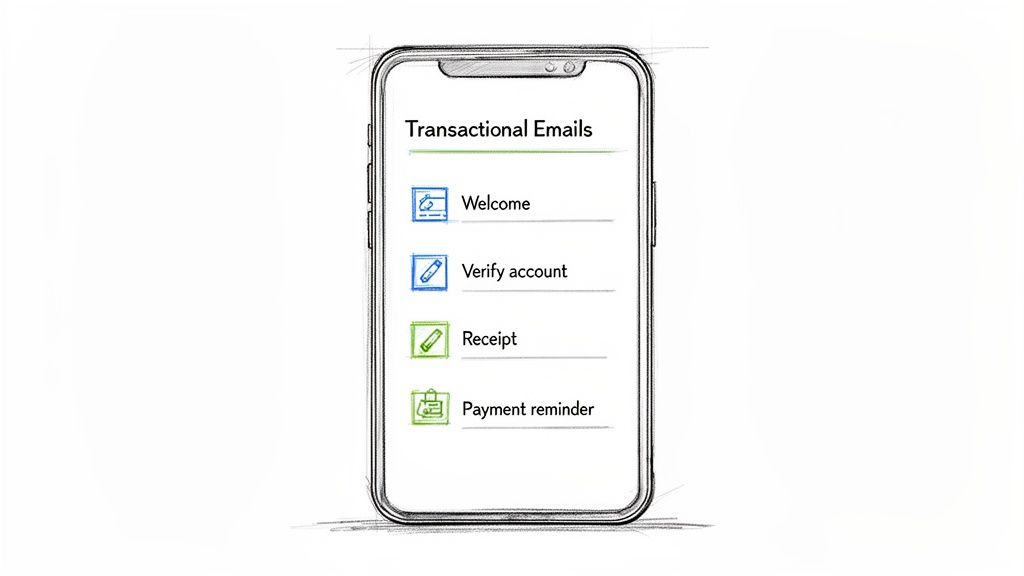
Welcome & Account Verification: This is your first impression. It confirms they've successfully signed up and usually includes an essential next step, like verifying their email address. A good welcome email is warm, clear, and laser-focused on getting the user to that "aha!" moment as fast as possible.
Password Reset: An absolute must-have. When a user forgets their password, this email delivers a secure, time-sensitive link to get them back in. Its only job is to be fast, reliable, and dead simple to use. It's a small thing that prevents a mountain of user frustration and potential churn.
These foundational emails are non-negotiable. They make sure users can securely get into your product and start using it without hitting any roadblocks.
Key Takeaway: The goal of onboarding emails isn't just to say hello—it's to guide the user to take the next most valuable action. A great welcome email can massively boost user activation by showing them exactly where to start.
Billing and Subscription Communications
Nothing kills trust faster than confusing communication about money. Billing-related transactional emails are vital for maintaining healthy revenue and cutting down on involuntary churn from failed payments. If you're looking for inspiration, you can find a ton of professionally designed transactional email templates that cover all of these critical scenarios.
Here are the billing emails you absolutely need:
Payment Confirmation & Receipt: After a payment goes through, this email serves as the digital receipt. It confirms the transaction, shows what was charged, and gives the customer a record for their own accounting. It's all about reinforcing trust and transparency.
Subscription Renewal Reminders: Giving users a heads-up before their subscription renews is a simple courtesy that goes a long way. It helps them manage expectations, prevents surprise charges, and can dramatically improve customer satisfaction.
Payment Failure Notifications (Dunning Emails): When a payment fails because of an expired card or some other issue, this automated email is your first line of defense against involuntary churn. It needs to clearly explain the problem and provide a direct link for the user to update their billing info. The data is clear: automated dunning campaigns can recover up to 15% of failed payments, directly protecting your ARR.
Mastering these essential communications ensures your customer lifecycle runs like a well-oiled machine, keeping users informed and payments flowing.
The Hidden Growth Potential of Transactional Emails
It's easy to dismiss transactional emails as a simple technical requirement—a box to check. But treating them that way is a massive missed opportunity for growth. Because they command such high open rates, these emails are prime real estate for strengthening your brand, guiding users through onboarding, and fighting churn.
They aren't just functional messages; they are powerful, understated growth levers.
SaaS leaders often pour their energy into flashy marketing campaigns, but the real gold might be sitting right in their password reset and receipt emails. By injecting subtle, contextually relevant information into these messages, you can drive product adoption and even generate expansion revenue. Think of a payment confirmation that also highlights a little-known feature, or a welcome email that links to a quickstart video guide.
This isn't just theory; it's a core pillar of customer retention and product-led growth. These automated touchpoints reinforce your brand's value at critical moments in the user journey.
Turning Utility into Opportunity
The true power of transactional emails lies in their utility. A user needs the information in a dunning email or an account verification message. This built-in urgency gives you a captive audience.
Instead of a plain, text-only receipt, you can transform it into a value-add touchpoint:
Suggest a relevant integration: If a user just upgraded to a new plan, your confirmation email could suggest connecting their account to another tool they use, like Slack or Zapier.
Offer a helpful resource: A password reset email could include a link to a guide on setting up two-factor authentication for better security.
Highlight a case study: In a monthly invoice email, you could feature a short success story from a customer in a similar industry.
This strategy requires a shift in mindset. You begin to see every automated message not as a cost center but as a chance to deepen the customer relationship. To really lean into this, it helps to understand the general benefits of automation in business, which transactional emails perfectly illustrate.
For a deeper dive into applying these concepts, check out our complete guide to email marketing for SaaS companies.
The Market Agrees This Is a Growth Area
The focus on transactional email strategy is backed by some serious market trends. The transactional email software market, valued at USD 1,560.89 million in 2026, is projected to surge to USD 4,255.97 million by 2035.
That's a 173%+ growth trajectory, driven by the booming demand from SaaS, eCommerce, and fintech sectors that rely on these essential communications for compliance, billing, and account updates. You can explore more data in this transactional email software market research.
Investing in your transactional email strategy is no longer optional—it's a core component of modern product-led growth. By optimizing these high-engagement touchpoints, you build a more resilient, user-centric business that retains and expands its customer base automatically.
Mastering Email Deliverability and Technical Setup
Getting a transactional email sent from your app is just the first step. Making sure it actually lands in the inbox? That's the real challenge.
Great deliverability isn't something you can bolt on later; it's built on a rock-solid technical foundation. This setup is how you prove to inbox giants like Gmail and Outlook that your messages are legitimate, wanted, and trustworthy.
Think of it like getting a package delivered. You can't just toss it in a random mailbox and hope it gets there. You need the right address, proper postage, and a clear return address to show it's from a credible sender. For email, this credibility is built through specific technical standards that you control.
You have two main paths for sending these emails: an SMTP relay or a transactional email API. An SMTP relay is like a specialized post office that handles the sending for you. But for most SaaS platforms, an API is the way to go. It offers far more granular control, letting you integrate sending, tracking, and template management directly into your application's code.
Building Your Sender Reputation
Your sender reputation is everything. It's basically a credit score for your domain that inbox providers use to judge you. A high score gets you a first-class ticket to the inbox. A low score sends you straight to the spam folder, no questions asked.
Building and protecting this reputation is non-negotiable if you want your password resets and payment receipts to get delivered.
One of the best ways to control your own destiny here is by using a dedicated IP address. This means your emails are sent from an IP that only you use. Your reputation won't get dragged down by someone else's shady sending practices.
But you can't just fire up a new IP and start blasting thousands of emails. You have to warm it up first.
IP warming is the process of gradually increasing the number of emails you send from a new IP address over time. This slow, methodical ramp-up builds trust with inbox providers, proving you're a legitimate sender and not a spammer trying to fly under the radar.
The Three Pillars of Email Authentication
To really solidify your identity, you need to set up three key authentication records. Think of these as your email's digital passport—they verify who you are and protect your domain from being hijacked for phishing scams.
Getting these three records in place is essential for modern deliverability:
SPF (Sender Policy Framework): This is a simple text record that lists all the IP addresses authorized to send email on behalf of your domain. It's like a bouncer's guest list for your domain, telling inbox providers exactly who is allowed in.
DKIM (DomainKeys Identified Mail): DKIM adds a unique, encrypted signature to every email you send. When the email arrives, the recipient's server checks this signature to confirm the message is authentic and hasn't been tampered with in transit.
DMARC (Domain-based Message Authentication, Reporting & Conformance): DMARC is the policy layer that ties SPF and DKIM together. It gives you the power to tell receiving servers what to do if an email fails those checks—either reject it, flag it as spam, or let it through.
Nailing this technical setup is what separates a transactional email strategy that works from one that constantly causes support headaches. By authenticating your domain and carefully building your sender reputation, you ensure your most critical customer communications arrive exactly where they need to be, every single time.
Measuring Transactional Email Performance That Matters
If you aren't measuring, you aren't improving. It's easy to get excited about the naturally high open rates of transactional emails, but those numbers don't tell the whole story. To really know what's going on, you have to look past the vanity metrics.
The real health of your program lives in the key performance indicators (KPIs) that show whether your most critical messages are actually landing where they should, protecting your sender reputation, and giving users a smooth experience.
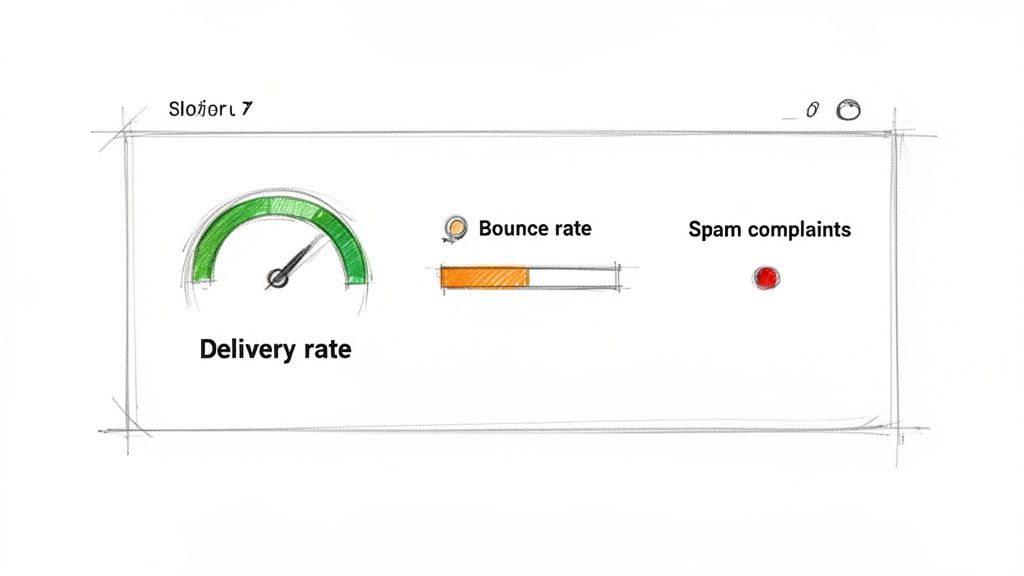
Core Deliverability Metrics to Track
Start by keeping a close eye on these foundational numbers. Think of them as a direct window into your technical setup and how inbox providers like Gmail and Outlook see your domain. A healthy program should be hitting strong benchmarks here, consistently.
Delivery Rate: This is the percentage of your emails that successfully made it to the recipient's mail server. A strong delivery rate, ideally above 98%, is a great sign that your technical authentication (like SPF and DKIM) is configured correctly.
Bounce Rate: This tracks the percentage of emails that couldn't be delivered. It's absolutely vital to know the difference between a hard bounce (a permanent problem, like a totally fake email address) and a soft bounce (a temporary issue, like a full inbox).
A high hard bounce rate is a major red flag for your sender reputation. It tells email providers you might have sloppy list hygiene, so you have to remove those bad addresses immediately to avoid getting flagged as a spammer.
Spam Complaint Rate: This is exactly what it sounds like—the percentage of people who hit the "spam" button on your email. This metric is incredibly sensitive; even a tiny rate of 0.1% can set off alarms with inbox providers. It's the most direct feedback you can get on whether your emails are truly wanted.
Monitoring these metrics isn't just about damage control. It's about proactively managing your reputation to make sure your most important communications—password resets, receipts, and critical alerts—always get delivered without a hitch.
Common Questions About Transactional Emails
Even after you get the hang of what transactional emails are, some questions always pop up when it's time to actually build them. We've pulled together the most common ones we hear from SaaS teams to give you clear, no-fluff answers.
Think of this as the practical part of the guide—the stuff you need to know to navigate compliance, tech setup, and day-to-day strategy.
Can I Put Marketing Stuff in My Transactional Emails?
Yes, but you have to be smart about it. The email's main job must be transactional.
It's fine to add a relevant product suggestion in a receipt or link to a helpful guide in a welcome email. But the subject line and the core of the message have to deliver on the transactional promise. Regulations like CAN-SPAM don't mess around, so always put the main transactional message front and center to stay compliant and keep your users' trust.
Key Insight: A good rule of thumb is the 80/20 rule. At least 80% of the email's content should be the core transactional information. You can use the remaining 20% for a subtle, context-aware promotional message.
What's the Difference Between an SMTP Relay and an API?
This is a classic one. Think of an SMTP relay as a specialized mail carrier. You hand your emails over to it, and its only job is to get them delivered reliably. It's a great way to offload the technical headache of sending high volumes of email.
An API (Application Programming Interface), on the other hand, is like having a direct line into the email engine room. It gives you far more control. With an API, you're not just sending emails—you can manage templates on the fly, track detailed analytics in real-time, and have email events trigger actions directly within your app.
For almost any modern SaaS platform, an API is the way to go. It offers the flexibility and deep integration you need to build a truly seamless user experience.
How Do I Keep My Transactional Emails from Landing in Spam?
Making sure your emails hit the inbox every single time comes down to a few critical actions:
Authenticate your sending domain. This is non-negotiable. Set up your SPF, DKIM, and DMARC records to prove to inbox providers that your emails are legit and not from a spoofer.
Use a top-tier email service provider. Partner with a service that has an obsessive focus on deliverability and a stellar reputation with ISPs.
Keep your email list spotless. Actively watch your bounce rates and scrub invalid addresses immediately. A clean list is a sign of a healthy sending program.
Use a dedicated IP address. Once you have enough volume, get a dedicated IP and warm it up properly. This gives you full control over building a strong, independent sender reputation.
Ready to turn your transactional emails into a growth engine? SMASHSEND provides a powerful API, robust deliverability tools, and automated lifecycle campaigns to help you activate users and reduce churn. Start building a better email strategy today.