
List-Unsubscribe Header Feature for protecting Email List Reputation
Protecting Your List Reputation with List-Unsubscribe Feature
Last updated September 21, 2023
At SmashSend, we understand the importance of maintaining a sterling email list reputation. It's not just about sending emails; it's about sending them to recipients who genuinely want to hear from you.
To ensure this, our email marketing platform incorporates a powerful List-Unsubscribe Functionality. In this guide, we'll dive into how this feature works and how it safeguards your list reputation.
What is List-Unsubscribe Functionality?
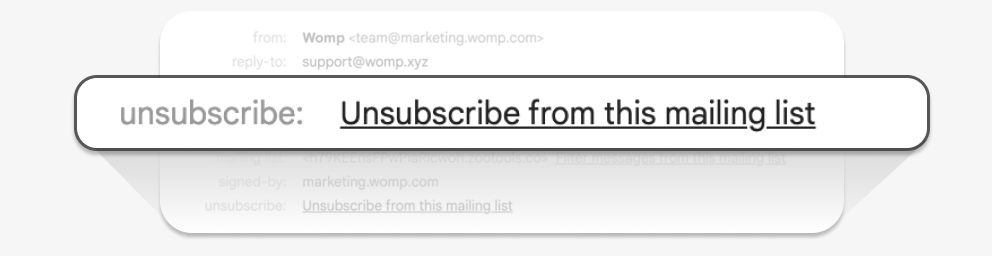
List-Unsubscribe Functionality is a vital element of responsible email marketing. It provides recipients with a straightforward way to opt out of receiving emails from a sender.
Every non-transactional message sent through your SmashSend account includes a List-Unsubscribe header. This header serves as a channel for capturing unsubscribe requests from recipients who no longer wish to receive your emails.
However, it's important to note that the List-Unsubscribe header is not a replacement for traditional unsubscribe links found within the body of your emails. It complements these links, adding an extra layer of convenience for recipients.
How to show an "unsubscribe link" on Gmail or Outlook?
Some major email providers, such as Gmail and Outlook, recognize the List-Unsubscribe header. When recipients open an email from your SmashSend-powered campaign, they may see a 1-click option to unsubscribe. This user-friendly approach enhances the email experience and discourages recipients from marking your messages as spam.
By including the List-Unsubscribe header, you align with established email best practices that help redirect the intentions of potential spam complainants, reducing the likelihood of them hitting the dreaded "spam" button.
Automatic Suppression: Unsubscribing users
At SmashSend, we take the process a step further to protect your list reputation. When a recipient chooses to unsubscribe via the List-Unsubscribe header or if an email bounces, we automatically add that recipient to a suppression list. This suppression list ensures that subsequent email attempts to these recipients will fail.
This proactive approach not only prevents unwanted emails from reaching unsubscribed users but also helps maintain your sender's reputation. It's important to note that the List-Unsubscribe header's treatment, particularly in providers like Gmail and Hotmail, may not be immediately visible until you've established a positive sending reputation.
In conclusion, SmashSend' List-Unsubscribe Functionality goes beyond mere compliance with email regulations. It actively safeguards your sender's reputation, fosters positive user experiences, and ensures your email marketing efforts remain effective and responsible. It's a win-win for both you and your subscribers.