
10 B2B Email Deliverability Best Practices for SaaS in 2026
For B2B SaaS companies, every email sent is a direct line to revenue. From critical onboarding sequences and product updates to essential renewal reminders, your messages drive user engagement and protect Annual Recurring Revenue (ARR). Yet, a significant portion of these well-crafted emails never reach their intended destination, quietly vanishing into spam folders. This isn't just a minor annoyance; it's a direct threat to your growth, silently eroding customer lifetime value and increasing churn. The culprit is poor email deliverability, a complex but solvable problem.
Navigating the technical maze of SPF, DKIM, IP reputation, and ever-changing ISP algorithms can feel daunting. A single misstep can damage your sender reputation, making it nearly impossible to land in the primary inbox. This guide demystifies the process by breaking down the 10 most critical email deliverability best practices you need to implement today. We'll move beyond generic advice and provide actionable steps, real-world B2B SaaS examples, and specific implementation tips tailored for growth-stage companies.
By mastering these fundamentals, you ensure your platform's most important communications are seen, opened, and acted upon. Ultimately, the effectiveness of your deliverability efforts is measured by the success of your high-performing email marketing campaigns. This list provides the foundational framework to build them successfully, stop leaving revenue on the table, and start turning your email program into a reliable growth engine. Let's dive in.
1. Implement SPF, DKIM, and DMARC Authentication
Email authentication protocols are the digital equivalent of a sealed envelope and a verified signature. They prove to mailbox providers like Gmail and Outlook that an email is genuinely from you and hasn't been tampered with. For B2B SaaS companies, where transactional emails (like password resets) and customer communications are critical, this isn't just a best practice; it's a foundational requirement for building trust and ensuring messages reach the inbox.
How Authentication Works
Authentication relies on three key protocols working in unison:
SPF (Sender Policy Framework): This is a list of approved mail servers authorized to send email on behalf of your domain. You publish this list as a DNS record, and receiving servers check it to verify the sender's IP address.
DKIM (DomainKeys Identified Mail): This adds a digital signature to your emails. The signature is encrypted using a private key, and the receiving server uses a public key (published in your DNS) to decrypt and verify it, confirming the message content wasn't altered in transit.
DMARC (Domain-based Message Authentication, Reporting, and Conformance): DMARC unites SPF and DKIM. It tells receiving servers what to do if an email fails authentication (accept, quarantine, or reject it) and provides valuable reports on sending activity, helping you spot unauthorized use of your domain.
Actionable Tips for Implementation
Implementing these protocols is a critical step in any email deliverability best practices strategy. Start by setting up the necessary DNS records for all your sending domains, including any subdomains used for specific email streams (e.g., marketing.yourcompany.com).
A phased DMARC rollout is essential to avoid disrupting legitimate email flow.
Start in monitoring mode: Set your DMARC policy to
p=none. This allows you to collect reports and identify all legitimate sending sources without impacting delivery.Move to quarantine: Once you've analyzed the reports and authorized all valid senders in your SPF/DKIM records, update your policy to
p=quarantine. This directs suspicious emails to the spam folder.Enforce rejection: After confirming no legitimate emails are being quarantined, switch to a
p=rejectpolicy. This provides the strongest protection against spoofing by telling mailbox providers to block unauthenticated messages entirely.
For an easier setup, platforms like SMASHSEND can automatically configure these records for you, removing manual complexity. For a deeper dive, you can learn more about how to check your SPF, DKIM, and DMARC records.
2. Use Dedicated IP Pools or Warm IP Addresses
Using a dedicated IP address is like owning your own house instead of renting an apartment. Your sending reputation is yours alone, unaffected by the actions of other senders sharing the same IP. For B2B SaaS companies sending high volumes of critical transactional and lifecycle emails, this control is a non-negotiable part of a robust email deliverability best practices strategy, as it directly impacts your sender score with mailbox providers.
How IP Reputation Works
Your IP address reputation is built over time based on your sending volume, consistency, and audience engagement. Mailbox providers track these signals to determine whether your mail is trustworthy.
Dedicated IPs: You have exclusive use of an IP address, giving you complete control over its reputation. Your deliverability depends entirely on your sending practices.
Warmed IPs: A new IP has no sending history, so you must "warm it up" by starting with a low email volume and gradually increasing it. This process builds a positive reputation with ISPs like Gmail and Outlook.
IP Pools: This involves using multiple dedicated IPs to segment different types of email. For example, you can use one IP for high-engagement transactional emails and another for promotional campaigns, insulating the reputation of your most critical messages.
Actionable Tips for Implementation
Effectively managing your IP reputation is key to ensuring your emails consistently land in the inbox. Start with a clear strategy for warming and segmenting your sending infrastructure.
A strategic approach to IP management prevents reputation damage.
Start Small and Scale: Begin with one or two dedicated IPs. You can add more to your pool as your sending volume and segmentation needs grow.
Automate the Warm-Up: Manually warming an IP is tedious and prone to error. Use a platform like SMASHSEND, which offers automated IP warm-up to gradually build your sending reputation without manual oversight.
Segment Your Mail Streams: Create separate IP pools for different email types. A common B2B SaaS setup includes pools for transactional (password resets, invoices), lifecycle (onboarding, feature announcements), and marketing (newsletters, promotions).
Monitor Your Reputation: Regularly check your IPs against blocklists like Spamhaus and Barracuda. Proactive monitoring helps you identify and resolve issues before they significantly impact deliverability.
3. Maintain List Hygiene and Remove Invalid Addresses
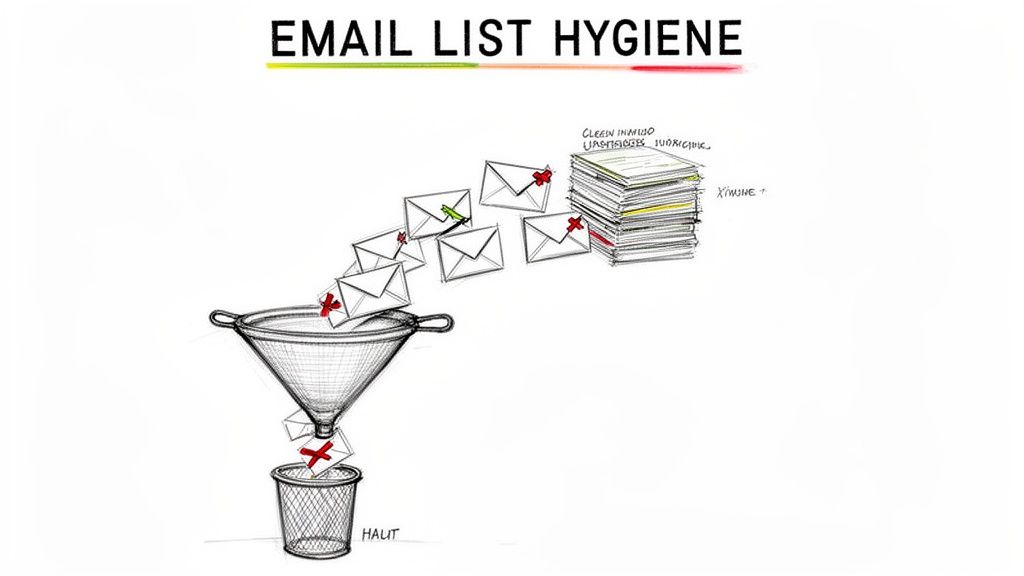
Think of your email list as a garden; without regular weeding, it gets overrun, and nothing grows. List hygiene is the process of removing invalid, inactive, and unengaged subscribers to protect your sender reputation and improve overall performance. For B2B SaaS companies, a clean list ensures that crucial communications about product updates, billing, and user onboarding actually reach active customers, preventing churn and improving user experience.
How List Hygiene Works
Maintaining a clean list involves systematically identifying and removing problematic email addresses. This directly impacts your sender score because Internet Service Providers (ISPs) closely monitor metrics like bounce rates. High bounce rates (especially hard bounces) signal to ISPs that you are not managing your recipient list carefully, which can lead to your emails being throttled or sent directly to spam.
Hard Bounces: These are permanent delivery failures caused by invalid email addresses or nonexistent domains. They are a strong negative signal to mailbox providers.
Soft Bounces: These are temporary failures, often due to a full inbox or a temporary server issue. While less damaging, repeated soft bounces to the same address should be treated as hard bounces.
Unengaged Subscribers: These are valid addresses that haven't opened or clicked an email in a long time (e.g., 6+ months). While not as harmful as bounces, sending to them lowers your overall engagement rates, which also hurts deliverability.
Actionable Tips for Implementation
Integrating list hygiene into your email deliverability best practices is non-negotiable for sustainable growth. Proactive cleaning prevents deliverability issues before they start and ensures your marketing efforts reach an audience that wants to hear from you.
Remove Hard Bounces Immediately: Configure your email service provider to automatically remove any address that results in a hard bounce. A hard bounce rate above 2% is a major red flag for ISPs.
Run a Re-engagement Campaign: Before removing long-term inactive users, try to win them back with a targeted re-engagement or "sunset" campaign. If they still don't interact, suppress them from future mailings.
Validate Lists Proactively: Use a validation service like ZeroBounce to clean your list before a major campaign or after importing new contacts. This catches typos, spam traps, and other invalid addresses.
Clean on a Schedule: Make list cleaning a regular habit. A quarterly review is a good starting point, but you should also clean your list after any major lead generation event.
Platforms like SMASHSEND simplify this by providing tools for behavioral segmentation, allowing you to easily isolate unengaged users and manage bounce lists automatically.
4. Optimize Email Content and Formatting
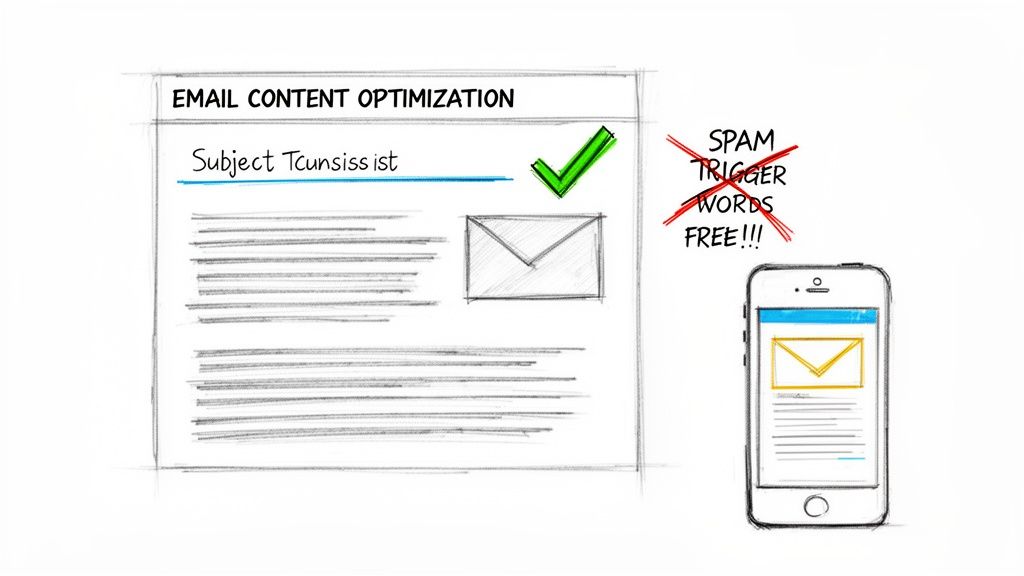
Beyond technical setups, the content and structure of your emails are heavily scrutinized by spam filters. Mailbox providers analyze everything from subject lines and sender names to body text and HTML code to determine an email's legitimacy. For B2B SaaS companies, where every transactional receipt, onboarding message, and feature update impacts the customer experience, optimizing content is a crucial part of any email deliverability best practices strategy.
How Content and Formatting Impact Deliverability
Spam filters use sophisticated algorithms to score emails based on "spammy" characteristics. Things like misleading subject lines, excessive promotional language (e.g., "Free!", "Act Now!"), a high density of links, large image files, or sloppy HTML code can all raise red flags and send your message directly to the spam folder. Clean, value-focused content that renders properly across devices signals to mailbox providers that you are a legitimate, high-quality sender.
Actionable Tips for Implementation
Ensuring your content is inbox-friendly involves a multi-faceted approach that balances design, copy, and technical formatting. The goal is to create a seamless experience for the recipient and a trustworthy signal for the mailbox provider.
Focus on these key areas for improvement:
Avoid spam trigger words: Steer clear of overly promotional or desperate language. Successful B2B emails focus on delivering value, not creating hype. Tools like HubSpot's editor often flag these words in real-time.
Balance text and images: Maintain a healthy text-to-image ratio, aiming for around 80% text and 20% images. Image-only emails are a common spammer tactic and are frequently blocked.
Keep subject lines clean and concise: Avoid using ALL CAPS and excessive punctuation (like multiple exclamation marks). Keep them under 50 characters to ensure they display fully on mobile devices.
Test across clients: Use a tool like Litmus to preview how your email renders across dozens of clients like Gmail, Outlook, and Apple Mail. This helps you catch and fix broken formatting before sending. You can dive deeper into the differences between HTML and plain-text emails.
For a streamlined approach, SMASHSEND's AI Email Editor provides built-in spam-checking and formatting guidance, helping you catch potential deliverability issues before you hit send.
5. Implement Double Opt-In for List Growth
Double opt-in, also known as confirmed opt-in, adds a crucial verification step to your subscription process. Instead of instantly adding a new contact to your list, it sends a confirmation email with a link the user must click to verify their address. For B2B SaaS companies, this method is a powerful tool for building a high-quality, engaged audience, preventing deliverability issues caused by fake, mistyped, or malicious signups. While it may slightly lower initial conversion volume, it dramatically increases the long-term value and engagement of your list.
How Double Opt-In Works
The process is a simple but effective filter. A user fills out a form on your website or in your app, and a trigger immediately sends a confirmation email. Only after they click the verification link in that email are they officially added to your active mailing list. This ensures every subscriber has a valid, accessible inbox and has explicitly confirmed their interest, which is a strong positive signal to mailbox providers like Gmail and Outlook. This method is a core component of sustainable email deliverability best practices.
Actionable Tips for Implementation
Implementing double opt-in strategically can maximize list quality without sacrificing growth. It's about applying the right level of confirmation based on the signup source and user intent.
Be immediate and clear: Send the confirmation email instantly after signup. Use a clear subject line like "Confirm your subscription" and make the confirmation button or link the primary call-to-action.
Set an expiration: Create urgency by mentioning that the confirmation link expires in 24 or 48 hours. This encourages prompt action from genuinely interested subscribers.
Automate a reminder: If a user hasn't confirmed within 24 hours, trigger a single, friendly reminder email. This can capture a portion of users who may have missed the first message.
Segment your opt-in strategy: Use double opt-in for higher-risk channels like public website forms. For lower-risk signups, such as users registering for an account within your product, a single opt-in may be sufficient as their identity is already more established.
After a user confirms, use a platform like SMASHSEND to immediately enroll them in a targeted welcome sequence. This reinforces their decision and begins the process of building a strong, engaged relationship from the very first interaction.
6. Manage Sending Frequency and Avoid List Fatigue
Blasting your entire list with daily emails is one of the fastest ways to degrade your sender reputation and harm your email deliverability best practices. List fatigue occurs when subscribers receive too many emails, leading to unsubscribes, spam complaints, and overall disengagement. For B2B SaaS companies, respecting a user's inbox is crucial for maintaining long-term customer relationships and ensuring critical messages get seen.
How Sending Cadence Impacts Deliverability
Internet Service Providers (ISPs) closely monitor how recipients interact with your emails. A sudden spike in spam complaints or a high unsubscribe rate signals that your content is unwanted. This negative feedback directly informs their filtering algorithms, causing future emails to land in the spam folder. An optimal sending frequency balances communication needs with subscriber tolerance, maximizing engagement while minimizing negative signals.
For example, transactional emails from a platform like Stripe are expected immediately, while promotional updates are better received weekly. Similarly, Slack adjusts its cadence based on user activity, sending frequent updates to active users and scaling back for those who are less engaged. This responsive approach keeps users informed without overwhelming them.
Actionable Tips for Implementation
Finding the right frequency requires a strategic, data-driven approach. Instead of a one-size-fits-all schedule, tailor your sending cadence to different audience segments and email types.
Segment by Engagement: Start by sending 2–3 emails per week to your most engaged subscribers and reduce it to one per week for less active segments. SMASHSEND's behavioral segmentation tools can automate this process by grouping users based on their open and click history.
Implement a Preference Center: Empower your subscribers by allowing them to choose how often they hear from you (e.g., daily, weekly, or only for major announcements). This simple feature can significantly reduce unsubscribes and complaint rates.
Monitor Key Metrics: Keep a close eye on your unsubscribe and complaint rates weekly. A healthy complaint rate should remain well below 0.5%. If you see these numbers rise, it's a clear indicator that you need to adjust your frequency.
Use Time-Based Triggers: Automate lifecycle emails like welcome series, onboarding tips, and renewal reminders. These timely, relevant messages are highly anticipated and receive strong engagement, positively impacting your overall sender reputation.
7. Monitor Sender Reputation and Bounce/Complaint Rates
Your sender reputation is a credit score for your email program. Internet Service Providers (ISPs) like Gmail and Microsoft calculate this score based on your sending history, engagement metrics, and authentication status. For B2B SaaS companies, a high reputation ensures critical emails like invoices, onboarding sequences, and product updates reach the inbox, while a poor one leads directly to the spam folder or outright blocks.
How Sender Reputation Works
ISPs assign a numerical score to your sending IP address and domain, which dictates how they treat your incoming mail. This score is influenced by several key factors:
Bounce Rate: A high percentage of hard bounces (invalid email addresses) signals poor list hygiene. A hard bounce rate should always be kept below 2%.
Complaint Rate: When recipients mark your email as spam, it heavily damages your reputation. This rate should stay under 0.1% for optimal deliverability.
Engagement: ISPs reward senders whose emails are consistently opened, clicked, and replied to. Low engagement suggests your content isn't relevant to your audience.
Blacklists: Being listed on a major DNS-based Blackhole List (DNSBL) is a clear sign of spammy activity and can cause widespread delivery failures.
Actionable Tips for Implementation
Continuously tracking your reputation is a non-negotiable part of a healthy email deliverability best practices strategy. Proactive monitoring allows you to catch issues before they escalate and cause significant damage to your email program's performance.
Incorporate these monitoring habits into your weekly routine:
Check Your Score Regularly: Use free tools like SenderScore.org to get a snapshot of your IP reputation. A score above 80 is good, but you should aim for 95 or higher.
Set Metric-Based Alerts: Configure alerts within your email platform to notify you if your hard bounce rate exceeds 2% or your complaint rate goes above 0.1%. This enables a rapid response.
Monitor Blacklists: Use a service like MXToolbox to check if your domain or IP has been listed on any major blacklists. Daily monitoring is ideal if you send high volumes.
Analyze Engagement by Segment: Don't just look at overall open rates. Dig into performance by audience segment to identify which groups are less engaged and may need re-engagement campaigns or removal.
SMASHSEND provides a built-in analytics dashboard that offers real-time visibility into these critical metrics, simplifying the process of monitoring your sender reputation and campaign health directly within the platform.
8. Test Emails Before Sending to Large Audiences
Sending an email to thousands of customers without testing it first is like launching a product without QA. Pre-send testing allows you to catch rendering errors, broken links, and deliverability issues before they impact your entire audience. For B2B SaaS companies, where a single flawed transactional email can disrupt user workflows and a marketing campaign can tarnish brand perception, this step is a non-negotiable part of any email deliverability best practices strategy.
How Pre-Send Testing Works
The core idea is to send your campaign to a "seed list" first. This is a curated list of internal email addresses across various mailbox providers (like Gmail, Outlook, Yahoo) and devices. By reviewing how the email lands and appears on these test accounts, you can proactively identify and fix problems that would otherwise harm your engagement rates and sender reputation.
Rendering Tests: These checks show you how your email's HTML, images, and fonts will look across different email clients and devices. A perfectly designed email in one client can look broken in another.
Spam Filter Analysis: Tools like Litmus or SpamAssassin analyze your email's content, authentication, and infrastructure to predict whether it will be flagged as spam. This helps you identify and remove spam trigger words or fix technical issues.
Inbox Placement Tests: This shows you where your email is most likely to land: the primary inbox, a promotions tab, or the spam folder. This provides a real-world deliverability forecast.
Actionable Tips for Implementation
Integrating testing into your pre-launch checklist is a crucial best practice that safeguards your email program's performance. It prevents easily avoidable mistakes from damaging your sender reputation and campaign ROI.
Build a comprehensive seed list: Create an internal list that includes a mix of major providers like Gmail and Outlook, as well as business domains (even competitor domains) to see how corporate filters treat your messages.
Check the essentials on every send: Before every campaign, verify that all links are correct, images load properly, and your unsubscribe link is functional and easy to find.
Run a final spam score check: Use a dedicated testing tool to get a final spam score and address any red flags related to content or authentication.
A/B test on a small segment: For large marketing campaigns, consider sending different versions of your subject line or content to a small slice (e.g., 10%) of your audience first. Send the winning version to the remaining 90%.
Platforms like SMASHSEND often include built-in preview tools to simplify rendering checks. For more advanced needs, services like Litmus and Email on Acid provide comprehensive previews and spam filter testing to ensure your messages arrive exactly as intended.
9. Segment Audiences by Engagement and Behavior
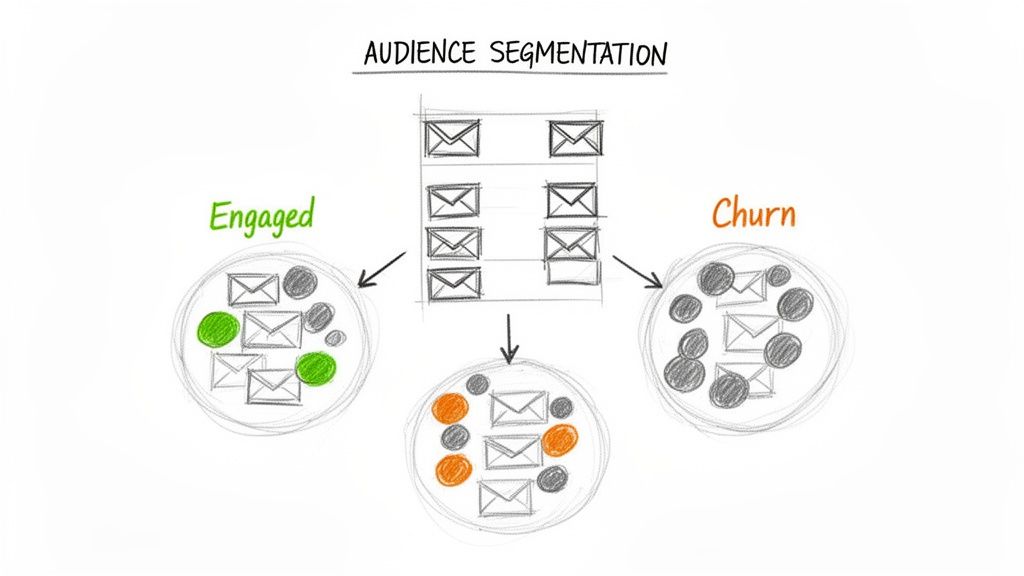
Sending the same email to your entire list is a direct path to the spam folder. Behavioral and engagement-based segmentation involves grouping subscribers based on their actions, lifecycle stage, and attributes. Mailbox providers like Gmail closely monitor how recipients interact with your emails; high engagement signals value, while low engagement signals spam. For B2B SaaS companies, sending targeted messages to active users first is a crucial email deliverability best practice that protects sender reputation.
How Segmentation Works
Instead of a one-size-fits-all approach, segmentation creates smaller, more relevant audiences. This ensures that recipients receive content they are most likely to find valuable, which dramatically increases open and click-through rates.
Engagement Level: Group users by how recently they've interacted with your emails (e.g., opened in the last 30, 60, or 90 days).
Lifecycle Stage: Tailor communication based on where a user is in their journey, such as a trial user, a new customer, or a churned account.
Behavioral Data: Segment based on in-app actions, like feature adoption or login frequency, to send highly contextual messages.
Firmographic Attributes: For B2B, use data like company size, industry, or location to further refine your targeting.
Actionable Tips for Implementation
Start by defining your key segments and building a sending strategy that prioritizes your most active users. This protects your sender reputation and improves overall inbox placement.
Create Core Engagement Segments: Start with simple but powerful groups: Active (opened/clicked in the last 30-60 days), Inactive (no engagement for 60+ days), and Churned (cancelled their subscription).
Prioritize Your Sending: Always send new campaigns to your most engaged segments first. If engagement is high, you can then cautiously expand the campaign to less active groups.
Build Re-engagement Workflows: Don't just ignore inactive users. Target them with a specific re-engagement or "win-back" campaign to give them a final chance to connect before you remove them from your active lists.
Leverage Lifecycle Automation: Use platforms like SMASHSEND to automate messages based on lifecycle stages. Send onboarding tips to new users, renewal reminders to expiring customers, and feature announcements to power users.
To get a more comprehensive overview, you can explore these powerful customer segmentation strategies and apply them to your email program.
10. Use Clear Unsubscribe Options and Honor Removal Requests
Providing a clear and straightforward way for subscribers to opt out is not just a courtesy; it's a legal and technical necessity for maintaining high deliverability. Regulations like CAN-SPAM and GDPR, along with strict ISP requirements, mandate that every marketing email includes an accessible unsubscribe mechanism. For B2B SaaS companies, honoring these requests promptly is a critical component of email deliverability best practices, preventing spam complaints that can cripple sender reputation.
How Unsubscribe Mechanisms Work
A functional unsubscribe process serves two primary goals: it respects subscriber choice and it signals to mailbox providers that you are a legitimate sender who follows the rules.
Visible Unsubscribe Link: This is the most common method, typically a link in the email footer that directs users to a page where they can confirm their removal from a mailing list.
List-Unsubscribe Header: This is a piece of code in the email's header that mailbox providers like Gmail and Outlook use to create their own "Unsubscribe" button directly in the UI. This one-click option significantly reduces the likelihood of a user hitting the "Spam" button out of frustration.
Preference Center: A more advanced option, a preference center allows users to opt down from certain types of communication (e.g., promotional emails) while remaining subscribed to others (e.g., product updates), helping retain otherwise lost subscribers.
Actionable Tips for Implementation
Implementing a compliant and user-friendly unsubscribe process is fundamental. Failing to honor removal requests is one of the fastest ways to get your domain blocked by ISPs, as ignored requests quickly turn into spam complaints.
Ensure Visibility and Functionality: Place a clear, easy-to-read unsubscribe link in the footer of every marketing and promotional email. Regularly test the link to ensure it works correctly.
Implement the List-Unsubscribe Header: This is now a requirement for bulk senders by major mailbox providers. The header should be added to all marketing emails to provide a native one-click unsubscribe option.
Process Requests Immediately: While CAN-SPAM allows up to 10 business days, best practice is to process unsubscribes instantly or, at most, within 24 hours. This aligns with GDPR requirements and meets user expectations.
Maintain a Suppression List: Once a user unsubscribes, add them to a global suppression list to ensure they are never accidentally re-added to any marketing campaign.
Platforms like SMASHSEND automate this process by managing suppression lists and ensuring compliance features are built directly into the sending infrastructure, removing the risk of manual error and protecting your sender reputation.
10-Point Email Deliverability Best Practices Comparison
| Item | 🔄 Implementation Complexity | ⚡ Resource Requirements | ⭐ Expected Effectiveness | 📊 Expected Outcomes | 💡 Ideal use cases / Quick tip |
|---|---|---|---|---|---|
| Implement SPF, DKIM, and DMARC Authentication | Medium–High — DNS changes, alignment required | Low–Medium — DNS access + monitoring tools | High — Strong anti‑spoofing and trust | Higher inbox placement; fewer spoofing incidents | All sending domains; start DMARC in p=none and monitor |
| Use Dedicated IP Pools or Warm IP Addresses | High — IP provisioning + warm‑up process | High — Dedicated IPs, monitoring, time | High — Greater control over reputation | Faster placement for priority emails; segmented reputation | High‑volume transactional/lifecycle sends; auto‑warm 1–2 IPs |
| Maintain List Hygiene and Remove Invalid Addresses | Medium — ongoing cleaning & validation | Medium — Validation services and ops time | High — Reduces bounces and complaints | Lower bounce rates; improved engagement and costs | Clean quarterly; remove hard bounces immediately |
| Optimize Email Content and Formatting | Medium — content rules + client testing | Low–Medium — design & testing tools | Medium–High — Fewer spam hits, better UX | Better rendering, higher CTRs and lower spam flags | Lifecycle and marketing emails; maintain ~80/20 text/image |
| Implement Double Opt-In for List Growth | Low — add confirmation step and workflow | Low — small automation + one confirmation send | High — Improves list quality and engagement | Smaller but cleaner list; fewer complaints | Use for web forms/GDPR; send immediate confirmation and reminder |
| Manage Sending Frequency and Avoid List Fatigue | Medium — cadence rules and segmentation | Medium — segmentation tools & analytics | Medium–High — Preserves engagement over time | Lower unsubscribes/complaints; steadier engagement | Lifecycle programs and promos; offer preference center |
| Monitor Sender Reputation and Bounce/Complaint Rates | Medium — continuous monitoring and alerts | Medium–High — paid tools + analyst time | High — Early detection prevents blacklisting | Actionable fixes; reduced risk of throttling/blacklist | Alert on hard bounce >2% or complaint >0.5%; check weekly |
| Test Emails Before Sending to Large Audiences | Low–Medium — pre‑send QA and seed testing | Low–Medium — seed lists, preview tools, time | Medium — Catches many rendering/spam issues | Fewer broken links/formatting issues; lower spam flags | Use seed Gmail/Outlook; A/B 10% before full send |
| Segment Audiences by Engagement and Behavior | High — data integration and dynamic logic | High — CRM, analytics, enrichment data | Very High — Drives relevance and deliverability | Large uplift in opens/clicks and sender reputation | Personalization, ABM, lifecycle journeys; send to engaged first |
| Use Clear Unsubscribe Options and Honor Removal Requests | Low — footer links + suppression headers | Low — suppression lists, preference center | High — Reduces complaints and legal risk | Fewer complaints; regulatory compliance (CAN‑SPAM/GDPR) | Include List‑Unsubscribe header; process within 24 hours |
Turn Deliverability Into Your Competitive Advantage
You've navigated the intricate landscape of email deliverability, from the foundational pillars of authentication to the nuanced art of audience engagement. It's clear that reaching the inbox is not a game of chance. It's a strategic discipline built on a series of deliberate, interconnected actions. Mastering these email deliverability best practices is no longer a "nice-to-have" for a modern B2B SaaS company; it is a fundamental requirement for sustainable growth.
The journey from "Sent" to "Seen" is where marketing ROI is either realized or lost. Every email that lands in spam is a missed opportunity to activate a trial user, upsell a customer, or win back a churned account. By consistently applying the principles we've covered, you're not just improving a single metric. You are building a resilient, trustworthy communication channel that directly impacts activation rates, customer lifetime value, and ultimately, your ARR.
From Technical Checklist to Strategic Imperative
Let's distill the most critical takeaways from our comprehensive list. Think of these not as individual tasks, but as a cohesive system for inbox success:
Authentication is Non-Negotiable: Implementing SPF, DKIM, and DMARC is the bedrock of your sending reputation. It's your digital passport, telling mailbox providers like Google and Microsoft that you are a legitimate, trustworthy sender. Without it, you are starting from a position of deep distrust.
Reputation is Everything: Your domain and IP reputation are your most valuable sending assets. Proactive warm-up strategies, diligent list hygiene, and consistent monitoring are the daily activities that protect and enhance this reputation. A single poorly managed campaign can inflict damage that takes months to repair.
Engagement is the Ultimate Signal: The most sophisticated algorithms at major ISPs are designed to answer one simple question: do your recipients want your emails? High open rates, clicks, and replies send a powerful positive signal. Conversely, low engagement, high bounces, and spam complaints are red flags that will quickly land you in the spam folder. This is why segmentation based on user behavior is not just a tactic, but a core strategy.
Your Actionable Path Forward
Understanding these principles is the first step. The next is implementation. Here's a simple, actionable plan to get started today:
Conduct an Immediate Audit: Use a DMARC monitoring tool to check your current authentication status. Are your SPF and DKIM records correctly configured and aligned? Are you receiving DMARC reports to identify potential spoofing or configuration issues?
Review Your List Hygiene Protocol: When was the last time you cleaned your email list? Implement a re-engagement campaign for inactive subscribers and establish a clear, automated process for removing invalid or bounced addresses after a set number of failed delivery attempts.
Analyze Your Engagement Metrics: Dive into your email analytics. Identify your most and least engaged audience segments. Create a plan to send more targeted, valuable content to your active users and a separate strategy to win back or sunset your inactive ones. This is the essence of smart segmentation.
Ultimately, strong email deliverability is about building and maintaining trust with both your subscribers and the mailbox providers that serve them. It's a commitment to sending valuable, relevant content to people who have explicitly asked to receive it. When you prioritize this trust, you transform email from a simple broadcast tool into a powerful engine for building customer relationships and driving predictable revenue. It becomes a true competitive advantage.
Ready to stop worrying about the inbox and start focusing on growth? SMASHSEND provides the deliverability infrastructure you need, with features like auto-warming dedicated IPs, automated DMARC setup, and real-time analytics built right in. See how our platform can help you implement these email deliverability best practices and turn your email program into a revenue-generating machine at SMASHSEND.
Frequently Asked Questions
Have a question not in here? Contact us
- What are the most important email authentication protocols?
The three critical email authentication protocols are SPF (Sender Policy Framework), DKIM (DomainKeys Identified Mail), and DMARC (Domain-based Message Authentication, Reporting & Conformance). SPF prevents basic domain spoofing, DKIM ensures message integrity with cryptographic signatures, and DMARC provides policy enforcement and reporting.
- How can I improve my sender reputation?
Build your sender reputation through consistent positive sending practices: maintain excellent list hygiene, send relevant content to engaged subscribers, use proper email authentication, gradually warm up new IPs, monitor your metrics closely, and promptly address any deliverability issues. Focus on engagement signals like opens, clicks, and replies while minimizing spam complaints.
- What is the difference between hard bounces and soft bounces?
Hard bounces are permanent delivery failures caused by invalid email addresses or nonexistent domains, and should be removed immediately. Soft bounces are temporary failures often due to full inboxes or server issues. While less damaging than hard bounces, repeated soft bounces to the same address should be treated as hard bounces.
- How often should I clean my email list?
You should clean your email list at least quarterly, but also after any major lead generation event. Remove hard bounces immediately, and implement sunset policies for subscribers who haven't engaged in 90+ days. Proactive list cleaning prevents deliverability issues before they start.
- What is double opt-in and should I use it?
Double opt-in requires users to confirm their email subscription via a verification link. While it may slightly reduce initial signups, it dramatically improves list quality and engagement rates. Use double opt-in for higher-risk channels like public website forms, but single opt-in may suffice for account registrations within your product.