
HTML Email vs Plain Text: A Guide to B2B SaaS Revenue
The real difference boils down to this: HTML emails use code to create a branded experience with images and colors, while plain text emails are just that—simple, unformatted text. For a B2B SaaS business, the right choice isn't about which looks prettier; it's about what you're trying to accomplish. HTML is your go-to for newsletters and product announcements, but plain text is the undisputed champion for critical messages like user activation or personal sales outreach.
The Final Verdict on B2B SaaS Email Strategy
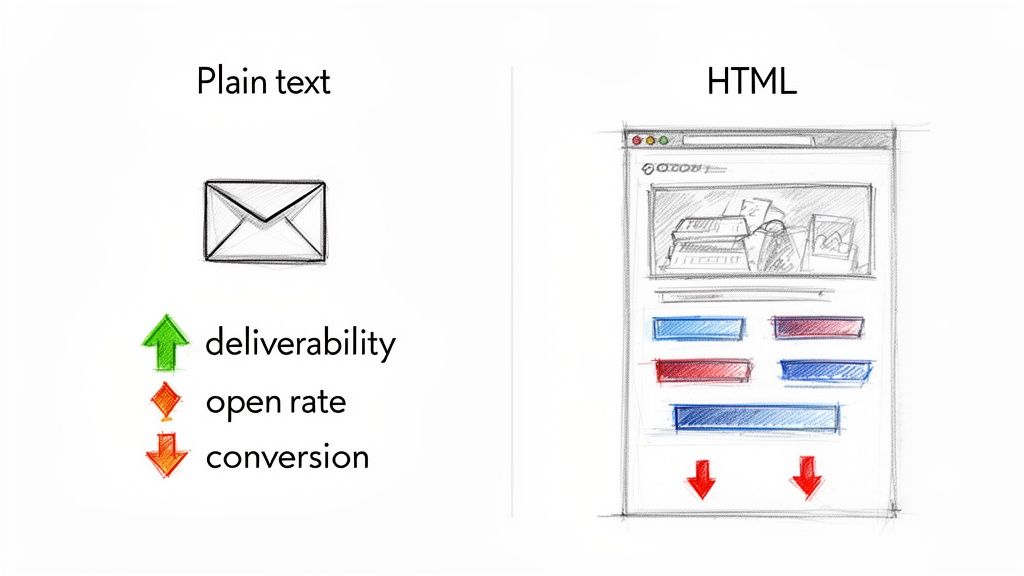
Picking between HTML and plain text is far more than a design choice. It's a strategic move that directly impacts your bottom line. Every email you send—from activating a new trial user to recovering a failed payment—has a job to do. The format you choose can be the difference between landing in the primary inbox and getting buried in the promotions tab.
Sure, visually rich HTML emails look great for company-wide updates and newsletters. The problem is, they often get flagged by spam filters and can come across as impersonal, corporate noise.
Plain text, on the other hand, feels like a one-on-one conversation. It builds trust and cuts through the marketing clutter. That personal touch is exactly what you need to drive action on the critical lifecycle messages that fuel SaaS growth.
HTML vs Plain Text Performance Snapshot for SaaS
To really see how this plays out, we need to compare how each format stacks up against the metrics that matter most to a SaaS business. This table gives you a quick snapshot before we dive deeper.
| Metric | HTML Email | Plain Text Email |
|---|---|---|
| Deliverability | Lower; risks spam filters due to code and images. | Higher; bypasses most filters, ensuring inbox placement. |
| Open Rates | Variable; often lower as it can land in promotions. | Generally higher; feels personal and lands in the primary inbox. |
| Engagement (CTR) | Can be high with clear CTAs but risks distraction. | Often higher; focuses the user on a single, clear action. |
| Brand Recognition | Excellent; reinforces brand with logos and colors. | Limited; relies solely on the content and sender name. |
| Accessibility | Requires careful coding for screen reader compatibility. | Natively accessible to all users and devices. |
This isn't about finding a universal "winner." It's about picking the right tool for the job.
The debate isn't about which format is universally "better," but which is more effective for a specific goal. For revenue-critical actions in SaaS, the authenticity and superior deliverability of plain text often give it a decisive edge.
Ultimately, choosing the right format gets your email delivered, but it doesn't guarantee it will be effective. Mastering the art of writing professional emails that get read is the other half of the equation. Powerful copy is what turns an opened email into a conversion.
Analyzing the Deliverability and Open Rate Gap
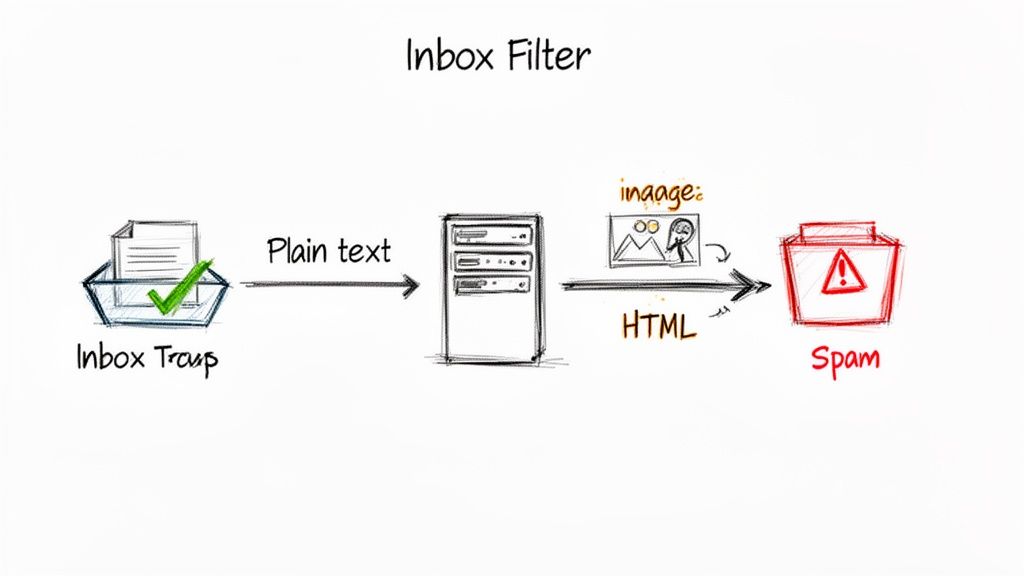
Before anyone can open, click, or convert from your email, it has to do one thing perfectly: get delivered. This is where the HTML email vs plain text debate gets serious. For a B2B SaaS company, making sure your message lands in the primary inbox—not spam, not the promotions tab—is the single most important part of the entire process.
And in this arena, plain text emails have a clear, measurable advantage. Their simplicity is their superpower. With no complex code, scripts, or heavy images, they are inherently less suspicious to corporate firewalls and the algorithms at Gmail and Outlook.
Those automated gatekeepers are built to spot threats and filter out anything that looks overly promotional. Complex HTML, a high image-to-text ratio, and a bunch of tracking links are all red flags. They're signals that can get an email quarantined before your user ever sees it. Plain text simply sidesteps these triggers.
Why Spam Filters Favor Simplicity
Spam filters work on a scoring system. Every single element in an email can add or subtract points from its "spam score." While tons of factors go into this, HTML formatting introduces a handful of potential penalties that plain text just doesn't have.
Here's a simplified look at how filters often see things:
Heavy HTML Code: Can look like an attempt to hide what the email is really about or mask malicious content.
Low Text-to-Image Ratio: An email that's mostly images is a classic spammer move, used to get around text-based filtering.
Multiple Tracking Links: We all need them for analytics, but an excessive number screams "promotional blast," which is exactly what secondary folders are for.
This is the exact reason an email from your coworker almost always hits your main inbox, while a flashy retail promo gets sorted away. The plain text message feels like a personal conversation, and email clients are smart enough to treat it like one.
A beautifully designed HTML email that lands in the spam folder has a 0% open rate. Deliverability isn't just another metric; it's the entire foundation of your email strategy. If you can't reliably reach the inbox, nothing else matters.
The Data Behind the Open Rate Divide
The impact on deliverability flows directly to open rates. Emails that get past the filters and land in the primary inbox are just seen more often. It's that simple. And the data overwhelmingly backs this up, showing a performance gap that's hard to ignore.
For instance, countless A/B tests show that plain text consistently wins on engagement. MailMonitor found that plain text can boost open rates by as much as 42% in general campaigns and a hefty 23% in B2B contexts. In their own experiments, HubSpot saw that the richer the HTML, the worse the open rate—a single image dropped opens by 25%. You can explore the full impact of HTML on email campaigns to see just how deep this goes.
This isn't to say HTML has no place. But for the critical, action-oriented messages common in SaaS—think trial expirations, failed payment alerts, or a personal outreach from the founder—the risk of it not getting delivered is just too high.
Protecting Your Sender Reputation
Every email you send adds to your sender reputation, a score that internet service providers (ISPs) assign to your domain. High spam complaints, low engagement, and flagged emails slowly chip away at this reputation, making every future email harder to deliver.
Because plain text emails get fewer spam complaints and higher engagement, they actively help you build and protect this crucial asset. A strong sender reputation is directly tied to your ability to reach your users. It's also supported by proper authentication, so make sure you understand how to check SPF, DKIM, and DMARC records—the technical standards that prove your emails are legit.
Ultimately, choosing plain text for high-stakes messages isn't about aesthetics. It's a strategic decision to put inbox placement above all else, making sure your most important communications get seen, every time.
How Email Format Impacts Engagement and CTR
Getting your email into the inbox is just step one. The real challenge? Getting your reader to actually do something. When we talk about HTML vs. plain text, the click-through rate (CTR) is where the rubber meets the road, especially when you need to drive a specific action.
HTML emails give you a beautiful, visually rich canvas, but that can be a double-edged sword. Throw in too many links, a few colorful buttons, and some flashy graphics, and you create a paradox of choice. Faced with too many options, users get decision fatigue and often just click nothing at all. Your main call-to-action (CTA) gets lost in the noise.
Plain text, on the other hand, is all about focus. By stripping away every distraction, it forces a kind of elegant simplicity. There's only one thing to read and one thing to do, creating a straight line from your message to the click you need.
Driving Decisive Action in B2B SaaS
Think about the most critical emails in a SaaS business. We're not talking about your monthly newsletter; we're talking about targeted, high-stakes messages designed to get a user to take one, single action. This is where plain text shines. It feels personal and important—like a direct message from a colleague, not a blast from a marketing machine.
Here's what that looks like in the real world:
Prompting a Feature Trial: A short, direct email from a product manager explaining why a new feature is a game-changer with a single link to try it? That's far more persuasive than a big, splashy promo.
Resolving a Failed Payment: An automated-looking system alert is easy to ignore. But a simple plain text note from "Billing Support" with a clear link to update payment info? That feels urgent and trustworthy.
Booking a Sales Call: When a sales rep sends a plain text email, it feels like a personal outreach. The single link to their calendar becomes the obvious next step, not just another button competing for attention.
In all these scenarios, the goal isn't to impress—it's to convert. The focused nature of plain text removes friction and makes your desired action feel like the most natural thing to do. Our deep dive into B2B email marketing examples shows just how effective this focused approach can be for top SaaS companies.
The Surprising Data on Clicks and Conversions
This isn't just a theory; the data backs it up. Despite how good HTML emails look, A/B test after A/B test shows that simplicity often wins, especially for money-making actions like recovering failed payments or driving upgrades.
For instance, MailMonitor discovered that HTML templates with images saw a 21% lower CTR than their plain text versions. HubSpot's data was even more stark, showing a 51% drop in clicks when images were added to an email. One particularly telling test found that plain text drove 42% more clicks than an email that included a GIF. You can see more data on this in a great analysis of plain text vs HTML emails.
When your message has one job to do, give it one path to success. Plain text eliminates competing CTAs and visual noise, channeling the user's focus entirely toward the click you need them to make.
The lesson here for B2B marketers is clear. While HTML is fantastic for newsletters and brand-building, plain text is often your sharpest tool for driving high-intent actions. By understanding the psychology behind each format, you can match your email design to your campaign goals, making sure every message is optimized not just for delivery, but for decisive action.
Choosing the Right Format for Every SaaS Scenario
Knowing the technical differences between HTML and plain text is one thing, but the real question is practical: when should you actually use each one? This isn't about picking a favorite format and sticking with it. It's about strategically matching your email to the campaign goal, your user's expectations, and where they are in their journey with you.
Think about it. Sending a flashy HTML product announcement to a user who just had a payment fail feels completely tone-deaf. On the flip side, sending a plain text email for a visually rich performance report is a huge missed opportunity to make data shine. Nailing this choice, email by email, is what separates a high-performing email program from one that just adds to the noise.
This flowchart can help you decide which path to take based on whether your primary goal is to drive engagement, deliver information, or make a sale.
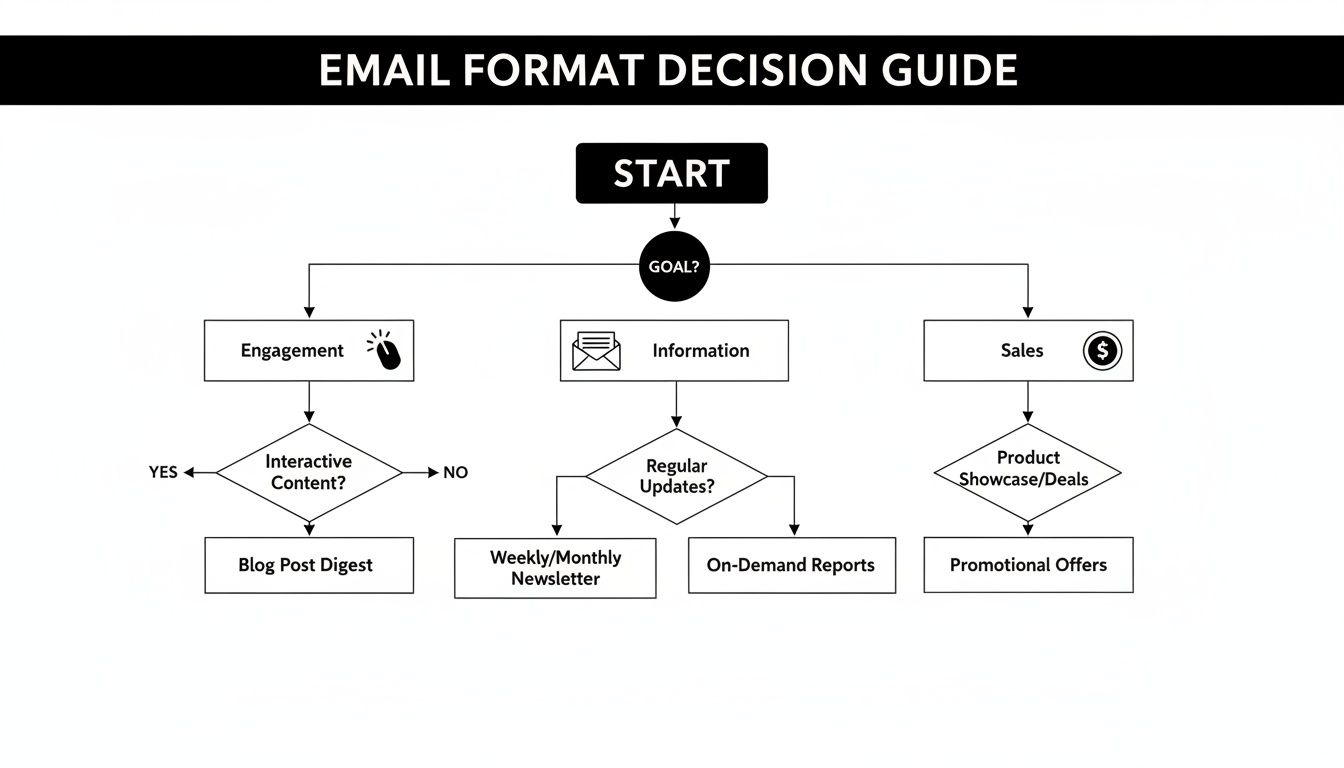
As you can see, it all starts with your objective. Each goal naturally aligns with the distinct strengths of either plain text or HTML.
When Plain Text Is the Clear Winner
Plain text shines when you need authenticity, urgency, and a direct line to your user. Its power is in feeling like a one-to-one conversation, making it the perfect choice for high-stakes, personal interactions where trust is everything.
You should absolutely be using plain text for these critical SaaS moments:
Personal Outreach from a Founder or Exec: A simple, direct welcome note from the CEO or a personal check-in feels genuine and builds immediate rapport. Slapping it into an HTML template instantly shatters that illusion.
Critical Transactional Messages: For alerts like "Payment Failed" or "Subscription Expiring," you need maximum deliverability and zero distractions. Plain text gets the message seen and helps the user focus only on the action they need to take.
High-Touch Sales and Success Follow-ups: When a sales rep or CSM is building a relationship, their emails need to feel like their emails. Plain text mirrors how they'd naturally communicate, which strengthens that human connection.
Churn Recovery and Win-Back Sequences: Trying to bring back a churned customer requires a delicate, personal touch. A plain text email asking for feedback or offering a specific incentive is far more likely to get a response than a generic marketing blast.
In any scenario where the message needs to feel like it came from a person, not a marketing platform, plain text is your most powerful tool. It cuts through the noise by refusing to be noisy.
When HTML Is a Strategic Necessity
While plain text is a powerhouse for personal communication, there are times when visual context and branding are non-negotiable. HTML lets you present complex information, reinforce your brand identity, and guide users visually in ways text alone simply can't.
Go with HTML for these B2B SaaS scenarios:
Product Update Newsletters: Announcing new features often demands screenshots, GIFs, or even embedded videos to really show the value. HTML is the only way to package those visual elements and make your updates easy to grasp.
Visually Rich Performance Reports: Those weekly or monthly analytics summaries for your users are a million times more impactful with charts, graphs, and branded data visualizations. An HTML format makes complex data digestible and looks far more professional.
User Onboarding and Educational Emails: Guiding a new user through your product almost always relies on visual cues. Onboarding emails with annotated screenshots or short video tutorials can dramatically improve activation rates because you're showing, not just telling.
Company Announcements and Event Invitations: For broader communications like webinars, company milestones, or event promos, a branded HTML email reinforces your company's identity and makes the information scannable and visually engaging for a much wider audience.
Comparing Technical and Accessibility Factors
Beyond deliverability and engagement, the HTML vs. plain text debate gets really interesting when you look at the technical and user experience side of things. For any product-led team, this is where the choice can make or break the user's perception of your brand. It's about creating a seamless, accessible, and frustration-free experience for everyone, no matter their device or abilities.
From a creation standpoint, plain text is the definition of simplicity. There's no code to write, no design tools to master, and no complex rendering tests to run. It just works. Every time. That dead-simple reliability is a huge win for user experience, especially since most people are reading your emails on a phone.
HTML, on the other hand, brings a whole lot of complexity to the table—and that complexity can easily backfire.
The Challenge of Consistent Rendering
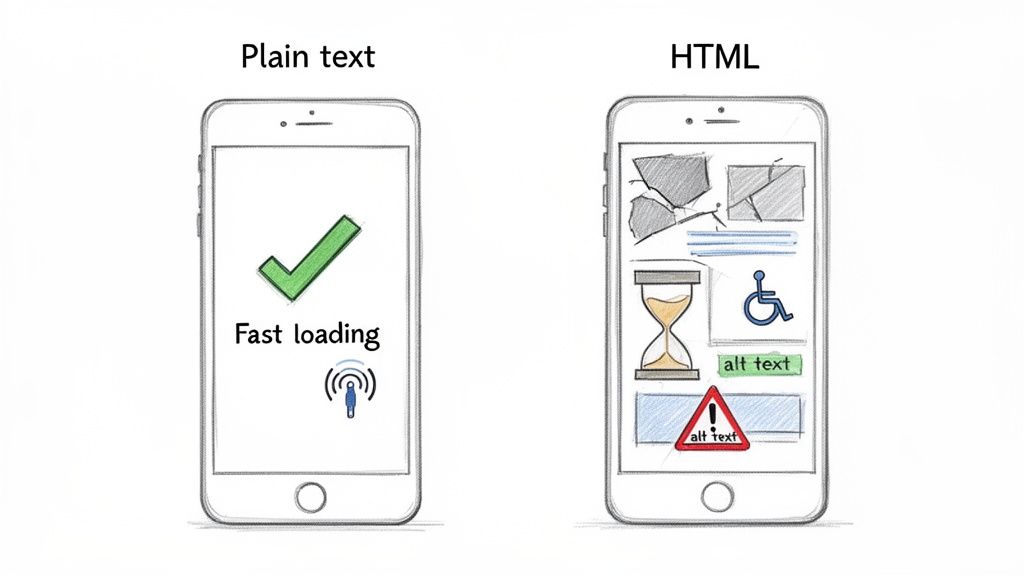
The single biggest headache with HTML emails is getting them to look right in every inbox. Gmail, Outlook, Apple Mail... they all have their own quirks for interpreting HTML code. What looks picture-perfect in your tests can show up as a jumbled mess for your user.
This inconsistency leads to a few common, painful problems:
Broken Layouts: Images fail to load, columns get stacked weirdly, and CTA buttons become unclickable, completely torpedoing the user experience.
Dark Mode Disasters: An email that isn't built for dark mode can become impossible to read, with dark text vanishing into a dark background.
Painfully Slow Load Times: Emails bloated with heavy images and complex code will crawl on mobile networks, leading to instant frustration and a quick tap of the delete button.
Plain text sidesteps all of this. It loads instantly and displays perfectly on any device, ensuring a reliable and frictionless experience every single time.
With over 60% of emails now opened on mobile devices, a broken HTML email isn't just a minor glitch—it's a direct hit to your brand's credibility. Plain text guarantees a perfect mobile experience by default.
A Clear Divide in Accessibility
Accessibility is another area where the two formats are worlds apart. A truly accessible email is one that everyone can understand, including users who rely on assistive tech like screen readers.
Plain text is natively accessible. It's just text. Screen readers can parse it flawlessly without any extra work on your part. It is, by its very nature, the most inclusive format you can use.
HTML emails, however, demand careful, deliberate coding to be accessible. If you don't build them correctly, you're putting up major barriers for users with disabilities.
To make an HTML email compliant, a developer has to:
Use Semantic HTML: This means using proper tags like
<h1>for headings and<p>for paragraphs to give the email a logical structure that screen readers can navigate.Include Alt Text for Images: Alternative text is crucial for describing an image's content to someone who can't see it.
Ensure Sufficient Color Contrast: Text has to stand out clearly from its background to be readable for users with low vision.
Getting visual readability right is non-negotiable. If you're designing HTML emails, you need to be an expert in mastering color contrast for accessibility to make sure your designs are inclusive. While you can make an HTML email accessible, plain text gives you a foolproof, universally accessible foundation right out of the box.
Executing a Winning Hybrid Email Strategy
The whole html email vs plain text debate isn't about picking a winner and ditching the loser. A truly effective email program, especially for B2B SaaS, never operates on an "all-or-nothing" basis. The smartest play is a flexible, data-driven hybrid strategy that deploys the unique strengths of each format at just the right moment in the customer journey.
This means you stop asking, "Which one is better?" and start asking, "Which one is right for this specific goal?" The answer is always about matching the format to your user's expectations and what you need them to do next. That's how you make sure every single send is optimized for maximum impact.
The Hybrid Model in Action
A powerful hybrid strategy often starts by splitting your emails into two main buckets: automated lifecycle messages and scheduled broadcasts. This simple division creates a clear framework for deciding which format to use and when, letting you build a system that fuels growth without getting overly complicated.
Here's a practical way to structure this approach:
Automated Workflows (Plain Text): Use plain text for all your high-stakes, automated sequences. Think user onboarding, trial expirations, failed payment alerts, and churn recovery emails. The personal touch and high deliverability are absolutely critical for driving action on these touchpoints that directly define your revenue.
Broadcasts and Newsletters (HTML): Reserve your visually rich HTML for one-to-many communications. This is perfect for monthly newsletters, product announcements, and performance reports where branding, scannable content, and visual data are key to delivering value.
A hybrid strategy isn't a compromise; it's a strategic advantage. It lets you build personal trust with plain text while maintaining brand consistency with HTML, delivering the right experience every single time.
Building a Sophisticated Program
This hybrid model gets even more powerful when you layer in modern email marketing features. Platforms like SMASHSEND are built to support this kind of nuanced approach, making it easy to manage both formats from one place. By weaving in smart segmentation and testing, you can turn a simple strategy into a sophisticated engine for ARR growth.
Think about how these features elevate the hybrid model:
Behavioral Segmentation: Trigger a plain text email from your Head of Product the moment a user tries a specific new feature. This makes the outreach feel incredibly timely and personal.
A/B Testing: Constantly test a minimalist HTML design against a pure plain text version for your welcome email to find the perfect balance for your audience, not someone else's.
Lifecycle Analytics: Track how each format performs at different stages of the customer journey, then use that data to refine your strategy over time.
By intelligently deploying both formats, you build a resilient email program that adapts to every scenario. Of course, getting this right requires a solid foundation in the core principles of SaaS communication. To make sure your strategy is built for success, check out our complete guide on B2B email marketing best practices.
Frequently Asked Questions
Have a question not in here? Contact us
- Does Using Plain Text Email Make My Brand Look Less Professional?
Not at all. In fact, it often does the exact opposite. In many B2B scenarios, a plain text email feels like it came from a real person, not an automated marketing machine. That authenticity is what builds trust. Think about a welcome note from a founder or a quick check-in from a CSM. An email like that arriving in a simple, personal format feels far more genuine and professional than a slick, image-heavy template. The key is context. Professionalism comes from the value and relevance of your message, not the code behind it.
- Can I Still Track Opens and Clicks with Plain Text Emails?
Absolutely. This is a common misconception. Modern email platforms like SMASHSEND are smart about this. They embed a tiny, invisible tracking pixel to measure opens, even in what looks like a pure plain text message. So, technically, it's a super-minimalist HTML email containing just your text and that pixel. Clicks are handled in a similar way, with links being routed through a special tracking domain. This means you get all the deliverability and engagement benefits of a plain text email without sacrificing the critical analytics you need to see what's working.
- What Is a Multipart MIME Email and Should I Use It?
Yes, you should, and any good email platform should be using it by default. Multipart MIME (Multipurpose Internet Mail Extensions) is the technical standard for modern email, and it's a game-changer. It bundles both an HTML version and a plain text version into a single email. The recipient's email client then automatically picks the best version to show based on its own settings or the user's preferences. This makes sure everyone on your list gets a readable email, maximizing compatibility and accessibility. It's a non-negotiable best practice.
- Which format drives higher deliverability rates?
Plain text emails consistently achieve higher deliverability rates because they bypass most spam filters and land in the primary inbox more reliably. Their simplicity is their superpower - with no complex code, scripts, or heavy images, they're inherently less suspicious to corporate firewalls and email algorithms. This superior deliverability often translates to higher open rates and better overall engagement for critical B2B communications.
- When should I use HTML vs plain text for B2B SaaS emails?
Use plain text for personal outreach, critical transactional messages, sales follow-ups, and churn recovery emails where authenticity and deliverability are paramount. Use HTML for product newsletters, visually rich performance reports, user onboarding with screenshots, and company announcements where branding and visual context enhance the message. The key is matching the format to your specific goal and user expectations.
Ready to build a hybrid email strategy that actually drives revenue? With SMASHSEND, you can easily manage both plain text and HTML emails, automate your customer lifecycle, and get the data you need to grow your SaaS. Start your free trial today and see how it works.