
How to Improve Email Deliverability: Tactics for Inbox Success
Email authentication acts like a boarding pass for your emails—proving to Gmail, Outlook, and other inbox guardians that you belong. When SPF, DKIM, and DMARC are in place, you'll see a tangible uptick in open rates and virtually slam the door on spoofers.
Secure Your Foundation With Email Authentication
Without these protocols, your messages arrive wearing a mask—an easy target for spam filters. SPF tells mail providers exactly which servers can send on behalf of your domain. DKIM tacks on a cryptographic signature so recipients know your content hasn't been altered. DMARC ties it all together with alignment rules and reporting, giving ISPs clear instructions on how to handle suspicious mail.
SPF DKIM And DMARC Basics
Before you fire off large-scale sends, take ten minutes to cross-check your DNS entries. Free online scanners flag missing or faulty records, and most give you a quick summary of any authentication failures.
You can audit your setup in seconds. Check out our guide on verifying SPF, DKIM, and DMARC records for step-by-step tips.
Authentication Checklist
Publish an SPF record that lists every sending IP.
Generate DKIM key pairs and add the CNAME entries to DNS.
Deploy a DMARC policy (p=quarantine or p=reject) and activate aggregate reporting.
This routine ensures each protocol is active and in sync. Skip it, and ISPs may start quarantining or rejecting your mail.
Top Tools For Authentication Audit
MXToolbox shows SPF, DKIM, and DMARC status in one glance.
DMARCian delivers deep-dive DMARC reports and failure analysis.
MailTester simulates a send and flags common gaps.
Postmark's check tool offers clear, actionable fixes.
By 2026, strict SPF, DKIM, and DMARC alignment will be required for solid inbox placement. 71% of high-volume senders (over $100k/mo) already enforce DMARC—yet 61% still run p=none and leave themselves exposed. For more on these numbers, see the full deliverability analysis from PowerDMARC.
Strong authentication directly correlates with higher open rates and fewer phishing incidents.
Measuring Authentication Impact
Domains that enforce these protocols often see up to a 20% lift in open rates within three months. When subscribers trust your sender identity, clicks go up—and they keep coming back.
Implementing Authentication With SMASHSEND
SMASHSEND handles SPF, DKIM, and DMARC setup automatically, so you dodge manual misconfigurations. Its auto-warmup feature paces your volume, while dedicated IP pools protect your sender reputation. Real-time analytics and integrations catch issues early, before they turn into deliverability headaches.
Real-World Authentication Example
A mid-sized SaaS company tightened its DMARC policy and watched bounce rates drop by 15%. Simple DNS alerts flagged an SPF typo that was fixed within hours. One month later, their onboarding and billing emails saw a 12% jump in opens.
Avoiding Common Pitfalls
Overly broad SPF wildcards can authorize servers you don't control.
Sticking with DMARC p=none only monitors threats—it doesn't stop them.
Neglecting DKIM key rotation can weaken your long-term security.
Key Takeaway: Proper SPF, DKIM, and DMARC setup is non-negotiable for B2B SaaS email trust and inbox placement.
Analyzing DMARC Reports
Check DMARC summaries every day to spot unauthorized senders. When you onboard a new email service, update your SPF and DKIM records immediately.
Schedule weekly SPF and DMARC audits to prevent record drift.
Locking down authentication now pays dividends in deliverability later. Get your technical foundation aligned before you ramp up send volume—your reputation depends on it.
Build an Unshakeable Sending Reputation
Once your technical house is in order, it's time to build a stellar sending reputation. This is the single most important factor in landing your emails in the inbox, and it's not something you can just buy.
Think of it as a credit score for your email domain and IP address. Mailbox providers like Gmail and Outlook are always watching. A strong reputation is earned through deliberate, consistent, positive actions over time. For a B2B SaaS company, where every password reset, onboarding email, and billing receipt is mission-critical, a pristine reputation isn't just a nice-to-have; it's a non-negotiable part of doing business.
Dedicated vs. Shared IPs: A Strategic Choice
When you first start sending emails, you'll be on either a shared or a dedicated IP address. A shared IP is a bit like living in an apartment building—your neighbors' actions can absolutely affect you. If another sender on that same IP gets spammy, your deliverability can take a hit, even if you're doing everything right.
A dedicated IP, on the other hand, is your own private house. You are solely responsible for its reputation, for better or worse. This gives you complete control and insulates you from that "bad neighbor" effect. For any SaaS business sending a decent volume of essential emails, a dedicated IP is the gold standard. It provides predictable performance and makes you directly accountable for your own sending practices.
While a shared IP might be okay for tiny senders just starting out, the risk of collateral damage is just too high for most growing businesses. Investing in a dedicated IP is a direct investment in the reliability of your customer communications.
Key Takeaway: For SaaS companies, a dedicated IP address offers total control over sending reputation. It's an essential tool for protecting the deliverability of mission-critical emails like billing notifications and user onboarding sequences.
The Art of the IP Warmup Plan
You can't just fire up a new dedicated IP and start blasting thousands of emails. That's like a stranger walking into a quiet library and shouting—it immediately raises red flags. Internet Service Providers (ISPs) are naturally suspicious of high-volume sending from new, or "cold," IPs. You have to introduce yourself gradually.
This process is called IP warmup, and the goal is to methodically increase your sending volume over several weeks. Doing this proves to ISPs that you're a legitimate, responsible sender, which builds trust and establishes a positive sending history.
A successful warmup always begins with your most valuable asset: your engaged subscribers. These are the people who consistently open and click your emails. Sending to this group first generates powerful positive signals—opens, clicks, replies—that tell mailbox providers your emails are wanted and welcome. For a deeper dive into organizing your audience for this process, check out our complete guide on managing email lists effectively.
Here's a practical, field-tested warmup schedule you can follow:
Week 1: Keep it small. Start with 50-100 emails per day, sent only to your most active users from the last 30 days.
Week 2: Double your daily volume to 100-200 emails. You can now expand your audience to include users active in the last 60 days.
Week 3: Double it again, aiming for 200-400 emails per day. Stick with your most engaged segments.
Week 4 and beyond: Continue doubling your volume weekly. You can start to gradually incorporate the rest of your list, but only as long as your engagement metrics (open rates >20%, complaint rates <0.1%) stay healthy.
Before you even think about warming up an IP, remember that the technical authentication we discussed earlier needs to be flawless.
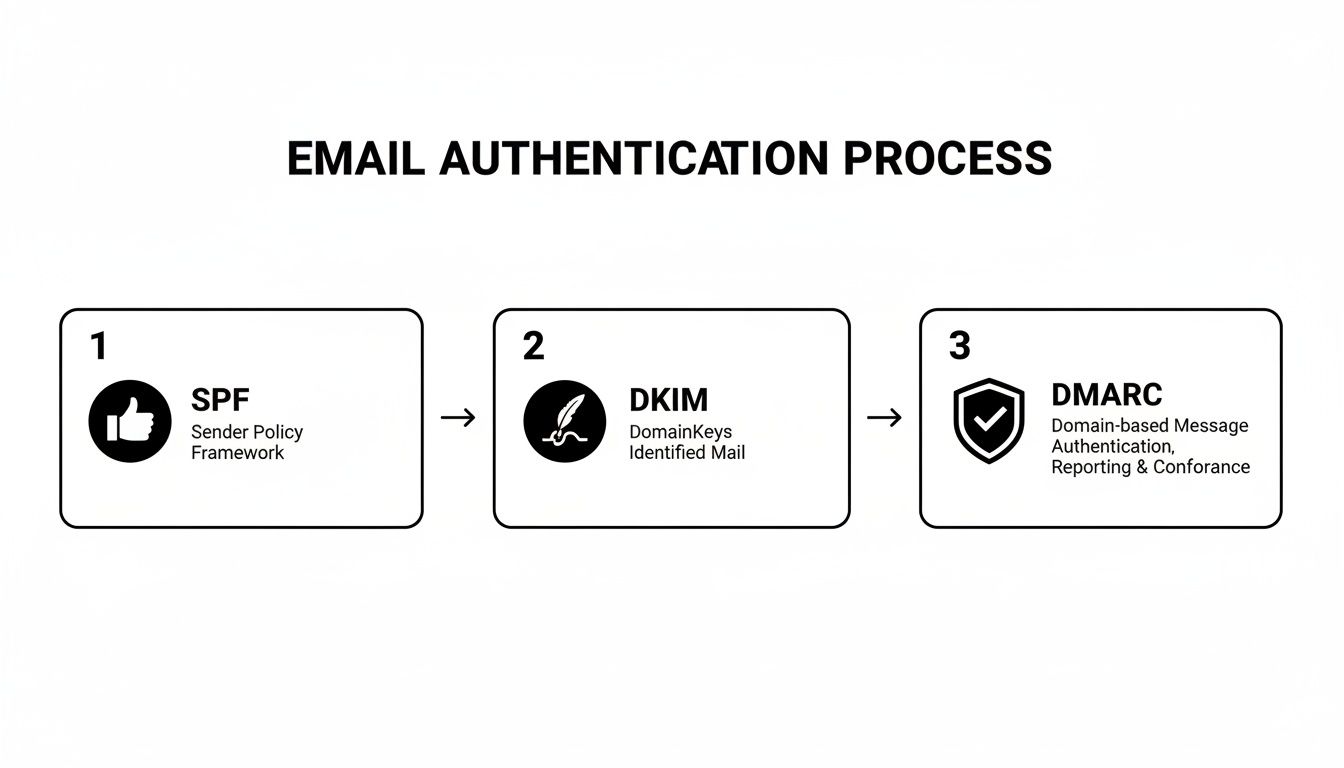
This process—where SPF, DKIM, and DMARC work together to verify your identity—is the foundation. It's the first step in building the trust you need for a successful warmup.
Platforms like SMASHSEND take the headache out of this with features like dedicated IPs and an auto-warmup function that programmatically handles the sending schedule for you. It removes the guesswork and manual effort, ensuring you build a positive reputation from day one without putting your deliverability at risk.
Master the New Rules of Recipient Engagement
Welcome to the new era of email deliverability. The game has fundamentally changed, and it's your audience's reaction to your messages that now dictates your inbox fate. Mailbox providers like Google and Microsoft are no longer just looking at your technical setup; they're watching how recipients interact with what you send.
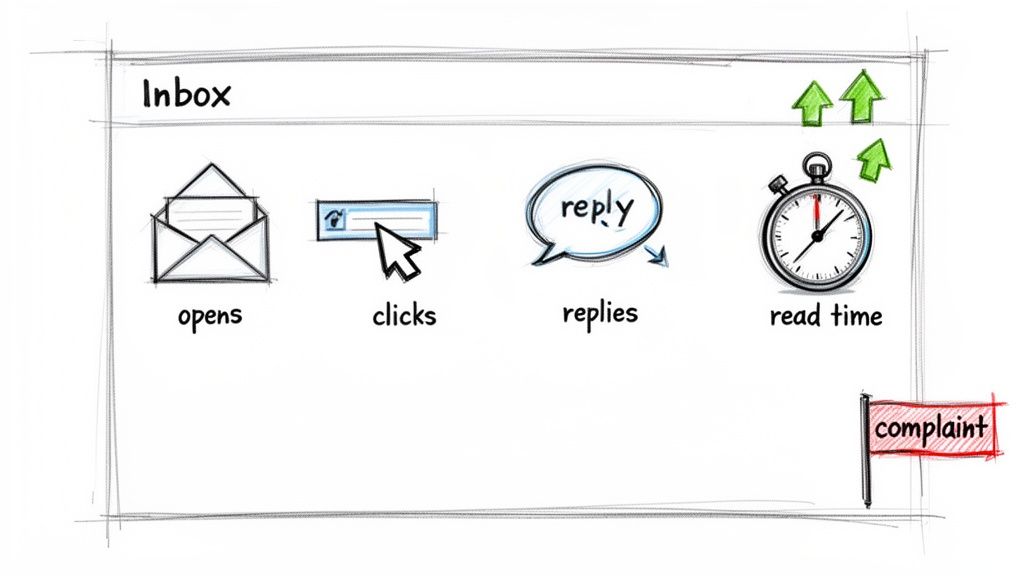
This is a massive shift. ISPs now prioritize recipient behavior over older sender credentials. In the past, a clean IP and domain were enough. Today, mailbox providers evaluate sender quality almost entirely through engagement signals—your open, click-through, and reply rates. You can learn more about these evolving key email deliverability trends on expertsender.com.
What this really means is that every single email you send is a vote for or against your reputation. Positive signals like opens, clicks, and replies tell inbox providers your content is valuable. On the other hand, negative signals—deletes without opening, and especially spam complaints—are absolutely devastating.
Why List Hygiene Is Non-Negotiable
Sending emails to unengaged or invalid addresses is one of the quickest ways to torpedo your sender reputation. A high bounce rate is an immediate red flag for ISPs, screaming that you have poor list management practices. Even more damaging is consistently emailing subscribers who never open your messages. This tells providers your content isn't wanted, dragging down your overall engagement score and pushing you toward the spam folder.
Rigorous list hygiene isn't just a "best practice" anymore; it's a foundational requirement for survival. It means you have to be constantly cleaning your list to remove contacts that are no longer valid or interested.
Pro Tip: A spam complaint rate above 0.1% is enough to trigger alarms at major mailbox providers. That's just one complaint for every 1,000 emails sent. This tiny number shows you just how seriously they take negative feedback.
A great place to start is with a sunset policy for inactive subscribers. If a contact hasn't opened an email in 90 days, it's time to move them into a re-engagement campaign. If they still don't interact, you have to let them go. I know it feels wrong to shrink your list, but sending to 10,000 engaged users is infinitely more valuable than blasting an email to 50,000 who just ignore you.
An Actionable Checklist for a Cleaner List
Maintaining a healthy list requires a consistent, proactive approach. Don't wait until your open rates are in the single digits to take action.
Validate Emails at Signup: Use a real-time email validation API directly on your signup forms. This simple step prevents typos and fake addresses from ever poisoning your database, protecting you from hard bounces right from the start.
Implement a Sunset Policy: Automatically tag subscribers who haven't engaged (opened or clicked) in the last 90-120 days. This is your "at-risk" segment.
Run a Re-Engagement Campaign: Send a targeted, two-to-three-email sequence to that "at-risk" group. Give them a compelling reason to stick around or ask for their feedback. Be direct about your goal.
Prune Fearlessly: If a subscriber doesn't re-engage after your campaign, remove them from your active sending list. Keeping them only hurts your deliverability and provides zero value.
Platforms like SMASHSEND make this so much easier by letting you build behavioral segments based on "last opened" or "last clicked" dates. You can then create automated workflows to handle the entire re-engagement and pruning process without any manual work.
Go Beyond Demographics with Behavioral Segmentation
Ultimately, the goal is to send emails people genuinely want to open. The only way to do that is with hyper-relevant content, which is impossible without smart segmentation.
Forget the basic demographic splits like company size or industry. For a B2B SaaS company, the real power comes from segmenting based on in-app behavior.
New Users: Send them onboarding tips based on the features they've used (or, just as importantly, the ones they haven't).
Power Users: Invite this group to a beta program for a new feature or ask them for a testimonial.
Users Nearing a Plan Limit: Proactively send an email about the benefits of upgrading their plan before they hit a wall.
Users with a Failed Payment: Trigger an automated dunning sequence to recover that revenue without lifting a finger.
This level of personalization ensures every email is timely, relevant, and genuinely helpful. When users feel like you understand their specific needs, they're far more likely to open, click, and even reply. These positive interactions are exactly what mailbox providers are looking for, creating a virtuous cycle that constantly improves your email deliverability.
This next table breaks down exactly how mailbox providers interpret the actions your recipients take and how it directly impacts whether you land in the inbox or the spam folder.
How Recipient Actions Shape Your Deliverability
| Engagement Signal | What It Tells ISPs | Impact on Deliverability | How to Improve |
|---|---|---|---|
| Opening Email | "This content is potentially valuable and from a recognized sender." | Positive. Boosts sender reputation and increases future inbox placement. | Write compelling, personalized subject lines that spark curiosity or promise value. |
| Clicking a Link | "This content is relevant and trustworthy enough to interact with." | Strongly Positive. One of the best signals for proving engagement. | Include clear, valuable calls-to-action (CTAs) that align with the email's content. |
| Replying to Email | "This is a real conversation; the sender is legitimate and important." | Very Strongly Positive. The ultimate signal of a trusted sender. | Ask questions, solicit feedback, and send from a monitored address (reply@ not noreply@). |
| Marking as Not Spam | "An ISP's filter made a mistake. This sender is wanted." | Extremely Positive. Helps reverse previous negative signals and trains filters. | Make your emails easily recognizable with consistent branding and sender info. |
| Deleting Without Opening | "This content is not relevant or interesting to me right now." | Slightly Negative. ISPs track this; a high rate signals low-value content. | Improve list segmentation to ensure you're sending the right content to the right audience. |
| Marking as Spam | "This email is unsolicited, unwanted, and offensive." | Extremely Negative. The most damaging signal; quickly destroys reputation. | Use double opt-in, make unsubscribing easy, and never send to purchased lists. |
Understanding these signals is crucial. Every campaign you send should be designed to encourage positive actions and minimize the negative ones. The health of your email program literally depends on it.
Craft Content That Lands in the Inbox
Getting your technical authentication and sender reputation right is like getting your foot in the door. But it's your content that actually gets you invited inside. Spam filters are incredibly sophisticated now, and they scrutinize everything from your subject line and word choice to the very code your email is built on.
If your email looks, feels, or reads like spam, it's going to be treated like spam. It doesn't matter how perfect your SPF and DKIM records are.
Think of it as the final, crucial interview. You've aced the background check (authentication) and your resume is stellar (reputation), but now you have to prove you're the real deal. This means writing messages that don't just resonate with your audience but also signal trustworthiness to the mailbox providers themselves.
Write Subject Lines That Earn Opens
Your subject line is the first impression you make on both the recipient and their inbox filter. It has to be compelling without resorting to cheap tricks that scream "spam." That means no clickbait, no excessive punctuation (!!!), and definitely no ALL CAPS. These are classic red flags.
Instead, focus on being clear and relevant. For a B2B SaaS audience, a great subject line sounds like it's from a real person, not a marketing bot. Try something like, "Quick question about your team's workflow" or "New integration: Connect [Your App] with Slack." They're specific, valuable, and immediately signal what's inside.
Balance Your Text and Images
An email that's just one big image is a massive deliverability mistake. Spam filters can't "read" the text embedded in an image, which immediately makes them suspicious. They assume you're trying to hide something, a common tactic spammers use to bypass content filters.
Stick to a healthy text-to-image ratio. A solid rule of thumb is at least 60% text to 40% images. This ensures your message is still coherent even if the recipient's email client blocks images by default. And always, always use descriptive ALT text for every image. It's not just for accessibility; it gives spam filters crucial context, which helps them see your email as legitimate.
For a deeper dive into how design choices impact delivery, check out our comparison of HTML email vs. plain text.
Key Takeaway: Build your emails for everyone—including spam filters. Clean HTML, a balanced content ratio, and proper ALT text are non-negotiable for both user experience and getting past the inbox gatekeepers.
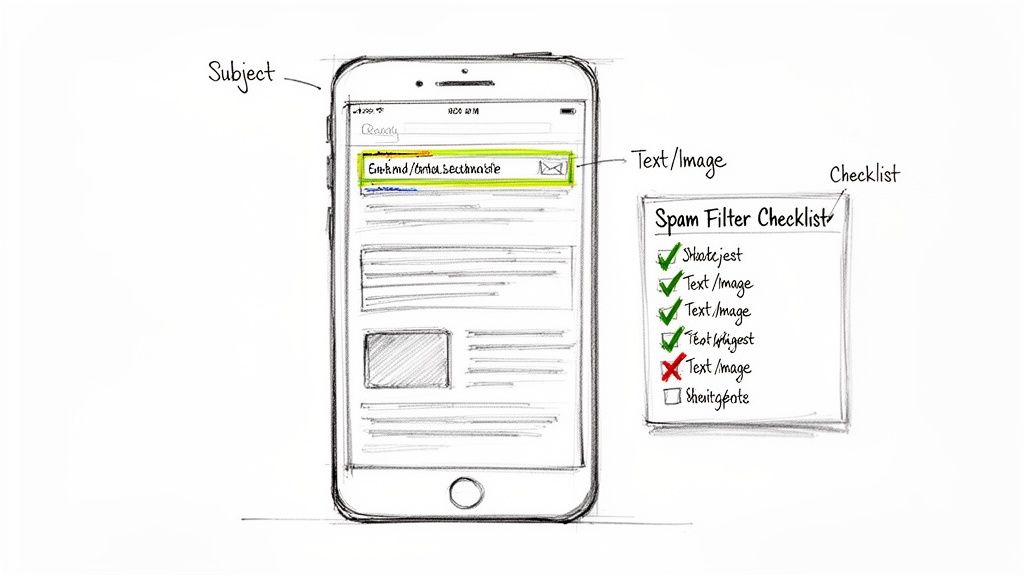
The Spam Filter Checklist
Before launching any campaign, get in the habit of running through this quick mental checklist. It's a simple routine that can catch common pitfalls and dramatically improve your inbox placement over time.
Avoid Spam Trigger Words: Ditch the high-pressure, salesy language. Words like "Free," "Guaranteed," "Limited Time Offer," and "Act Now" can send your spam score through the roof. To better understand how to connect with your audience and prompt action, it's worth exploring powerful persuasive techniques in writing.
Check Your Links: Use full, reputable URLs. Link shorteners (like bit.ly) are a favorite of spammers trying to hide malicious destinations, so filters are naturally wary of them. Make sure every link points to a trustworthy domain.
Limit Attachments: Just don't. Especially in marketing emails, attachments are a major security risk and a huge red flag for spam filters. If you need to share a file, host it on your website and link to it directly in the email.
Keep Code Clean: If you're using an HTML template, make sure it's well-structured, mobile-responsive, and free of junk code. Messy code is often a sign of a low-quality sender and can cause rendering problems that kill engagement.
By paying close attention to what's inside your email, you're adding the final, critical piece to the deliverability puzzle. It's how you ensure all your hard work actually gets seen by your audience.
Optimize for Global and Provider-Specific Inboxes
If you're a SaaS company with a global customer base, you know that email deliverability is anything but a one-size-fits-all game. The campaigns you spend hours perfecting can get wildly different results just based on whether they land in a Gmail, Outlook, or Yahoo inbox. Performance can swing even more dramatically across continents.
What lands perfectly in an inbox in North America might get flagged as spam in Asia. This isn't just a theory; it's a reality we see in the data every day. In fact, there's a nearly 10-point gap in deliverability between North America (87.9%) and the Asia Pacific region (78.2%). Ignoring these nuances is a surefire way to cap your international growth before it even starts.
You can dig into more of the numbers in this comprehensive email deliverability study.
Tailor Your Strategy for Each Mailbox Provider
Think of each major mailbox provider as having its own personality and priorities when it comes to filtering your emails. Gmail is obsessed with engagement, while Outlook is more of a strict, reputation-focused gatekeeper. Knowing these differences is the key to getting your messages seen.
Google (Gmail): Gmail's algorithms are all about user engagement signals. Opens, clicks, replies, and even a user marking your email as "Important" are powerful green lights. The flip side? High rates of "delete without opening" can tank your reputation. Your strategy here should be hyper-focused on sending killer content that your audience actually wants to interact with.
Microsoft (Outlook): Outlook is more conservative, placing a heavy emphasis on your sender reputation and historical sending patterns. It can be tougher to build a good reputation with Microsoft, and any misstep—like hitting a spam trap—can have a much longer-lasting negative impact. A slow, steady IP warmup and squeaky-clean list hygiene are absolutely non-negotiable for success here.
Yahoo Mail: Yahoo usually falls somewhere in the middle, but it's famously sensitive to user complaints. Keeping your complaint rate exceptionally low (well below 0.1%) is critical. They also put a lot of weight on authentication, so flawless SPF, DKIM, and DMARC alignment is a must.
Thinking about how these providers stack up is crucial. Even small differences in inbox placement can have a massive impact on your campaign ROI.
Inbox Placement Rates by Major Provider
The world's largest mailbox providers each have their own filtering logic, resulting in different inbox placement rates. Understanding these variations helps you pinpoint where to focus your optimization efforts.
| Mailbox Provider | Average Inbox Placement Rate | Key Consideration for Senders |
|---|---|---|
| Google (Gmail) | 95.54% | Prioritize sending highly engaging content that users want to open, click, and reply to. |
| Yahoo Mail | 89.30% | Maintain an extremely low complaint rate and ensure perfect technical authentication. |
| Microsoft (Outlook) | 75.6% | Focus on a slow, methodical IP warmup and maintaining a pristine sender reputation over time. |
As the data shows, you can't just send and hope for the best. A campaign that performs well with Gmail could completely bomb with Outlook users if you're not paying attention to the specific signals Microsoft cares about.
Use Dedicated IPs to Isolate and Conquer
When you're sending to a diverse, global audience, a single sending IP can quickly become a liability. A deliverability problem in one region or with one provider can poison your entire sender reputation, dragging down your results everywhere else.
This is where a multi-IP strategy becomes a total game-changer.
By using dedicated IP pools, you create separate, optimized sending lanes for different types of mail or different destinations. This is one of the most effective tactics for how to improve email deliverability when you're operating at scale.
For example, you could assign one dedicated IP for your North American marketing emails, another for your transactional emails in Europe, and a third specifically for sending to your known Outlook domains.
This segmentation acts as a crucial firewall. If your marketing sends to Outlook users hit a snag and that IP's reputation dips, it won't impact the deliverability of your critical password reset emails going to Gmail users in another country. It gives you surgical control over your reputation, letting you troubleshoot and fine-tune each sending stream independently.
Platforms like SMASHSEND are built for exactly this kind of advanced deliverability management. The platform's dedicated IP pools let you easily segment your sending infrastructure, while its analytics provide granular insights into performance by provider and region. This lets you spot issues early and adjust your strategy before a small problem in one market turns into a global crisis, making sure your messages consistently reach the inbox—no matter where your customers are.
Your Email Deliverability Questions Answered
You've built a solid email program, yet those nagging deliverability questions won't go away. Let's dive into the most common concerns B2B SaaS marketers face, with straightforward, experience-driven advice to help your messages land where they belong—in the inbox.
How Long Does It Take To Improve My Email Deliverability
Improving deliverability is more a long-distance run than a sprint. With a fresh domain, you'll want to plan on four to eight weeks of steady, mindful sending to warm up your IP and earn trust from mailbox providers.
If you're recovering from a shaky reputation, the early gains can show up in two to four weeks once you've locked down authentication (SPF/DKIM/DMARC) and scrubbed out inactive addresses. Still, real stability comes from sustained positive engagement—think three to six months of consistently valuable content and list hygiene.
Is Switching To A Dedicated IP A Magic Fix
A dedicated IP hands you full control over your sending reputation—an undeniable asset for ambitious senders. But it won't rescue you if your fundamentals are weak.
Keep in mind:
Proper warmup and sending volume growth lay the groundwork.
List hygiene remains non-negotiable: stale contacts erode trust fast.
Engaging, relevant content must be your North Star.
Recipient engagement is the single most dominant factor for deliverability today. While technical authentication is the price of entry, mailbox providers are ultimately watching how your audience interacts with your emails. Positive signals (opens, clicks, replies) prove your email is wanted; negative signals (spam complaints, deletes) prove it's not.
How Do I Know If I Have A Deliverability Problem
Some issues hide in your metrics—keep an eye out for these red flags:
Open Rates Below 15%: For B2B SaaS, dipping under this threshold usually speaks to a deliverability hiccup.
Bounce Rates Above 2%: Anything higher signals overdue list maintenance.
Spam Complaints Over 0.1%: Just one complaint per 1,000 sends can start hurting your sender score.
Customer Reports Of Missing Emails: If clients can't get password resets or invoices, drop everything and investigate.
Pair these signs with insights from tools like Google Postmaster Tools to see exactly how Gmail views your domain's reputation.
Ready to move beyond guesswork? SMASHSEND gives you dedicated IPs, auto-warmup, automated SPF/DKIM/DMARC setup, advanced analytics, and integrations designed for B2B SaaS teams. Take full control of your sending reputation and watch your inbox placement climb. Learn more about SMASHSEND's deliverability features.
Frequently Asked Questions
Have a question not in here? Contact us
- How Long Does It Take To Improve My Email Deliverability
Improving deliverability is more a long-distance run than a sprint. With a fresh domain, you'll want to plan on four to eight weeks of steady, mindful sending to warm up your IP and earn trust from mailbox providers. If you're recovering from a shaky reputation, the early gains can show up in two to four weeks once you've locked down authentication (SPF/DKIM/DMARC) and scrubbed out inactive addresses. Still, real stability comes from sustained positive engagement—think three to six months of consistently valuable content and list hygiene.
- Is Switching To A Dedicated IP A Magic Fix
A dedicated IP hands you full control over your sending reputation—an undeniable asset for ambitious senders. But it won't rescue you if your fundamentals are weak. Keep in mind: proper warmup and sending volume growth lay the groundwork. List hygiene remains non-negotiable: stale contacts erode trust fast. Engaging, relevant content must be your North Star. Recipient engagement is the single most dominant factor for deliverability today.
- How Do I Know If I Have A Deliverability Problem
Some issues hide in your metrics—keep an eye out for these red flags: Open Rates Below 15%: For B2B SaaS, dipping under this threshold usually speaks to a deliverability hiccup. Bounce Rates Above 2%: Anything higher signals overdue list maintenance. Spam Complaints Over 0.1%: Just one complaint per 1,000 sends can start hurting your sender score. Customer Reports Of Missing Emails: If clients can't get password resets or invoices, drop everything and investigate.
- What are the most important email authentication protocols?
The three critical email authentication protocols are SPF (Sender Policy Framework), DKIM (DomainKeys Identified Mail), and DMARC (Domain-based Message Authentication, Reporting & Conformance). SPF prevents basic domain spoofing, DKIM ensures message integrity with cryptographic signatures, and DMARC provides policy enforcement and reporting.
- How can I improve my sender reputation?
Build your sender reputation through consistent positive sending practices: maintain excellent list hygiene, send relevant content to engaged subscribers, use proper email authentication, gradually warm up new IPs, monitor your metrics closely, and promptly address any deliverability issues. Focus on engagement signals like opens, clicks, and replies while minimizing spam complaints.