
A B2B SaaS Playbook for Managing Email Lists to Drive Revenue
Let's be honest. Your email list isn't just a spreadsheet of contacts; it's a direct pipeline to your revenue. So many B2B SaaS teams get this wrong, treating list management like a chore instead of the high-leverage growth engine it truly is. That oversight is a killer—it tanks your sender reputation, drives up churn, and leaves a ton of money on the table.
Why Your Email List Strategy Is Costing You Revenue
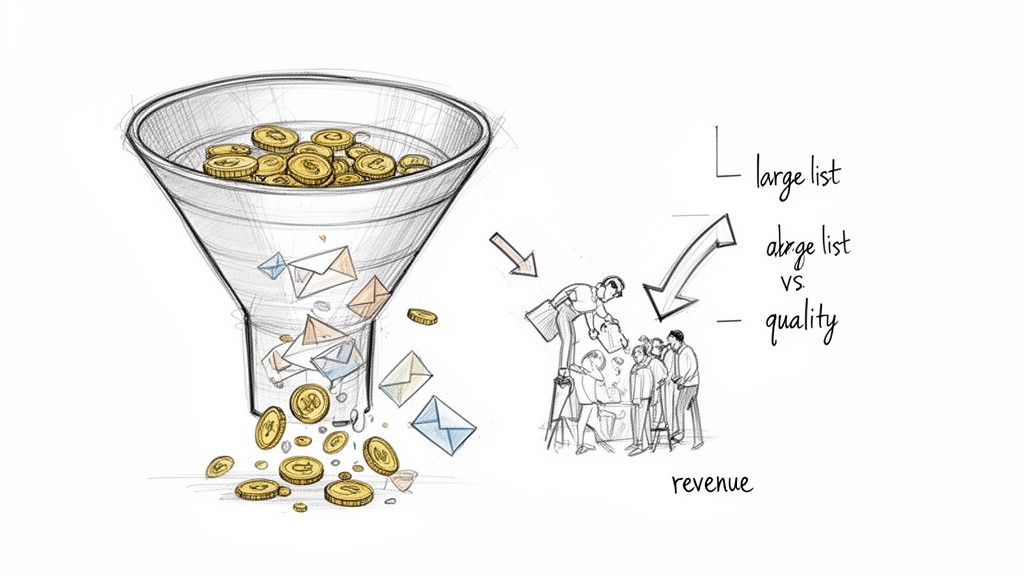
Here's a trap I see growing SaaS companies fall into all the time: they chase list size over list quality. The obsession with a bigger subscriber number almost always leads to a bloated, unengaged audience that drives up your costs without actually moving the needle. It's a reactive approach, and it's where the revenue leaks start.
When you blast one-size-fits-all messages to an unsegmented list, you're not just annoying people. You're actively hurting your business by fostering poor outcomes at every single stage of the customer lifecycle.
The Real Cost of Neglect
A messy, unmanaged email list isn't a passive problem—it's an active financial drain. The consequences show up in very real, painful ways that directly hit your bottom line and stunt your ARR growth.
Think about it:
You're missing activation moments. A new trial user gets a generic onboarding email and never has that "aha!" moment with your product. They churn without ever seeing the value.
You're stalling account expansion. An existing customer has no idea you launched a new premium feature that would be perfect for them because they never got a targeted email. Their LTV is capped.
You're failing to recover revenue. That generic "your card failed" email is easy to ignore, leading to involuntary churn that a personalized, urgent message could have easily prevented.
The sheer scale of this channel is staggering. We're talking about 4.6 billion global email users and 376 billion emails flying around every single day. The inbox is still the most reliable place to reach your customers, period. In fact, marketers who get this right and properly segment their lists see revenue increases of up to 760%. That's not a typo.
The table below breaks down just how stark the difference is between a neglected list and a professionally managed one.
The Impact of Poor vs. Proactive List Management
| Common Mistake | Business Impact | Proactive Solution (The SMASHSEND Way) |
|---|---|---|
| "Bigger is better" mindset | High bounce rates, low engagement, damaged sender reputation, wasted marketing spend. | Implement regular hygiene to remove inactive/invalid contacts. Focus on quality over quantity. |
| No segmentation | Low open/click rates, high unsubscribe rates, missed personalization opportunities. | Segment users by behavior, lifecycle stage, and firmographics for hyper-relevant messaging. |
| Generic messaging | Users feel misunderstood, leading to trial abandonment and higher customer churn. | Use dynamic content and triggered workflows to send the right message at the right time. |
| Ignoring consent rules | Risk of legal penalties (GDPR/CAN-SPAM), permanent damage to brand trust. | Automate consent management and maintain clear suppression lists for a compliant program. |
The difference is clear: one path leads to a slow drain on resources and reputation, while the other builds a powerful, predictable revenue engine.
The core issue is treating your list like a megaphone instead of a series of one-on-one conversations. Every irrelevant email erodes trust and diminishes the impact of future, more critical communications.
This guide is designed to shift your entire perspective. By adopting a proactive, strategic approach to managing email lists, you can turn this channel from a frustrating cost center into your most reliable growth lever. The strategies we'll cover—especially when powered by a platform like SMASHSEND—will help you plug those revenue leaks for good.
For a deeper dive, check out our complete guide on B2B email marketing best practices. It's time to make your email list start working for you, not against you.
Growing a High-Value Email List Organically
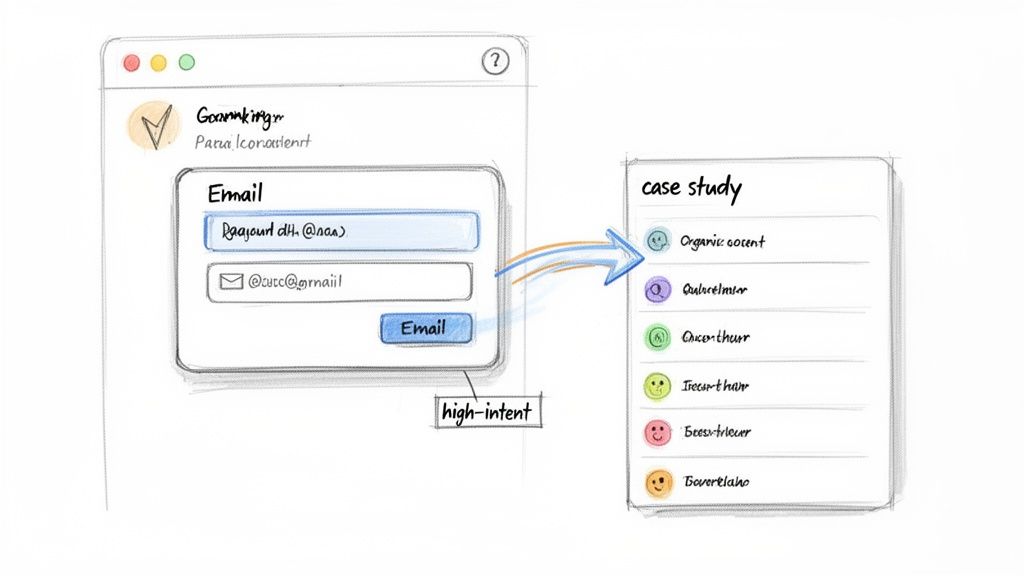
Let's be honest. True growth isn't about slapping a generic "subscribe" form on your homepage and hoping for the best. That's a surefire way to collect low-intent contacts that never translate to revenue. A powerful, high-value email list is built by weaving value-driven collection methods right into your product and content.
It's about capturing leads at their moment of highest interest.
This means shifting from passive collection to active, product-led growth tactics. The goal is to make subscribing feel like a natural next step in a user's journey, not some annoying interruption. When someone is actively digging through your platform or devouring your content, their intent is at its peak—that's your moment.
Weave Collection into the User Experience
Your product is your single most potent list-building tool. Period. Instead of asking for an email out of the blue, trigger your requests based on specific user actions. This simple shift aligns the ask with what the user is already doing, making it feel helpful instead of intrusive.
Here are a few real-world scenarios for a B2B SaaS platform:
Feature Announcement Modals: When you launch a killer new feature, use an in-app modal to announce it. But don't stop there. Include a simple checkbox like, "Get tips and best practices for this feature," to add your most engaged users to a targeted educational sequence.
High-Intent Demo Requests: The demo request form is prime real estate. Beyond just booking the meeting, add an optional opt-in to receive a relevant case study or benchmark report. Boom—you've immediately segmented them as a high-value lead.
Targeted Upgrade Offers: A user on a free plan clicks to explore a premium feature. Trigger a pop-up offering a guide on "How Teams Like Yours Use [Premium Feature] to Boost ROI." You capture their email while simultaneously nurturing them toward conversion.
With this strategy, you're collecting more than just emails; you're collecting context. You know why they subscribed, which is the bedrock of effective segmentation and personalization down the road.
Building trust starts at that very first interaction. Be crystal clear about what they're signing up for and how often they'll hear from you. A clear value exchange—their email for exclusive content or insights—is absolutely non-negotiable for growing a healthy list.
Turn Content into a Lead Generation Engine
Your content marketing needs to do more than just attract eyeballs—it has to actively convert readers into subscribers. The key is offering content upgrades: valuable, context-specific resources offered in exchange for an email. A generic "subscribe to our newsletter" CTA at the bottom of a post is just background noise.
A much smarter approach? Offer a resource that directly complements the content they just spent time reading.
Examples of Content Upgrades That Actually Work:
Exclusive Case Studies: Within a blog post about a specific industry challenge, offer a downloadable case study showing how a similar company crushed that problem using your product.
Templates and Checklists: If you write a "how-to" guide, offer a companion checklist or template that helps the reader actually implement the steps you just outlined.
Webinar Recordings: Gate access to recordings of past webinars that dive deeper into the topics your high-performing blog posts cover.
Relevance is everything. The upgrade should feel like the logical next step for the reader, providing immediate, tangible value.
Of course, once you capture these high-intent leads, the handoff has to be seamless. This is where automation is critical. Using a tool like SMASHSEND with Zapier, you can instantly route new contacts into the right workflow. A new lead from a content upgrade can be tagged and dropped into a welcome sequence, while a demo request gets synced to your CRM, triggering a follow-up from sales. This ensures no lead ever falls through the cracks and that every new subscriber gets a relevant, timely first impression.
Keep Your List Clean to Protect Your Sender Reputation
An overgrown, messy email list isn't an asset—it's a deliverability time bomb. The single most important factor that decides if your emails hit the inbox or the spam folder is your sender reputation. Mailbox providers like Gmail and Outlook have gotten incredibly smart, and they're always watching how people interact with your emails to score your sending habits.
Think of every email you send as a vote for or against your reputation. Opens, clicks, and replies are votes in your favor. On the flip side, bounces, spam complaints, and a huge chunk of unengaged contacts actively work against you, telling providers that your content just isn't wanted. Proactive list hygiene isn't just a nice-to-have; it's your primary line of defense.
The philosophy is simple: a smaller, highly engaged list is worth infinitely more than a massive, silent one. When you keep emailing people who never open, you're signaling to inbox providers that your content is irrelevant. That hurts your deliverability across the board, even for your most loyal customers.
Identifying and Managing Unengaged Subscribers
First things first, you need to define what "unengaged" actually means for your business. For a high-touch B2B SaaS product, maybe that's 90 days of total radio silence. For a weekly newsletter, that window might shrink to just 30 days.
Once you've set your criteria, create a segment of these subscribers. But don't just hit the delete button yet—give them one last shot to re-engage. A great way to do this is with an automated re-engagement or "sunset" campaign.
Email 1 (The Gentle Nudge): Send a friendly email with a subject line like, "Still want to hear from us?" Acknowledge they've been quiet and maybe highlight some of the killer content or product updates they've missed.
Email 2 (The Final Offer): A few days later, send a clear, direct follow-up. Ask them to click a single link to confirm they want to stay on the list. Make it dead simple for them.
The Cutoff: If they don't engage with either of those emails, it's time to say goodbye. Automatically suppress them from all future marketing sends.
This process does two things really well. It wins back a small but valuable percentage of your audience, and more importantly, it systematically trims the dead weight that's dragging down your sender score. This is a core part of managing email lists for long-term health.
The Power of Automation in List Hygiene
Trying to clean your list by hand is a recipe for headaches and mistakes. This is exactly where a platform like SMASHSEND becomes your best friend. Instead of remembering to run a clean-up campaign every quarter, you can build an "always-on" hygiene process.
For instance, SMASHSEND's automatic bounce handling instantly flags and suppresses hard bounces (from invalid email addresses), so you never damage your reputation by repeatedly sending to them. You can also set up behavioral triggers that tag subscribers who haven't opened or clicked in your chosen timeframe, automatically dropping them into your re-engagement workflow.
A clean list is a direct reflection of a healthy sender reputation. Suppressing a contact isn't a loss; it's a strategic move to protect your ability to reach the people who actually want to hear from you. This is the foundation of long-term email ROI.
This automated approach keeps your list lean and your sender score healthy without you having to lift a finger. Of course, a clean list works best when paired with proper sender authentication. To make sure mailbox providers trust your messages from the get-go, you can learn more about how to check SPF, DKIM, and DMARC settings in our detailed guide.
Why List Hygiene Is a Deliverability Lifeline
Ultimately, list hygiene is less about simple maintenance and more about core deliverability strategy. Today's inboxes are masters at filtering out unwanted mail, and a list full of unengaged contacts is a massive red flag.
Globally, over 376.4 billion emails are sent every single day, but only the ones from meticulously managed lists consistently make it past spam traps. Poor hygiene is one of the main reasons bounce and unsubscribe rates climb. For any mid-market SaaS company, this means regularly suppressing non-responders isn't just an option—it's a requirement. If you keep mailing them, you're telling the world your IP sends irrelevant email.
Driving Revenue with Advanced Segmentation and Automation
Having a clean, healthy email list is the launchpad. Now it's time to build the real revenue engine on top of it with smart segmentation and automation. This is where you graduate from just sending emails to orchestrating relevant, valuable conversations that drive your business forward. Honestly, managing email lists effectively is less about the list itself and more about what you actually do with it.
Forget basic segmentation like "company name" or "job title." The real magic happens when you group users based on their actions—or lack thereof. We need to get smarter by segmenting based on high-value behavioral data that signals a user's intent and where they are in their journey with you.
This is why ongoing list hygiene is so critical. It's the foundation for any meaningful segmentation. You have to continuously clean out the dead weight to keep your segments sharp and effective.
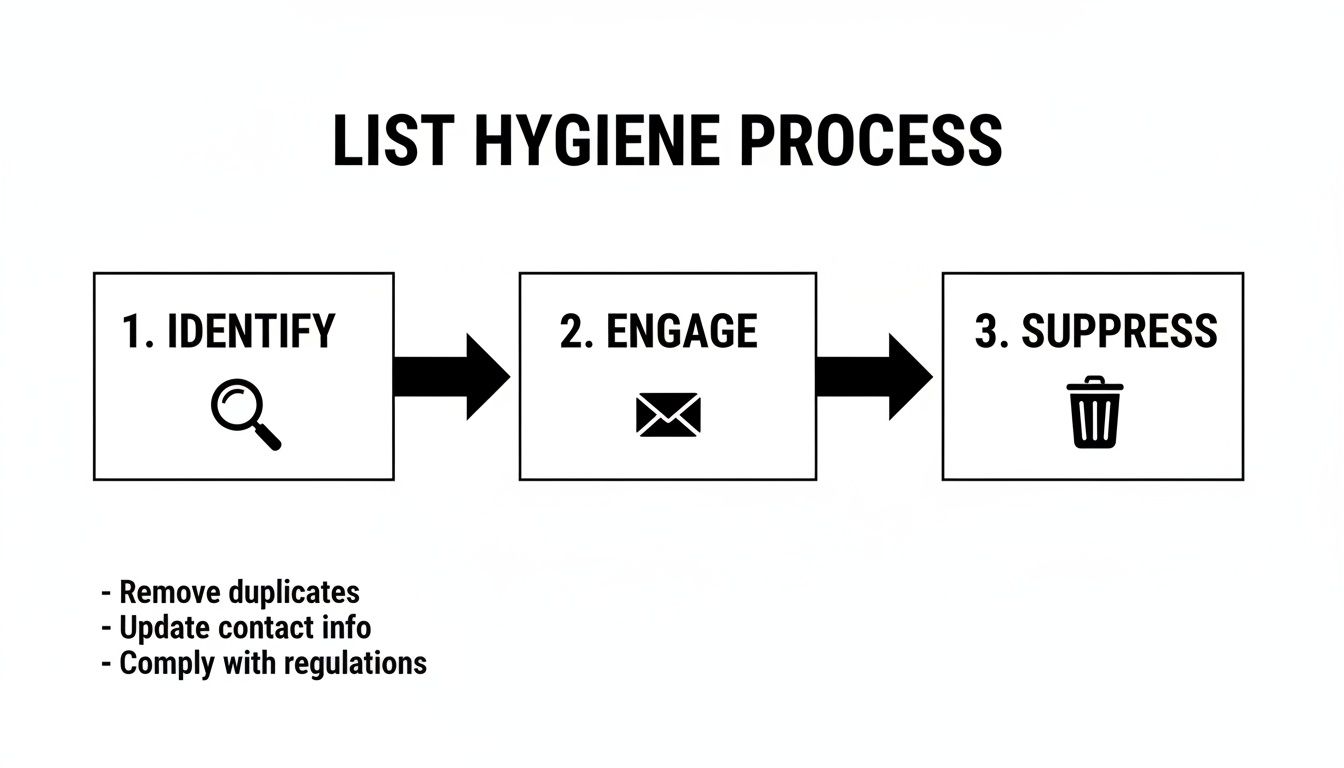
This process—identifying the disengaged, trying to win them back, and then letting go of those who don't respond—is a non-negotiable loop for keeping your segments healthy and your deliverability high.
Moving Beyond Static Fields to Behavioral Segments
Your most valuable data isn't what users fill out in a form; it's what they show you through their actions inside your product. Tapping into that product usage and engagement data lets you create dynamic segments that reflect a user's real-time relationship with your platform. This simple shift transforms your email strategy from broadcasting to a crowd to having a pointed conversation.
Here are a few powerful, behavior-driven segments you can build right away:
High-Potential Trial Users: These are the folks who've taken key activation steps (like inviting a teammate or connecting an integration) but still haven't pulled out their credit card. They're on the fence, and a little nudge could make all the difference.
Feature Adopters vs. Laggards: Group users who jumped on a new, sticky feature versus those who are ignoring it. This lets you send targeted "how-to" content to the laggards and ask for valuable feedback from the early adopters.
At-Risk Customers: Create a segment of paying customers whose login frequency has cratered in the last 30 days. This is one of the most powerful leading indicators of churn you can track.
Billing-Related Segments: Group users whose credit cards are expiring next month or who just had a payment fail. This allows you to set up automated dunning campaigns that claw back revenue you'd otherwise lose.
The point of segmentation isn't just to make groups. It's to understand context. A free user ignoring your newsletter is a world away from a paying customer who hasn't logged in for a month. Your automated response needs to reflect that difference.
With a platform like SMASHSEND, you can build these segments on the fly using real-time data from your product. By tracking events and user properties, the system automatically shuffles contacts in and out of segments. Your targeting stays razor-sharp without you ever having to manually manage a list again.
Mapping Segments to Automated Lifecycle Workflows
Once you've defined your behavioral segments, the next move is to map each one to a specific, automated workflow. A segment on its own is just a list; the automation is what turns that insight into action. And eventually, revenue. Every workflow should have one, crystal-clear goal.
Let's walk through a couple of real-world B2B SaaS scenarios to make this tangible.
Scenario 1: The Disengaged Trial User
Segment: Users who signed up for a trial 7+ days ago but have logged in fewer than two times.
Goal: Spark re-engagement and get them to that "aha!" moment.
Automation Workflow:
- Trigger: A user gets added to the "Inactive Trial" segment.
- Email 1 (Day 1): Send a super-helpful, non-salesy tip about a single, easy-to-use feature that delivers a quick win. Think a subject line like: "A 5-minute tip for solving [Pain Point]."
- Email 2 (Day 3): If they still haven't logged in, send a short case study or testimonial from a similar company that shows a clear ROI. Social proof works wonders.
- Email 3 (Day 5): Still nothing? Send a final, personal-feeling offer for a 15-minute onboarding call or a trial extension.
- End Goal: If the user engages, they're automatically pulled from this workflow. If not, they get tagged as an "unqualified trial" and are suppressed from future onboarding pings.
Scenario 2: The High-Value Power User
Segment: Paying customers on an annual plan who use a specific set of premium features at least 10 times a week.
Goal: Build loyalty, get their feedback, and spot potential expansion opportunities.
Automation Workflow:
- Trigger: A user's activity qualifies them for the "Power User" segment.
- Email 1: Send a personal note (ideally from the Head of Product) thanking them and inviting them to an exclusive beta for a new feature. Make them feel like an insider.
- Action: If they join the beta, tag them and add them to a dedicated feedback sequence.
- Email 2: A month later, invite them to a customer advisory board or just send them some company swag as a thank you.
Using a visual builder makes setting these up incredibly intuitive. You can map out conditional logic—like if a user clicks a link, send them down Path A; if they ignore it, send them down Path B.
These tailored journeys feel personal and genuinely helpful because they're directly tied to what a user is actually doing. It's the difference between shouting at a crowd and having a quiet, relevant conversation. This is how you build a system for managing email lists that works for you 24/7, actively driving the outcomes your business needs.
Making the Leap: How to Migrate to a Modern Email Platform Without the Headaches
Moving your entire email operation to a new platform sounds daunting. I get it. Teams often kick this can down the road, worried about losing data, tanking their deliverability, or causing a massive meltdown in their marketing.
But let's be honest: sticking with a clunky, outdated tool is the real risk. It's holding you back from the segmentation, automation, and revenue-driving power you could have.
The good news is that a well-planned migration from a legacy provider to a platform like SMASHSEND is totally doable. Better yet, it's a golden opportunity to clean house, get your data in order, and finally unlock the tools your business deserves. A smooth switch comes down to a clear process that protects your hard-earned data and sender reputation.
First Things First: Prepping Your Data for the Move
Before you even touch that "import" button, you need a solid game plan for what data is coming with you. This isn't just about a list of email addresses; it's about bringing over the rich, contextual data you've spent years collecting. A sloppy export means you're basically starting from scratch, losing all your powerful segmentation capabilities.
Start by pulling a complete data export from your current provider. Your CSV or export file needs to be more than just the basics.
Contact Info: Of course, you need the email, first name, last name, and company. But don't forget all those custom fields you've set up.
Tags and Segments: This is non-negotiable. Export all tags, group memberships, and segment data. This is the secret to rebuilding your audiences instantly.
Engagement History: If your old platform allows it, export data on who your most engaged contacts are (often called 4 or 5-star contacts). You'll need this group for the next step.
Suppression Lists: Do not, under any circumstances, forget your unsubscribe and bounce lists. Importing these directly into SMASHSEND's suppression list is a critical first step to protect your sender reputation and stay on the right side of anti-spam laws.
Once you have all your data in one place, it's the perfect time for one last cleanup. Run your list through a trusted email verification tool to scrub any lingering invalid addresses. Starting on a new platform with a squeaky-clean list is a massive head start.
The Warm-Up: Easing Into Your New Sending Infrastructure
You can't just flip a switch and blast emails to your entire list from a new platform. Mailbox providers like Gmail and Outlook are incredibly suspicious of high-volume sends coming from unfamiliar IP addresses. A sudden, massive campaign is a one-way ticket to the spam folder.
The answer is to properly warm up your new dedicated IP address. This is the process of gradually increasing your sending volume over several days or even weeks.
Start with Your Superfans: Your first sends should go to a small segment of your most active, loyal subscribers—the people who open and click on everything. Their positive engagement sends powerful trust signals to the inbox providers.
Ramp Up the Volume Slowly: From there, you gradually increase the number of emails you send each day. SMASHSEND can help automate this, but a common schedule might involve doubling your daily volume until you're back to your normal cadence.
Watch Your Metrics Like a Hawk: Keep a close eye on your open rates, bounce rates, and spam complaints. If you spot any red flags, hit pause on the warm-up and figure out what's going on before you continue.
Think of it like building credit. A series of small, positive interactions over time proves to mailbox providers that you're a trustworthy sender, paving the way for long-term deliverability success.
To help you stay organized, we've put together a checklist to guide you through the process.
Email List Migration Checklist
Moving your email list requires careful planning to avoid common pitfalls like data loss or deliverability issues. This checklist breaks down the migration process into manageable phases, ensuring a smooth transition to SMASHSEND.
| Phase | Task | Key Consideration |
|---|---|---|
| 1. Pre-Migration Audit | Audit existing lists and segments | Identify what's working and what's obsolete. This is your chance to clean house. |
| 1. Pre-Migration Audit | Export all contact data and history | Include custom fields, tags, and engagement scores—not just email addresses. |
| 1. Pre-Migration Audit | Export suppression lists (unsubscribes, bounces) | This is critical for compliance and protecting your new sender reputation. |
| 2. Data Hygiene | Verify and clean the exported list | Use a third-party verification service to remove invalid or risky emails. |
| 2. Data Hygiene | Format data for the new platform | Ensure all fields map correctly in SMASHSEND to preserve your data structure. |
| 3. Platform Setup | Import suppression lists first | Do this before importing any active contacts to prevent accidental re-mailing. |
| 3. Platform Setup | Import contacts and map all fields | Double-check that all custom fields, tags, and segments are correctly assigned. |
| 3. Platform Setup | Recreate key segments and automation workflows | Rebuild your most important welcome series, nurturing sequences, etc. |
| 4. IP Warm-Up | Create a warm-up sending schedule | Start with your most engaged segment and gradually increase volume over 2-4 weeks. |
| 4. IP Warm-Up | Monitor deliverability metrics daily | Watch open rates, click rates, bounce rates, and spam complaints very closely. |
| 5. Post-Migration | Update all signup forms and API connections | Ensure new leads are flowing into SMASHSEND, not your old provider. |
| 5. Post-Migration | Decommission the old platform | Once you're confident everything is working, you can fully move off the legacy system. |
Following these steps methodically will help guarantee that your data integrity remains intact and your sender reputation gets off to a strong start on your new platform.
Connecting Your Tools for a Unified Ecosystem
A successful migration isn't finished until your new email platform is plugged into the rest of your tech stack. This is what elevates SMASHSEND from a simple email tool to the command center for your customer communications. Truly effective managing email lists means your data can flow freely between all your systems.
For example, connecting SMASHSEND to your CRM keeps customer data perfectly in sync, letting you trigger emails based on sales stages or recent support tickets. Hooking it up to a billing system like Stripe allows you to automate critical revenue-recovery workflows, like dunning emails for failed payments.
This creates a powerful, unified ecosystem where an action in one tool can kick off an intelligent communication in another. As you look at different top marketing automation platforms, you'll see just how essential these integrations are for any modern B2B SaaS company.
Common Questions About Managing Email Lists
Even with the best strategy in place, you're going to have questions. The day-to-day work of managing a B2B SaaS email list is full of unique challenges, from the constant pressure to grow your list to the nagging fear of a deliverability disaster.
This is your quick-reference guide for the questions that pop up most often. No fluff, just straight answers.
How Often Should I Clean My Email List?
There's no single right answer, but for most B2B SaaS companies, a good rhythm is to run a re-engagement campaign and prune your unengaged subscribers every 90 days. It's the sweet spot—long enough to account for normal lulls in a user's activity but short enough to stop list decay from hurting your sender reputation.
Now, if you're a high-volume sender hitting inboxes multiple times a week, you'll want to tighten that up to every 60 days. The most important thing is to make it a consistent, automated process. This shouldn't be a once-a-year fire drill you dread; it should be a background task that keeps your list healthy.
Is Buying an Email List Ever a Good Idea?
Let me make this simple: No. Never.
Buying a list feels like a shortcut, but it's a direct flight to the spam folder and a black mark on your domain. These people never asked to hear from you, which means every single email you send is, by definition, unsolicited.
This one bad decision triggers a whole cascade of problems:
Sky-High Spam Complaints: People who have no idea who you are will mark you as spam without a second thought, absolutely crushing your sender score.
Abysmal Engagement: Your open and click-through rates will be in the basement because you're emailing a cold, uninterested audience.
Serious Legal Risks: You're walking right into a minefield of regulations like GDPR and CAN-SPAM, which come with some very real, very expensive fines.
Every reputable email service provider, including SMASHSEND, flat-out prohibits using purchased lists. Sustainable growth only comes one way: organically, through genuinely valuable content and product-led tactics.
Your sender reputation is an asset you build slowly, one good email at a time. Buying a list is like taking out a payday loan against that asset—the long-term cost is never, ever worth it.
What Is the Difference Between a Hard and Soft Bounce?
Getting a handle on bounces is fundamental to good list hygiene. They both signal a delivery problem, but they mean very different things.
A hard bounce is a permanent failure. Think of it as a dead end. The email address is invalid, misspelled, or simply doesn't exist anymore. These need to be removed from your list immediately and added to a suppression list to protect your sending reputation. Don't even try sending to them again.
A soft bounce is a temporary hiccup. Maybe the person's inbox is full, their company's server is temporarily down, or your email file was unusually large. Most email platforms will automatically try to resend a few times. But if an address keeps soft-bouncing across several campaigns, it's time to treat it like a hard bounce and remove it.
How Many Emails Is Too Many?
This is the million-dollar question, but the answer has nothing to do with a magic number. It's all about relevance and expectation.
Did someone sign up for your daily tips series? Great, send them a daily email. Did they subscribe to a monthly product update newsletter? Then stick to that schedule. The quickest way to get an unsubscribe is to break the promise you made when they signed up.
This is where segmentation becomes your best friend. Your power users might be thrilled to get frequent updates on new features, while a new trial user just needs the core onboarding emails to get started. Let your user's behavior and their stage in the customer lifecycle dictate your frequency, not some arbitrary number on a marketing calendar.
Ready to turn your email list from a simple database into a powerful revenue engine? SMASHSEND gives B2B SaaS teams the automation, segmentation, and deliverability tools needed to drive real results. Start building smarter campaigns today.
🎯 Key Takeaways
Focus on list quality over quantity—a smaller, engaged list drives significantly more revenue than a large, unengaged one
Implement behavioral segmentation based on product usage and engagement data for hyper-relevant messaging
Automate list hygiene with re-engagement campaigns every 60-90 days to maintain sender reputation and deliverability
Use lifecycle workflows triggered by user actions to deliver contextual messages at the right moment
Never buy email lists—focus on organic growth through value-driven content and product-led tactics
Plan email platform migrations carefully with proper IP warm-up and data preservation to protect deliverability
Frequently Asked Questions
Have a question not in here? Contact us
- How Often Should I Clean My Email List?
For most B2B SaaS companies, run a re-engagement campaign and prune unengaged subscribers every 90 days. If you're a high-volume sender (multiple times per week), tighten this to every 60 days. The key is making it a consistent, automated process rather than a once-a-year fire drill.
- Is Buying an Email List Ever a Good Idea?
No. Never. Buying lists leads directly to spam complaints, abysmal engagement, serious legal risks under GDPR and CAN-SPAM, and damage to your sender reputation. Every reputable email service provider prohibits purchased lists. Sustainable growth only comes organically through valuable content and product-led tactics.
- What Is the Difference Between a Hard and Soft Bounce?
A hard bounce is a permanent failure (invalid email address) that must be removed immediately. A soft bounce is temporary (full inbox, server down) - most platforms retry automatically, but if an address keeps soft-bouncing across campaigns, treat it like a hard bounce and remove it.
- How Many Emails Is Too Many?
It's about relevance and expectation, not a magic number. If someone signed up for daily tips, send daily emails. If they subscribed to monthly updates, stick to that. Use segmentation to match frequency to user behavior and lifecycle stage rather than arbitrary calendar schedules.
- What are the key behavioral triggers for B2B email automation?
Focus on high-value triggers like first feature use, reaching usage limits, declining engagement, billing events (failed payments, expiring cards), trial milestones, and onboarding completion. These moments correlate with retention, expansion, or churn and drive the highest conversion rates.
- How do I migrate to a new email platform without losing deliverability?
Export all data including suppression lists, verify and clean your list, import suppressions first, recreate key segments and workflows, warm up your new IP gradually starting with engaged segments, and monitor deliverability metrics daily. A methodical approach protects your sender reputation during the transition.