
A B2B SaaS Guide to Personalization at Scale
Let's be honest, "personalization at scale" sounds like another piece of marketing jargon. But what it really means is simple: using technology and data to give every single one of your users a unique, one-to-one experience, automatically.
It's about moving past the generic, one-size-fits-all campaigns and creating interactions that are so relevant and timely they feel like they were crafted by hand—even when you're talking to thousands of customers at once.
Beyond Buzzwords: What This Actually Looks Like
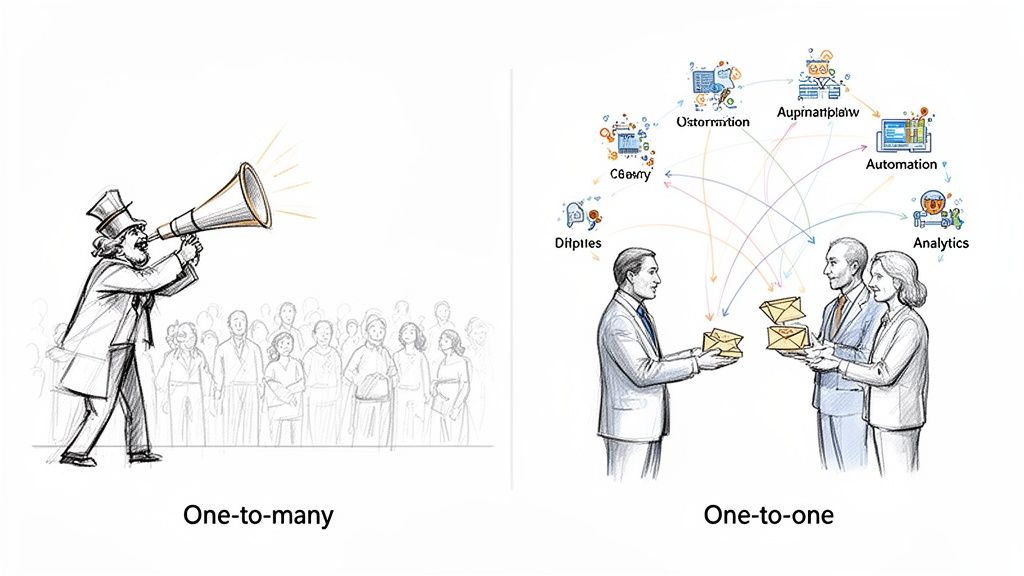
Think about the difference between a megaphone and a conversation. A megaphone blasts the same message to everyone, hoping it sticks with a few. A conversation, on the other hand, is dynamic, responsive, and specific to the person you're talking to. That's the leap we're talking about.
For a B2B SaaS company, this goes way beyond just plugging a <firstname> tag into a mass email. It's about building a smart system that understands where each user is in their journey and nudges them toward success. This is the engine that powers a modern customer lifecycle, turning your communication from a monologue into a dialogue.
Why This Isn't a "Nice-to-Have" Anymore
In a crowded market, generic is invisible. Your customers expect you to know who they are, understand how they use your product, and offer help before they even have to ask for it. When you fail to do that, you don't just create a bad experience—you create churn.
This is where a real personalization strategy becomes your competitive advantage. It lets you:
Nail Activation: Guide a brand-new user to their "aha!" moment with an onboarding flow that changes based on what they actually do (or don't do) in your app.
Spark Expansion: Automatically prompt power users with an upgrade offer the moment they hit a usage limit or start exploring premium features.
Prevent Churn: Proactively reach out to accounts showing signs of disengagement with helpful resources or a special offer to reconnect.
To really get a handle on how this works under the hood, it's worth understanding How AI Can Improve Customer Experience. AI is the technology that makes these smart, adaptive conversations possible across your entire user base.
The Four Pillars of Personalization at Scale
To pull this off, you can't just wing it. A successful strategy rests on four core components that work together. Think of them as the foundation for a system that turns raw user data into real revenue. When you have all four in place, your efforts become measurable, repeatable, and most importantly, scalable.
Here's a breakdown of the essential pillars:
| Pillar | Description | Example in B2B SaaS |
|---|---|---|
| Data | The fuel for your engine. This includes user behavior, company info, and where they are in the customer lifecycle. | Tracking a user's feature adoption rate, company size, and their current subscription plan. |
| Segmentation | The process of grouping users into smart, actionable cohorts based on shared traits or behaviors. | Creating a dynamic segment of "at-risk trial users" who haven't activated a key feature in 7 days. |
| Automation | The technology that does the work, executing personalized actions based on the triggers and logic you define. | An automated workflow that sends a targeted case study to every user who works in the fintech industry. |
| Analytics | The scoreboard. This is how you measure what's working, what's not, and prove the ROI of your efforts. | Measuring how a personalized onboarding sequence impacts the 30-day user activation rate. |
This framework isn't just theoretical; it delivers massive returns.
The proof is in the numbers. While the median ROI for email marketing is an already impressive $36 for every $1 spent, brands that truly master personalization see that figure skyrocket.
The real payoff? A stunning 43:1 return on investment. In contrast, companies still clinging to generic, one-size-fits-all messaging lag far behind at just a 12:1 return.
This isn't a small gap—it's a chasm. That relevance translates directly to engagement. Personalized emails don't just perform a little better; they achieve a 30.3% open rate compared to 26.6% for generic sends and have a lower bounce rate. The data from Litmus research is clear: when the message feels personal, people pay attention.
Building Your Data and Technology Foundation
Let's get one thing straight: achieving personalization at scale isn't about buying a dozen different tools. That's a common mistake, and it usually creates a Frankenstein's monster of disconnected data and disjointed customer experiences. The real secret is building a lean, integrated foundation where a few core systems talk to each other seamlessly.
Think of it like building a high-performance engine. You don't need a hundred random parts rattling around; you need a few critical components—the engine block, the fuel system, the ignition—all working in perfect sync. For personalization, your engine is built around a central platform that acts as your single source of truth.
This is the hub where all your customer data comes together, creating a complete, unified profile for every single user. It's the only way to make sophisticated personalization actually work.
Unifying Your Customer Data
To create experiences that feel genuinely relevant, you need to combine two fundamental types of data: firmographic and behavioral. Firmographic data tells you who the customer is. Behavioral data tells you what they are doing.
Firmographic Data: This is the static stuff—company industry, size, location, and their current subscription plan. It's the basic context for any conversation you have with them.
Behavioral Data: This is the dynamic, real-time information from inside your product. It tracks things like feature usage, login frequency, actions they've taken (or haven't taken), and where they are in the onboarding process.
When you merge these two datasets, you suddenly unlock some seriously powerful segmentation capabilities. For example, you can instantly find "enterprise customers in the finance industry who haven't invited a teammate in their first 7 days." That level of detail is completely impossible when your data is stuck in separate, disconnected silos. To dig deeper into this, check out our guide on building effective customer segmentation strategies.
A single source of truth doesn't mean all your data lives in one giant database. It just means all your systems—product analytics, billing, CRM—feed into one central automation platform where you can actually use that data.
This unified view is the bedrock of personalization at scale. It's what lets you move beyond dropping in a <name> token and start triggering campaigns based on meaningful user actions. A recent Adobe report found that while 71% of consumers expect personalized offers, only 34% of brands are delivering. That's a massive opportunity gap, and closing it starts with getting your data foundation right.
Designing Your Technology Stack
Once you know what data you need, the next job is to connect your tools to create a smooth, automated flow of information. The goal is to get data from where it's created (your product, your billing system) into your marketing automation platform (like SMASHSEND) where you can finally act on it.
Your stack doesn't need to be a complex beast. A typical, effective setup for a B2B SaaS company looks something like this:
Your Product Database: This is ground zero for behavioral data, tracking every click and action a user takes inside your app.
A Billing System: This provides mission-critical subscription info like plan type, MRR, and renewal dates.
An Automation Platform: This is the "brain" of your operation. It pulls in data from your other sources, segments users, and runs the personalized campaigns.
Integration Tools: These are the "pipes" that connect everything. This could be a direct API connection or user-friendly middleware like Zapier or webhooks.
The key takeaway here is flexibility. By using integrations, you can build an incredibly powerful and custom stack without needing a huge engineering team. It ensures your data flows exactly where it needs to go to power your personalization efforts.
Turning Data Into Action: Workflows for Every Customer Lifecycle Stage
Having a solid data foundation is like having a perfectly stocked kitchen. You've got all the best ingredients, but they don't become a five-star meal until you have a recipe. In personalization, that recipe is your set of strategic, automated workflows.
This is where the rubber meets the road. Real personalization isn't about sending a few clever one-off campaigns; it's about building an intelligent, automated system that guides customers through their entire journey with your product, from their very first click to their hundredth login.
Every stage of that journey is a chance to deliver value. When you tailor your communication to what a user is doing right now, your emails transform from simple notifications into a powerful engine for activation, expansion, and retention.
The diagram below shows how this process works. It all starts with pulling in raw data, unifying it into a single source of truth, and then using that truth to trigger meaningful action.
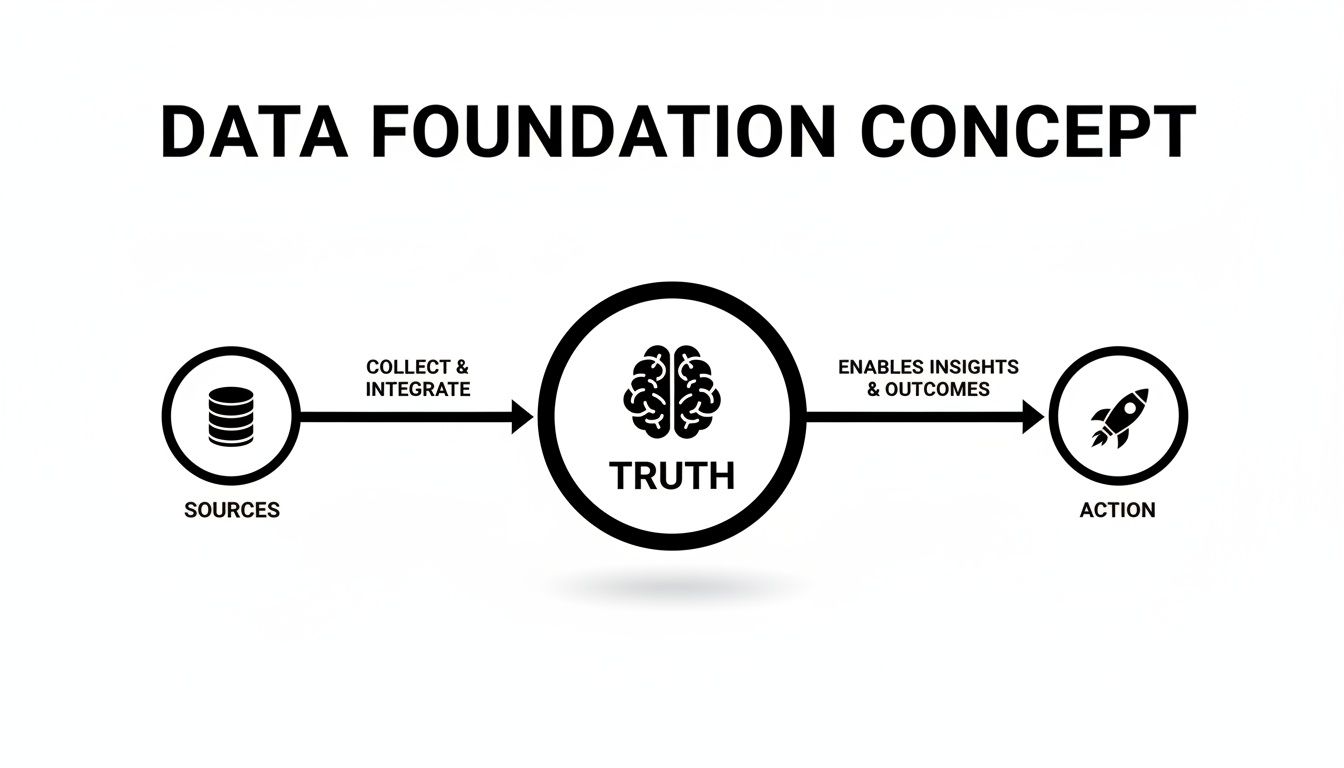
Without that unified "truth" layer, you're just guessing. Let's break down how to stop guessing and start acting at each critical stage of the customer lifecycle.
Stage 1: The Welcome and Activation Stage
The first 30 days are everything. Your one and only job is to get new users to their "aha!" moment as fast as humanly possible—that magical point where they truly get the value your product offers. A generic, one-size-fits-all onboarding email sequence is a recipe for churn.
Instead, think in terms of a multi-branch workflow that adapts in real-time to what the user is (or isn't) doing.
Trigger: User signs up for a trial.
The Logic: Your system constantly checks if they've completed key activation steps, like creating their first project or inviting a teammate.
The Personalized Paths:
Action Taken? Great! Send a quick, congratulatory email with a pro-tip for getting even more out of that feature.
Action Not Taken? No problem. After 48 hours, send a gentle nudge with a link to a 2-minute tutorial video or a case study from their industry.
This approach ensures every single user gets the specific help they need, right when they need it. The numbers don't lie. Brands that get aggressive with personalization see revenue boosts of 10–15%. Their automated emails get 4.3% conversion rates, crushing the 1.7% seen by generic batch-and-blast campaigns. It makes sense when you consider that 80% of customers are more likely to buy from a company that provides a tailored experience.
Stage 2: The Expansion and Upsell Stage
Once a user is activated, the game changes. Your focus shifts from onboarding to expansion. The goal is to spot your power users and help them become even more successful, creating natural opportunities for new revenue.
The best time to talk about an upgrade isn't on the first of the month; it's when the customer is feeling the limits of their current plan.
Personalization at this stage is all about anticipating needs. You stop being a salesperson and become a problem-solver, showing up with a solution at the exact moment a customer realizes they have a new problem.
Imagine a workflow that keeps an eye on account usage.
Trigger: An account hits 90% of its data storage limit.
The Logic: The system identifies the account admin.
The Personalized Action: An automated email goes out to the admin. It frames their high usage as a win ("Looks like your team is on fire!") and presents a simple, one-click path to upgrade their plan.
This is worlds away from a generic "Upgrade Now!" button. It's timely, relevant, and celebrates the user's success.
Stage 3: The Churn Recovery and Win-Back Stage
Let's be real: some churn is inevitable. But with smart personalization, you can spot the warning signs and automatically step in to prevent it. You can also craft targeted campaigns to win back customers who have already left.
First, you need to define what "at-risk" behavior looks like. Is it a drop in login frequency? Deactivating a key integration? A series of failed payments?
A Proactive Churn Prevention Workflow
Trigger: A user hasn't logged in for 14 straight days.
The Logic: The system pulls the user's industry from their profile data.
The Personalized Nudge: They get an email showcasing a new feature or a case study that's hyper-relevant to their specific industry. The goal is to reignite their interest by showing them something new and valuable. For a deeper look at building these systems, check out our guide on effective workflow marketing automation.
A Smarter Dunning and Failed Payment Workflow
Dunning—the process of chasing failed payments—is a huge and often-missed opportunity for personalization. Don't just send a single, scary "Your Payment Failed!" message. Build a friendlier, multi-step sequence.
Email 1 (Immediately): Keep it light and helpful. "Oops! Looks like there was an issue with your payment. You can update your card details right here."
Email 2 (3 Days Later): Add a little urgency and remind them of the value. "Just a friendly reminder to update your payment to keep access to all your projects. P.S. Here's a link to what's new this month."
Email 3 (7 Days Later): Be clear but still helpful. "This is our last reminder before your account is suspended. Please update your payment info to avoid any interruption."
By building these kinds of strategic, automated workflows, you create a system that works 24/7 to nurture, grow, and retain your customer base. That's how you achieve true personalization at scale.
Lifecycle Personalization Playbook
To make this even more practical, here's a quick cheat sheet you can use to brainstorm high-impact personalization tactics for each stage of the B2B SaaS customer lifecycle.
| Lifecycle Stage | Goal | Personalization Tactic Example | Key Data Points |
|---|---|---|---|
| Welcome | Drive "aha!" moment | Send a 3-part onboarding series with dynamic content based on the first feature the user tries. | first_feature_used, signup_date, user_role |
| Activation | Encourage key actions | Trigger a helpful tooltip email if a user hasn't invited a teammate within 48 hours of signing up. | team_invites_sent, last_login_date |
| Expansion | Increase revenue/LTV | When a team hits 85% of their seat limit, email the admin with a "celebrate your growth" message and an easy upgrade link. | current_seat_count, max_seat_limit, user_role='admin' |
| Retention | Proactively reduce churn | If a power user's weekly activity drops by 50%, send a personalized check-in from a CSM asking if they need help. | weekly_active_time, key_feature_usage_rate |
| Churn Recovery | Win back lost customers | 30 days after cancellation, send a "Here's what you've missed" email that dynamically includes 3 new features relevant to their industry. | cancellation_date, industry, previous_plan_type |
Think of this table as a starting point. The real power comes from adapting these concepts to the unique behaviors and value milestones of your own product. By mapping your data to these critical lifecycle moments, you can build an automated personalization engine that fuels sustainable growth.
Measuring Success with KPIs That Actually Matter
So you've built a set of killer, personalized workflows. That's great, but it's only half the job. To prove the value of your efforts—and justify the investment—you have to measure what actually matters to the business.
This means looking beyond vanity metrics and focusing on the Key Performance Indicators (KPIs) that have a direct line to business growth and Annual Recurring Revenue (ARR).
Sure, stats like email open rates are interesting. We know emails with personalized subject lines are 26% more likely to be opened, a number that can shoot up to 50% in certain campaigns. This leads to 58% better click-to-open rates, proving relevance gets results. With 71% of consumers globally now expecting personalization, the stakes are high. You can dig into more of these email marketing statistics on Optinmonster.com.
But here's the hard truth: a high open rate means absolutely nothing if it doesn't drive a real business outcome. Did that email actually get a user to activate? Did it stop a customer from churning? Did it generate expansion revenue? Those are the questions that matter.
Connecting Workflows to Revenue
The entire point of your reporting should be to draw a clean, undeniable line from a specific workflow to a revenue outcome. Your system needs to be able to answer questions like, "How much MRR did our dunning campaign claw back last quarter?"
Or, "What's the 30-day activation rate for users who went through our new personalized onboarding flow versus the ones who got the old, generic one?"
This is where you see the true impact of personalization at scale. It's not about sending prettier emails; it's about building a predictable revenue engine. Once you can attach dollar signs to specific campaigns, the conversation in the boardroom shifts from "marketing spend" to "revenue investment."
Business-Centric KPIs to Track
Don't drown in a sea of data. Zero in on a few high-impact KPIs that tell you the real story about the health of your customer lifecycle. These are the metrics that prove your personalization strategy is working and give you the clues you need to make it even better.
Here are the three essential KPIs every B2B SaaS team should live and breathe:
Activation Rate by Cohort: This is your bread and butter. It tracks the percentage of new users from a specific group (e.g., "signed up in May") who hit that crucial "aha!" moment in a set timeframe. By A/B testing different personalized onboarding flows, you can see exactly which approach is best at turning fresh signups into hooked, active customers.
Expansion MRR from Email: This is the ultimate proof that your upselling game is strong. It's the new monthly recurring revenue you generate from customers who upgraded their plan right after getting a personalized, automated email—like one triggered by them hitting a usage limit. It's pure, attributable growth.
Churn Reduction Rate: This KPI shows how much money your retention and dunning campaigns are saving the company. You can measure it by comparing the churn rate of users who received a personalized re-engagement sequence against a control group who didn't. When you can say, "This workflow saved us $X in lost revenue last month," your value becomes undeniable.
By focusing on these business-centric KPIs, you transform your personalization efforts from a "nice-to-have" marketing activity into a core driver of sustainable company growth. This framework provides the proof you need to secure resources and double down on what's working.
Navigating Deliverability, Privacy, and Compliance
Let's be blunt: the most brilliant, data-driven personalization strategy on the planet is completely worthless if your messages land in the spam folder.
Executing personalization at scale demands a rock-solid technical foundation. Without it, you're just sending hyper-relevant emails into a black hole.
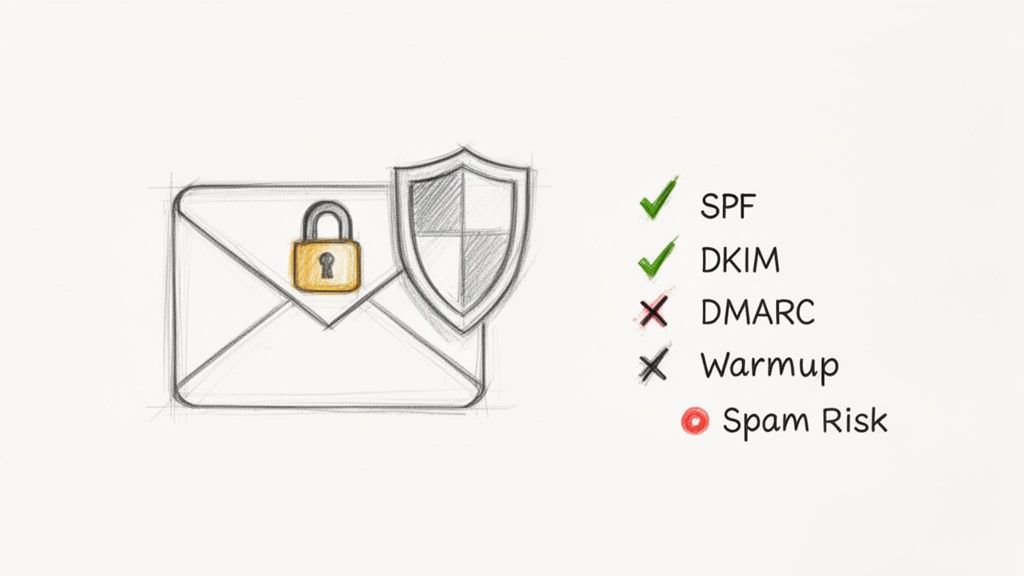
This is where deliverability comes in. It's the art and science of actually getting your emails into the primary inbox, and it is non-negotiable. Internet Service Providers (ISPs) like Google and Microsoft are always watching. They monitor how recipients engage with your emails, and that engagement score becomes your reputation.
The good news is that highly segmented, personalized campaigns naturally drive higher engagement, which gives your sender reputation a healthy boost. The catch? A sudden spike in email volume from a new, complex workflow can also raise red flags if you haven't laid the proper groundwork.
Building a Bulletproof Sender Reputation
To keep your messages out of spam, you have to get the technical fundamentals right. These aren't just "nice-to-haves"; they are the absolute table stakes for any serious email program.
Dedicated IP and Automated Warmup: Think of a dedicated IP address as your own private postal address for sending email. Its reputation is entirely yours to build or break. An automated warmup process is the key to building it right—it gradually increases your sending volume, introducing your new IP to ISPs slowly to establish trust.
Domain Authentication (SPF, DKIM, DMARC): These are technical standards that prove your emails are genuinely from you. They're like a digital signature that prevents phishers from forging your sender identity, a critical step in building long-term trust with inbox providers.
The goal is simple: build a pristine sender reputation that ensures your carefully crafted, personalized messages reach their intended audience, every single time. Neglecting this technical foundation is one of the fastest ways to kill your entire strategy.
Personalizing Within Privacy Boundaries
In today's world of increased data scrutiny, personalization and privacy have to go hand-in-hand. Regulations like GDPR and CCPA aren't obstacles; they're frameworks for building customer trust.
The key is to practice ethical personalization. This means using data to provide genuine, tangible value, not to be intrusive or creepy.
Being transparent about the data you collect and how you use it to create better experiences is paramount. For example, using a customer's feature usage data to send them a relevant tutorial is helpful. Using sensitive data without clear consent is not. It's also vital to ensure your AI tools adhere to data protection regulations, so it's wise to review best practices for GDPR-compliant AI integration to stay on the right side of the law.
Ultimately, a healthy sender reputation comes from respecting the inbox and the user. The most effective personalization at scale always feels helpful, never creepy. To dive deeper into maintaining this crucial balance, check out these B2B email marketing best practices.
Here's a quick checklist to keep your program healthy and your reputation strong:
Always Get Explicit Consent: Make sure every user has clearly opted in to receive your communications. No shortcuts.
Make Unsubscribing Easy: A clear, one-click unsubscribe link is mandatory in every single email. Don't hide it.
Monitor Your Engagement: Regularly clean your list by removing unengaged subscribers—anyone who hasn't opened an email in 90 days should be on the chopping block.
Authenticate Your Domain: If you haven't already, implement SPF, DKIM, and DMARC to prove your identity to ISPs.
Review Data Usage: Routinely audit the data points you use for personalization. Ask yourself: does this truly provide clear value to the customer?
Your Implementation Checklist for Scaling Personalization
Alright, let's turn all this theory into reality. Talking about strategy is one thing, but actually shipping a personalized campaign is what really matters. This checklist is your practical roadmap to get your first personalization at scale workflow live.
Forget trying to do everything at once. The goal here is to build momentum. We'll start with a single, high-impact campaign that proves the value of this approach and gives you a solid win to build on.
Phase 1: Foundational Setup
First things first, you need to get your house in order. This is all about auditing your current tech, getting your data to talk to each other, and nailing the technical basics for solid email delivery.
Audit Your Data Stack: Where does all your customer data actually live? Sketch out the information flow between your app, your billing system (like Stripe), and your CRM. Look for the gaps and the obvious integration points you've been putting off.
Define Your Single Source of Truth: You need one central hub where all this data comes together. Choose a platform (like SMASHSEND) that can pull everything in from your other tools. Connect your stack using APIs, webhooks, or whatever it takes to build that unified customer view.
Configure Deliverability Essentials: This is non-negotiable. Make sure your sending domain is properly authenticated with SPF, DKIM, and DMARC. Getting this technical step right is the difference between hitting the inbox and landing in spam.
Phase 2: Strategic Planning
With your foundation solid, it's time to get strategic. This is where you decide where to point your efforts to get the biggest bang for your buck, fast. Pick one lifecycle stage and build one targeted, measurable workflow.
Your first workflow should be simple but powerful. Don't try to personalize the entire customer journey from day one. Pick one specific, high-value problem—like getting new trials activated or stopping churn from failed payments—and solve it brilliantly.
Here's how to plan that first initiative:
Identify Behavioral Triggers: Find the key actions (or lack of action) that signal a make-or-break moment. For an activation workflow, this could be "user has not invited a teammate within 3 days."
Map Your First Lifecycle Workflow: Get out a whiteboard and sketch out a simple campaign. For example, a three-part dunning series that kicks off when a payment fails. Each email can escalate the urgency a bit while offering helpful context.
Define Success Metrics: How will you know if it worked? Choose one primary KPI to measure success. For an activation campaign, that metric is Activation Rate by Cohort. For a dunning workflow, it's Churn Reduction Rate. Attaching a real number to your work means you can prove the ROI from day one.
Frequently Asked Questions
Have a question not in here? Contact us
- How Do I Start with Messy or Incomplete Data?
You don't need perfect data to get started. Find one or two high-value data points that you know are reliably tracked, like last_login_date or key_feature_used. Build your first simple workflow around just those triggers. Once you prove ROI on that small effort, it's easier to build a business case for investing in better data hygiene.
- What Is the Minimum Viable Tech Stack?
At minimum, you need three things: a data source (your product's database), an automation platform (like SMASHSEND), and an integration method (webhooks or tools like Zapier). This minimalist setup is enough to get your first behavior-triggered campaigns out the door.
- How Do I Prove ROI to Skeptical Stakeholders?
Focus on revenue-impacting KPIs like Expansion MRR from automated upsell campaigns, Churn Reduction Rate from retention workflows, and Activation Rate by Cohort. When you can say 'Our dunning sequence recovered $15,000 in potential churn last month,' you're speaking their language.
- What are the Four Pillars of Personalization at Scale?
The four pillars are: Data (user behavior and company info), Segmentation (grouping users into actionable cohorts), Automation (technology that executes personalized actions), and Analytics (measuring what works and proving ROI).
- How much ROI can I expect from personalization at scale?
Brands that master personalization see up to 43:1 return on investment, compared to just 12:1 for generic messaging. Personalized emails achieve 30.3% open rates versus 26.6% for generic sends, with 4.3% conversion rates compared to 1.7% for batch-and-blast campaigns.
🚀 Transform Your Email Channel with SMASHSEND
It's time to transform your email channel from a simple newsletter tool into a powerful, automated revenue engine. SMASHSEND unifies all your customer messaging—broadcasts, automations, and transactional emails—to help you activate, expand, and retain customers 24/7.